# Verdaccio
> A lightweight open source private Node.js proxy registry. Runs on Node.js, caches packages from upstream registries, and is extended through plugins for authentication, storage, middleware, themes and metadata filtering.
This file contains all documentation content in a single document following the llmstxt.org standard.
## What is Verdaccio?
Verdaccio is a **lightweight private npm proxy registry** built in **Node.js**
Using a private npm registry like Verdaccio is one of the [Top 10 NPM Security Best Practices](https://cheatsheetseries.owasp.org/cheatsheets/NPM_Security_Cheat_Sheet.html#6-use-a-local-npm-proxy)
recommended by the Open Web Application Security Project ([OWASP](https://owasp.org/)).
### What's a registry? {#whats-a-registry}
- A registry is a repository for packages, that implements the **CommonJS Compliant Package Registry specification** for reading package's information.
- Provide a compatible API with npm clients **(yarn/npm/pnpm)**.
- Semantic Versioning compatible **(semver)**.
```bash
$> verdaccio
```
### Using Verdaccio {#using-verdaccio}
Using Verdaccio with any Node.js package manager client is quite straightforward.
You can use a custom registry either by setting it globally for all your projects
```bash
npm set registry http://localhost:4873
```
or by using it in command line as an argument `--registry` in npm (slightly different in yarn)
```bash
npm install lodash --registry http://localhost:4873
```
```bash
yarn config set registry http://localhost:4873
```
For a more detailed walkthrough, watch **Angular Library: Private NPM Package in Angular Using Verdaccio** on the [Video Talks](/talks/angular-library-private-npm-package-with-verdaccio) page.
### Private {#private}
All packages that you publish are private and only accessible based in your configuration.
### Proxy {#proxy}
Verdaccio cache all dependencies on demand and speed up installations in local or private networks.
### In a Nutshell {#in-a-nutshell}
- It's a web app based on Node.js
- It's a private npm registry
- It's a local network proxy
- It's a Pluggable application
- It's fairly easy to install and to use
- We offer Docker and Kubernetes support
- It is 100% compatible with yarn, npm and pnpm
- Verdaccio means **A green color popular in late medieval Italy for fresco painting**.
---
## Installation
Verdaccio is a Node.js private and proxy registry. To install it, you need a few basic prerequisites.
### Prerequisites {#prerequisites}
1. **Node.js**, matching the version of Verdaccio you install:
| Verdaccio | Node.js |
| --------------- | ------- |
| `6.x` (current) | `>= 22` |
| `7.x` and later | `>= 24` |
2. A Node package manager: `pnpm`, `npm` or `yarn` (classic and modern).
> **`npm@10` or newer is recommended.** Every supported Verdaccio already
> requires a Node.js release that bundles npm 10 or 11, so anything older is
> neither tested nor supported. Some features ask for more: `npm stage` needs
> `npm@11.17`, and the yarn plugins need `yarn@4`.
3. A modern web browser to use the web interface: `Chrome`, `Firefox` or `Edge`.
> Verdaccio follows the [Node.js Release Working Group](https://github.com/nodejs/Release) recommendations for which Node.js versions it supports.
#### Quick Introduction {#quick-introduction}
Learn the basics before getting started, how to install, where is the location of the configuration file and more.
### Installing the CLI {#installing-the-cli}
> Before using Verdaccio in production, please read and be [aware of the best practices](best-practices.md).
`Verdaccio` must be installed globally:
```bash npm2yarn
npm install -g verdaccio
```
Global installs are Yarn `1.x` _classic_ only; modern Yarn has no equivalent.

### Basic Usage {#basic-usage}
Once it has been installed, you only need to execute the CLI command:
```bash
$> verdaccio
info -=- local storage path /Users/user/.local/share/verdaccio/storage/.verdaccio-db.json
info --- using htpasswd file: /Users/user/.config/verdaccio/htpasswd
info --- http address http://localhost:4873/
info --- version: 6.10.3
info --- server started
```
For more information about the CLI, please [read the cli section](cli.md).
You can set the registry by using the following command.
```bash
npm set registry http://localhost:4873/
```
you can pass a `--registry` flag when needed.
```bash
npm install --registry http://localhost:4873
```
define in your `.npmrc` a `registry` field.
```bash title=".npmrc"
registry=http://localhost:4873
```
Or a `publishConfig` in your `package.json`
```json
{
"publishConfig": {
"registry": "http://localhost:4873"
}
}
```
For alternative configurations, please read the [Using a private registry](cli-registry.md) section.
### Create Your Own Private NPM Package Tutorial {#create-your-own-private-npm-package-tutorial}
If you'd like a broader explanation, don't miss the tutorial created by [thedevlife](https://linktr.ee/thedevlife) on how to Create Your Own Private NPM Package using Verdaccio.
### Docker Image {#docker-image}
```bash
docker run -it --rm --name verdaccio -p 4873:4873 verdaccio/verdaccio
```
`Verdaccio` has an official docker image you can use, and in most cases, the default configuration is good enough. For more information about how to install the official image, [read the docker section](docker.md), furthermore you can learn more about combining Docker images in our [docker-examples](https://github.com/verdaccio/verdaccio/tree/master/docker-examples) repository.
### Helm Chart {#helm-chart}
```bash
$ helm repo add verdaccio https://charts.verdaccio.org
$ helm repo update
$ helm install registry --set image.tag=6 verdaccio/verdaccio
```
---
## Command Line Tool
The Verdaccio CLI is your tool to start and stop the application.
### Commands {#commands}
```bash
verdaccio --listen 4000 --config ./config.yaml
```
| Command | Default | Example | Description |
| ---------------------------------- | --------------------------------- | --------------- | ------------------------------------------------ |
| `--listen` / `-l` | `localhost:4873` | `7000` | Protocol + host + port to listen on (see below) |
| `--port` / `-p` 7.x | `localhost:4873` | `7000` | Aliases of `--listen` |
| `--config` / `-c` | `~/.config/verdaccio/config.yaml` | `./config.yaml` | Location of the configuration file |
| `--info` / `-i` | | | Print local environment information |
| `--mask` 7.x | `false` | | With `--info`, obscures file paths in the report |
| `--version` / `-v` | | | Show version information |
`--listen` accepts `port`, `host:port`, `proto://host:port`, an IPv6 address in brackets
and a `unix:/path/to.sock` socket — the same values as the `listen` key of the
[configuration file](config.md#listen-port). Passing it on the command line overrides
that key.
`--port` / `-p` and `--mask` exist on **7.x**; on **6.x** use `--listen` and `--info`.
### Default config file location {#default-config-file-location}
When `--config` is not given, Verdaccio builds a list of candidate paths and **uses the
first one that already holds a file**:
1. `$XDG_CONFIG_HOME/verdaccio/config.yaml`, where `$XDG_CONFIG_HOME` falls back to
`$HOME/.config` — so `~/.config/verdaccio/config.yaml` on Linux and macOS. Only
considered if that base directory exists.
2. `%APPDATA%\verdaccio\config.yaml` on Windows, e.g.
`C:\Users\\AppData\Roaming\verdaccio\config.yaml`.
3. `./verdaccio/config.yaml`, relative to the current working directory.
4. `./config.yaml`, kept so that older setups keep working.
If **none** of them exists, Verdaccio creates one at the **first** candidate, writing out
the default configuration, and reports the path it chose in the startup log.
:::note `XDG_CONFIG_HOME`, not `XDG_DATA_HOME`
The configuration is resolved through `XDG_CONFIG_HOME`. `XDG_DATA_HOME` is a different
variable and only decides where the [default storage](#default-storage-location) lives.
:::
Not sure which file a running process picked up? `verdaccio --info` reports it, and so
does the `conf` field of the [`/-/_debug` endpoint](/dev/node-api#debug-endpoint).
### Config file format {#config-file-format}
The configuration must be **YAML**, in a file ending in `.yaml` or `.yml` (case
insensitive).
:::caution JSON and JavaScript configs are 6.x only
**6.x** also accepts a `.json` file or a Node.js module, which it loads with `require` while
emitting the `VERDEP004` deprecation warning. **7.x removed that**: any other extension
fails at startup with `config file must be a YAML file (.yaml or .yml)`. Convert the file
before upgrading.
:::
### Default storage location {#default-storage-location}
The default storage lives under **`$XDG_DATA_HOME`**, which falls back to
`$HOME/.local/share` when unset — so `~/.local/share/verdaccio/storage`. If you configured
a `storage` path of your own, or a storage plugin, this location is irrelevant.
You can use `VERDACCIO_STORAGE_PATH` to define an alternative storage path, read more about `VERDACCIO_STORAGE_PATH` [at the environment variables page](env.md#storage-path).
### Default database file location {#default-database-file-location}
The default database file location is within the storage location.
### Environment variables {#environment-variables}
[Full list of environment variables](env.md).
- `VERDACCIO_HANDLE_KILL_SIGNALS` to enable graceful shutdown. Only applies to **6.x**: on
**7.x** graceful shutdown is always on and the variable was removed, see
[environment variables](env.md#handle-kill-signals).
---
## Using a private registry
Pointing a client at Verdaccio is the same four steps everywhere — point it at the registry,
authenticate, publish, and keep the lockfile from undoing it. What changes is which file
holds the setting and what the commands are called.
### Per client {#per-client}
**Start here.** Each page covers registry configuration, authentication, publishing,
two-factor and the problems specific to that client:
- **[pnpm](setup-pnpm.md)** — including the release-age gate that hides packages you have
just published
- **[npm](setup-npm.md)** — including `npm login` behaviour across versions and mixed
registries in a lockfile
- **[yarn](setup-yarn.md)** — classic and modern, plus the plugins that add the registry
commands Yarn 4 does not ship
- **[bun](setup-bun.md)**
:::warning Recent versions are hidden by default on pnpm and Yarn
Both clients refuse versions published in the **last day**, as a supply-chain precaution.
Against a private registry that usually means the package you just published cannot be
installed yet — and the error says the version does not exist, not that it was filtered.
| | Setting | Unit | Default | Exempt your own packages |
| -------- | ------------------- | ------------------------- | ----------------------------- | -------------------------------------- |
| **pnpm** | `minimumReleaseAge` | **minutes** | `1440` (1 day) since pnpm 11 | `minimumReleaseAgeExclude` |
| **Yarn** | `npmMinimalAgeGate` | **minutes**, accepts `1d` | `1d` since Yarn 4.15 | `npmPreapprovedPackages`, or per scope |
| **npm** | `min-release-age` | **days** | off (`null`), still in npm 12 | `min-release-age-exclude` |
Note the units differ: `min-release-age=1` is one **day** in npm, while `1` in pnpm or Yarn
is one **minute**. Copying a value between them does not do what it looks like.
Details and how to exempt a scope: [pnpm](setup-pnpm.md#minimum-release-age) ·
[yarn](setup-yarn.md) · [npm](setup-npm.md#min-release-age).
:::
### The short version {#cheatsheet}
The same settings side by side, if you already know what you are looking for:
| | **pnpm** | **npm** | **Yarn 4** |
| ----------------------- | ------------------------------- | ------------------------------ | ------------------------------------- |
| Configuration file | `.npmrc` | `.npmrc` | `.yarnrc.yml` |
| Registry for everything | `registry=` | `registry=` | `npmRegistryServer: ` |
| Registry for one scope | `@scope:registry=` | `@scope:registry=` | `npmScopes:` → `npmRegistryServer` |
| Authentication | `//host/:_authToken=` | `//host/:_authToken=` | `npmAuthToken` under `npmRegistries:` |
| Log in | `pnpm login --registry ` | `npm login --registry ` | `yarn npm login --auth-type=legacy` |
| Publish | `pnpm publish --registry ` | `npm publish --registry ` | `yarn npm publish` |
| One-off, no config | `pnpm install --registry ` | `npm install --registry ` | not supported — use the config |
Bun reads `.npmrc` too; see [bun](setup-bun.md).
Yarn 4's `yarn npm login` assumes the browser-based flow, which a self-hosted registry does
not serve unless the `webLogin` flag is on — hence `--auth-type=legacy` above. Yarn 4 also
ships fewer registry commands than npm; the [yarn page](setup-yarn.md#yarn-plugin-npm) covers
the plugins that add the missing ones.
### Which approach to pick {#which-approach}
**Route only your scope**, and leave everything else on npmjs:
```ini title=".npmrc"
registry=https://registry.npmjs.org/
@my-company:registry=http://localhost:4873/
```
This is the safer default for a team. Public packages are unaffected, and if the registry is
down nobody is blocked from installing `lodash`. The trade-off is that you get no caching of
public packages and no single place to apply [access rules](packages.md).
**Route everything through Verdaccio**, letting it proxy npmjs with an
[uplink](uplinks.md):
```ini title=".npmrc"
registry=http://localhost:4873/
```
One registry to configure, one place to enforce policy, and a cache of everything your team
installs — which also keeps builds working when npmjs is unreachable. The trade-off is that
the registry is now on the critical path of every install.
**Per command**, for a one-off check, with `--registry`. It does not persist, and it does not
carry over to a `publish` you run afterwards.
### Stop a private package reaching npmjs {#publish-config}
Worth doing whichever approach you chose, because it does not depend on anyone's `.npmrc`:
```json title="package.json"
{
"publishConfig": {
"registry": "http://localhost:4873/"
}
}
```
A publish now goes to that registry regardless of local configuration. For the stronger
version of this — making the package unpublishable anywhere else — see
[protecting packages](protect-your-dependencies.md).
---
## bun
- [Example repository](https://github.com/juanpicado/verdaccio-with-bun)
### Using registry for a specific project {#specific}
Create a `bunfig.toml` file at the root of the project and set
```toml
[install]
registry = "http://localhost:4873"
```
On run `bun install` command the installation will be done from the local registry.
To enable authenticated access to the registry, you can set the token in the `bunfig.toml` file.
```toml
[install.scopes]
# as an object with token
"@scope" = { token = "$npm_token", url = "https://localhost:4873/" }
```
Bun provides other ways to configure the registry, you can find more information in the official documentation.
- [Override the default npm registry for bun install](https://bun.sh/guides/install/custom-registry)
- [Configure a private registry for an organization scope with bun install](https://bun.sh/guides/install/registry-scope)
### Troubleshooting {#troubleshooting}
#### Clear cache with `bun`
To remove the cache, seems that you need to remove the `bun.lock` file, this file is created when you run `bun install` and it's located in the root of the project.
> It may be a better way to do this, please share new solutions.
```bash
rm bun.lockb
```
---
## npm
The minimum supported npm version is **10**. Every supported Verdaccio requires a
Node.js release that already bundles npm 10 or 11, so older clients are neither
tested nor supported.
Some features need more than that: `npm stage` requires **npm 11.17**. Verdaccio supports it
as an experimental feature, and it is worth a try — see
[staged publishing](#staged-publishing) below.
### Setting up global registry for all projects {#all}
To set the registry for all your local projects in any terminal window run:
```bash
npm set registry http://localhost:4873/
```
This will set the registry for your operational system user and you can find it on the file `~/.npmrc`.
### Using registry for a specific project {#specific}
To set this value for a specific project open its root folder on a terminal window and run:
```bash
npm set registry http://localhost:4873/ --location project
```
This will set the registry in a `.npmrc` file in your project root directory.
or by specific scope eg: `@my-scope/auth`:
```
npm config set @my-scope:registry http://localhost:4873
```
### Using registry only on specific command {#command}
If you want one single use append `--registry http://localhost:4873/` to the required command.
Some examples:
```bash
npm ci --registry http://localhost:4873
npm install --registry http://localhost:4873
npm install lodash --registry http://localhost:4873
```
### How to prevent your package from being published in other registries
If you only want to publish your package to Verdaccio but keep installing from other registries you can setup the `publishConfig` in your `package.json` as [described in the official documentation](https://docs.npmjs.com/cli/v8/using-npm/registry#how-can-i-prevent-my-package-from-being-published-in-the-official-registry).
```json
{
"publishConfig": {
"registry": "http://localhost:4873"
}
}
```
### Creating user {#creating-user}
Since `npm@9` the two commands do separate things, which is the behaviour on
every supported version:
- `login` authenticates an existing user and does **not** create one:
```bash
npm login --registry http://localhost:4873
```
- `adduser` creates a user and does **not** log them in:
```bash
npm adduser --registry http://localhost:4873
```
Both rely on web login by default; adding `--auth-type=legacy` gets the previous
behaviour back.
> On `npm@8` and older, either command both created the user and logged them in.
> Those versions are no longer supported.
> [Web login is not supported for verdaccio.](https://github.com/verdaccio/verdaccio/issues/3413)
### Two-factor authentication {#two-factor}
:::info Depends on the registry
Requires the `tfa` [feature flag](config.md#experiments) enabled on the
Verdaccio side. It is experimental, off by default, and available from **7.x** —
it does not exist in **6.x**. To try it, run the **9.x experimental** line
(`verdaccio@next-9`), which is where it lands first. Not recommended for production yet. Nothing is
configured on the npm side.
:::
With the flag enabled you can protect your account with a time-based one-time
password using the standard npm commands:
```bash
npm profile enable-2fa auth-and-writes
npm profile get # two-factor auth: auth-and-writes
npm profile disable-2fa
```
Which commands ask for a code depends on the mode you enrol in. Both `auth-only`
and `auth-and-writes` ask when you log in or create a token; only
`auth-and-writes` asks again on every write.
So with `auth-only`, `npm publish` never asks for a code even though two-factor
is on. The second factor guards the door rather than each write, which is what
keeps a pipeline working: a person creates the token once, with their code, and
CI publishes with that token afterwards. The trade-off is that a leaked token
can publish.
With `auth-and-writes`, publishing asks. npm prompts for the code in an
interactive terminal; in a script pass it directly:
```bash
npm publish --otp=123456
```
Without a TTY and without `--otp`, npm fails with `EOTP` rather than hanging.
A code is single use and lives about ninety seconds, so it cannot be stored in a
CI secret — to keep `auth-and-writes` and still release from a pipeline, see
[staged publishing](#staged-publishing) below.
See [two-factor authentication](two-factor-authentication.md) for the full table of
what each mode asks for, recovery codes, and what happens if the server secret is
rotated.
### Staged publishing {#staged-publishing}
:::info Depends on the registry
Requires the `stage` [feature flag](config.md#experiments) enabled on the
Verdaccio side. It is experimental, off by default, and available from **7.x** —
it does not exist in **6.x**. To try it, run the **9.x experimental** line
(`verdaccio@next-9`), which is where it lands first. Not recommended for production yet. With the
flag off, the `npm stage` commands answer `404`.
:::
With the flag enabled, `npm stage` uploads a version for review instead of
publishing it outright. It only becomes installable once a maintainer approves
it.
```bash
npm stage publish # upload for review, nothing is installable yet
npm stage list # see what is waiting
npm stage download # inspect the tarball before deciding
npm stage approve # publish it for real
npm stage reject # discard it
```
**These commands require npm 11.17 or newer.** They do not exist in earlier
versions, and there is no Yarn or pnpm equivalent.
`npm stage publish` never asks for a one-time password, in either two-factor
mode, which is what lets a CI pipeline prepare a release that a human approves
later with theirs.
That pairing is the answer to the CI problem above: keep `auth-and-writes`, let
the pipeline stage without a code, and require the code at `npm stage approve`,
where there is a person to type it. Every write stays protected and nothing
needs a code stored in a secret.
See [staged publishing](staged-publishing.md) for the full flow and the permissions
involved.
### Hiding recently published versions {#min-release-age}
npm can refuse versions published less than N **days** ago, as a supply-chain precaution:
```ini title=".npmrc"
min-release-age=7
min-release-age-exclude[]=@my-company/*
```
Unlike pnpm and Yarn, npm leaves this **off by default** — it is `null` in npm 11 and still
`null` in npm 12 — so you only meet it if someone turned it on. When it is on and you publish
to Verdaccio and install straight away, the version is filtered and npm reports:
```
npm error code ENOVERSIONS
npm error No versions available for @my-company/widget
```
which reads as if the package had no versions at all. Exempt your own packages with
`min-release-age-exclude`, or pass `--min-release-age=0` for a single command.
:::note The unit is days here
`min-release-age` counts **days**, while pnpm's `minimumReleaseAge` and Yarn's
`npmMinimalAgeGate` count **minutes**. `1` means a day in npm and a minute in the others.
:::
It also affects `npm audit fix`: when the patched version is too recent, npm keeps the
vulnerable one, warns that the fix was blocked, and exits non-zero.
### Troubleshooting {#troubleshooting}
#### `npm login` with npm@9 or higher
If you are running into issues login with `npm@9.x` or higher you could try use the legacy mode (see above).
For progress on the native support on future you can track the following [issue#3413](https://github.com/verdaccio/verdaccio/issues/3413).
#### SSL and certificates {#ssl-and-certificates}
When using Verdaccio under SSL without a valid certificate, defining `strict-ssl` in your config file is required otherwise you will get `SSL Error: SELF_SIGNED_CERT_IN_CHAIN` errors.
`npm` does not support [invalid certificates anymore](https://blog.npmjs.org/post/78085451721/npms-self-signed-certificate-is-no-more) since 2014.
```bash
npm config set ca ""
npm config set strict-ssl false
```
#### Mixed registries in lockefile (npm v7+)
Since version 7 npm got more strict with the introduction of `lockfileVersion: 2`. If you have mixed `resolved` fields in your lockfile, for instance, having this in your lockfile:
```json
{
"name": "npm7",
"version": "1.0.0",
"lockfileVersion": 2,
"requires": true,
"packages": {
"": {
"version": "1.0.0",
"license": "ISC",
"dependencies": {
"lodash": "4.17.20",
"underscore": "^1.11.0"
}
},
..... // removed for simplicity
},
"dependencies": {
"lodash": {
"version": "4.17.20",
"resolved": "https://registry.npmjs.org/lodash/-/lodash-4.17.20.tgz",
"integrity": "sha512-PlhdFcillOINfeV7Ni6oF1TAEayyZBoZ8bcshTHqOYJYlrqzRK5hagpagky5o4HfCzzd1TRkXPMFq6cKk9rGmA=="
},
"underscore": {
"version": "1.11.0",
"resolved": "http://localhost:4873/underscore/-/underscore-1.11.0.tgz",
"integrity": "sha512-xY96SsN3NA461qIRKZ/+qox37YXPtSBswMGfiNptr+wrt6ds4HaMw23TP612fEyGekRE6LNRiLYr/aqbHXNedw=="
}
}
}
```
Either running `npm i --registry https://registry.npmjs.org` or using `.npmrc` will fail your installation.
---
## pnpm
pnpm reads the same `.npmrc` files as npm, in the same order — project, then user, then global
— so most npm instructions apply unchanged. What follows is the short path, and then the
places where pnpm behaves differently and npm's answer will not help you.
:::warning pnpm 11 hides packages published in the last day
Since **pnpm 11**, `minimumReleaseAge` defaults to **1440 minutes — one day**. pnpm will not
install a version published more recently than that, so a package you just pushed to
Verdaccio looks as if it does not exist:
```
No matching version found for @my-company/widget@^1.0.0
```
It is a supply-chain precaution and it is worth keeping for public packages, but it catches
everyone who publishes to their own registry and installs it straight away — in CI end-to-end
jobs especially. [How to exclude your own scope, or switch it off](#minimum-release-age).
:::
### Point pnpm at the registry {#registry}
For **one project**, which is what you usually want, write it next to `package.json`:
```ini title=".npmrc"
registry=http://localhost:4873/
```
Or let pnpm write it for you:
```bash
pnpm config set registry http://localhost:4873/ --location=project
```
For **every project on the machine**, drop `--location=project` and pnpm writes to your user
configuration instead. Check what is in effect at any point with:
```bash
pnpm config get registry
```
#### Only your own packages {#scoped}
Sending everything through Verdaccio is fine when it proxies npmjs, but you can also route a
single scope and leave the rest alone:
```ini title=".npmrc"
registry=https://registry.npmjs.org/
@my-company:registry=http://localhost:4873/
```
Now `@my-company/*` resolves from Verdaccio and everything else from npmjs. This is the
safer default for a team registry: nothing changes for public packages, and a Verdaccio
outage does not stop an install of `lodash`.
#### One command only {#one-off}
```bash
pnpm install --registry http://localhost:4873/
```
Useful for a quick check, but it does **not** persist, and it does not apply to a
`pnpm publish` you run afterwards.
### Authenticate {#auth}
```bash
pnpm login --registry http://localhost:4873/
```
For a scoped registry, name the scope so the token is stored against the right one:
```bash
pnpm login --scope=@my-company --registry http://localhost:4873/
```
The token lands in your user `.npmrc` as a host-scoped entry:
```ini
//localhost:4873/:_authToken=
```
In CI, do not run `login` at all — write that line directly, with the token from a secret:
```bash
echo "//localhost:4873/:_authToken=${VERDACCIO_TOKEN}" >> .npmrc
```
:::caution `_auth` stops working on Verdaccio 7
Older recipes put a base64 `user:password` in `_auth`. That makes npm send an
`Authorization: Basic` header, and **Verdaccio 7 no longer accepts incoming Basic
authentication** — only Bearer tokens. The same `.npmrc` that publishes fine against **6.x**
fails against **7.x** with:
```
npm error code E401
npm error Unable to authenticate, your authentication token seems to be invalid.
```
Which is misleading: the credentials are correct, the _scheme_ is not accepted. Use
`_authToken`, which sends a Bearer token and works on both lines.
Note also that npm itself rejects a bare `_auth` in a project `.npmrc`
(`ERR_INVALID_AUTH`) — it has to be host-scoped, `//localhost:4873/:_auth=…`, the same shape
as `_authToken`.
:::
### Publish {#publish}
```bash
pnpm publish --registry http://localhost:4873/
```
Two pnpm-specific notes:
- pnpm runs the **`prepublishOnly` and `prepack` scripts** and publishes from a temporary
directory. If your package is built from source, that is what you want.
- In a workspace, `pnpm publish -r` publishes every package whose version is not yet on the
registry, which pairs well with a throwaway Verdaccio for
[end-to-end testing](e2e.md).
To make sure a private package can never reach npmjs by accident, pin the registry in
`package.json` — it beats any `.npmrc`:
```json
{
"publishConfig": {
"registry": "http://localhost:4873/"
}
}
```
### Where pnpm differs from npm {#differences}
#### Newly published versions can be invisible {#minimum-release-age}
This is the one that will confuse you, because nothing is broken:
```
No matching version found for @my-company/widget@^1.0.0
```
pnpm can refuse versions that are **too new**, as a supply-chain precaution, and **pnpm 11
turns this on by default with a one-day delay**. A package you published seconds ago does not
exist as far as the install is concerned.
Check whether it is in effect:
```bash
pnpm config get minimumReleaseAge # minutes; 1440 is one day
```
Keep the protection for third-party packages and exclude your own scope:
```yaml title="pnpm-workspace.yaml"
minimumReleaseAge: 1440
minimumReleaseAgeExclude:
- '@my-company/*'
```
Or switch it off entirely, which is what a throwaway CI registry wants:
```bash
pnpm config set minimumReleaseAge 0 --location=project
```
There is **no command-line flag** for this — `--minimum-release-age` is not an option, and
the `npm_config_minimum_release_age` environment variable is ignored. It has to go through
the configuration.
#### Settings live in two files {#config-files}
Registry and authentication stay in `.npmrc`, the same as npm. pnpm's **own** settings —
`minimumReleaseAge`, hoisting, the store location — live in `pnpm-workspace.yaml` at the root
of the workspace.
You do not have to remember which is which: `pnpm config set --location=project` routes
each key to the right file. Setting `registry` writes `.npmrc`; setting `minimumReleaseAge`
writes `pnpm-workspace.yaml`, creating it if needed.
#### The lockfile records the registry {#lockfile}
`pnpm-lock.yaml` stores the resolved URL of every package. A lockfile produced against
npmjs and then installed against Verdaccio, or the other way round, can resolve to hosts you
did not intend. When you change registries for real, delete the lockfile and reinstall.
### Troubleshooting {#troubleshooting}
Most problems are shared with npm, and the [npm troubleshooting
list](setup-npm.md#troubleshooting) covers them — SSL certificates, mixed registries in a
lockfile, and login failures.
The pnpm-specific one is almost always the [release-age gate](#minimum-release-age) above.
---
## yarn
:::warning Yarn 4.15 hides packages published in the last day
Yarn has a **`npmMinimalAgeGate`** setting: a version published more recently than the gate
is refused. It arrived in **4.10** switched off, and **since 4.15 it defaults to `1d`** — one
day. A package you just published to Verdaccio and try to install straight away is therefore
invisible, which looks like the version does not exist.
Keep the protection and exempt your own scope, or the specific packages:
```yaml title=".yarnrc.yml"
npmScopes:
my-company:
npmMinimalAgeGate: 0
# or by name, including glob patterns
npmPreapprovedPackages:
- '@my-company/*'
```
Setting `npmMinimalAgeGate: 0` at the top level turns it off entirely, which is what a
throwaway registry in CI wants.
One more thing worth knowing: Yarn quarantines a version **whose publish date it cannot
read**, not just one that is too recent. Verdaccio does record a `time` entry per version, so
this works — but a storage plugin that drops `time` would block every install with the gate
on.
:::
### Setting up the registry {#yarn-modern-2x}
> Yarn modern does not recognize `--registry` or `.npmrc` file anymore.
For defining a registry you must use the `.yarnrc.yml` located in the root of your project or global configuration.
When you publish a package the `npmRegistryServer` must be used. Keep in mind the `publishConfig.registry` in the `package.json` will override this configuration.
```yaml
// .yarnrc.yml
npmRegistryServer: "http://localhost:4873"
unsafeHttpWhitelist:
- localhost
```
> `unsafeHttpWhitelist` is only need it if you don't use `https` with a valid certificate.
Using scopes is also possible and more segmented, you can define a token peer scope if is required.
```
npmRegistries:
"https://registry.myverdaccio.org":
npmAlwaysAuth: true
npmAuthToken:
npmScopes:
my-company:
npmRegistryServer: https://registry.myverdaccio.org
npmPublishRegistry: https://registry.myverdaccio.org
```
for logging via CLi use:
```
yarn npm login --scope my-company
```
### Extra registry commands {#yarn-plugin-npm}
Yarn 4 ships a smaller set of registry commands than npm. There is no
`yarn npm ping`, no `yarn npm unpublish`, no `yarn npm deprecate` and no
`yarn npm star`, and `yarn npm login` only speaks the web flow.
[`verdaccio/yarn-plugin-npm`](https://github.com/verdaccio/yarn-plugin-npm) is a
set of Yarn 4 plugins that add them. They are maintained by the Verdaccio team
and work against any npm-compatible registry, not only Verdaccio.
:::caution Experimental
These plugins are **experimental** and still on `0.0.x`. Commands, flags and
output may change between releases, so pin a version if you depend on them in
CI.
**Feedback is what moves them forward.** If you try them, tell us which commands
you actually needed, what behaved differently from npm, and what is still
missing: open a thread in
[GitHub Discussions](https://github.com/verdaccio/verdaccio/discussions) or come
to [Discord](https://discord.gg/7qWJxBf). Reports about what does not work are
the most useful ones at this stage.
:::
#### Installing {#yarn-plugin-npm-install}
The quickest way is the importer, which downloads a plugin and registers it in
your `.yarnrc.yml`:
```bash
yarn dlx @verdaccio/yarn-import npm-ping
yarn dlx @verdaccio/yarn-import npm-login
yarn dlx @verdaccio/yarn-import npm-unpublish
yarn dlx @verdaccio/yarn-import npm-deprecate
yarn dlx @verdaccio/yarn-import npm-star
```
Pin a version by appending it: `yarn dlx @verdaccio/yarn-import npm-ping 0.0.1`.
Check what is installed with `yarn plugin list`.
Requires Yarn **4.x** and Node.js **>= 24**.
#### What each one adds {#yarn-plugin-npm-commands}
| Plugin | Commands |
| --------------- | ----------------------------------- |
| `npm-ping` | `yarn npm ping` |
| `npm-login` | `yarn npm login` with a legacy flow |
| `npm-unpublish` | `yarn npm unpublish` |
| `npm-deprecate` | `yarn npm deprecate` |
| `npm-star` | `yarn npm star`, `yarn npm unstar` |
All of them accept `--registry `, `--scope ` and `--json`.
```bash
yarn npm ping --registry http://localhost:4873
yarn npm unpublish my-package@1.0.0
yarn npm unpublish my-package --force # every version
yarn npm deprecate my-package@"<2.0.0" "Upgrade to v2"
yarn npm deprecate my-package@1.0.0 "" # un-deprecate
yarn npm star lodash
```
#### Logging in to a self-hosted registry {#yarn-plugin-npm-login}
The built-in `yarn npm login` assumes the web flow, which is the source of the
long-standing friction listed under [known issues](#known-issues). The
`npm-login` plugin adds `--auth-type`, so you can ask for the legacy
username/password exchange that a self-hosted Verdaccio understands:
```bash
yarn npm login --auth-type=legacy --registry http://localhost:4873
```
`--auth-type=auto` is the default and tries the web flow first, falling back to
legacy on `404`/`501`. For CI, pass the credentials directly instead of being
prompted:
```bash
yarn npm login --auth-type=legacy \
--user "$NPM_USER" --password "$NPM_PASS" --email "$NPM_EMAIL"
```
Note the legacy flow creates users on registries that accept CouchDB user
documents; logging in as an existing user only works when the registry exposes
revision metadata without Basic authentication.
### Two-factor authentication {#two-factor}
:::info Depends on the registry
This only applies when the operator has enabled the `tfa`
[feature flag](config.md#experiments) on the Verdaccio side. It is an
experimental flag, off by default, and available from **7.x**; to try it, run the
**9.x experimental** line (`verdaccio@next-9`), which is where it lands first.
Not recommended for production yet. See
[two-factor authentication](two-factor-authentication.md).
Nothing is configured on the Yarn side.
:::
When the registry has it enabled and your account is enrolled, Yarn handles the
one-time password on its own and prompts for it:
```bash
yarn npm publish
# Provide a one-time password from your authenticator app.
# One-time password: ‹
```
The `unpublish` and `deprecate` plugins above also take `--otp ` for
non-interactive use.
Enrolling still has to be done with npm — `npm profile enable-2fa` — since Yarn
has no equivalent command.
### Staged publishing {#staged-publishing}
:::note Not available in Yarn
[Staged publishing](staged-publishing.md) is driven by `npm stage`, which is an npm
command with no Yarn equivalent. Even with the `stage`
[feature flag](config.md#experiments) enabled on the registry, a Yarn-based
workflow cannot stage or approve versions — the registry endpoints are there,
but no Yarn command calls them.
Publishing normally with `yarn npm publish` keeps working as usual, and is not
affected by the flag.
:::
### Troubleshooting {#troubleshooting}
#### Known issues
- `yarn npm login` issues, read [verdaccio#1737](https://github.com/verdaccio/verdaccio/issues/1737) or [yarn-berry#1848](https://github.com/yarnpkg/berry/pull/1848).
- `yarn npm publish` does not send README, read [verdaccio#1905](https://github.com/verdaccio/verdaccio/issues/1905) or [yarn-berry#1702](https://github.com/yarnpkg/berry/issues/1702).
### `yarn` classic (1.x) {#yarn-classic-1x}
:::caution No longer maintained
Yarn `1.x` has been in maintenance since Yarn 2 and receives no new features. Everything
above assumes **Yarn 4**; if you are still on classic, migrating is the better use of your
time than configuring it.
:::
Classic reads `.npmrc`, so the [npm instructions](setup-npm.md) apply, and it also has its
own `.yarnrc`:
```
registry "http://localhost:4873"
```
The one classic-specific trap: it does **not** send the authorization header on
`yarn install` unless `always-auth` is on, so private packages fail to resolve until you set
it:
```bash
npm config set always-auth true
```
Note that `always-auth` is itself deprecated in modern npm, which is a fair summary of where
this combination stands.
---
## Configuration File
This file is the cornerstone of Verdaccio where you can modify the default behaviour, enable plugins and extend features.
A default configuration file `config.yaml` is created the very first time you run `verdaccio`. You can find the most recent version of the default configuration [here](https://github.com/verdaccio/verdaccio/blob/master/packages/config/src/conf/default.yaml).
### Default Configuration {#default-configuration}
The default configuration has support for **scoped** packages and allows any user to **access** all packages, but only authenticated users to **publish** or **unpublish**.
```yaml
storage: ./storage
auth:
htpasswd:
file: ./htpasswd
uplinks:
npmjs:
url: https://registry.npmjs.org/
packages:
'@*/*':
access: $all
publish: $authenticated
unpublish: $authenticated
proxy: npmjs
'**':
access: $all
publish: $authenticated
unpublish: $authenticated
proxy: npmjs
middlewares:
audit:
enabled: true
log:
type: stdout
format: pretty
level: http
```
### Sections {#sections}
The following sections explain what each property means and their different options.
#### Storage {#storage}
Is the location of the default storage. **Verdaccio is by default based on local file system**.
```yaml
storage: ./storage
```
> The environment variable `VERDACCIO_STORAGE_PATH` can be used to replace the location of the storage (only for the default storage; it does not apply to plugins unless they implement it independently).
#### The `.verdaccio-db` database {#.verdaccio-db}
The tiny database is used to store private packages published by the user. The database is based on a JSON file that contains
the list of private packages published and the secret token used for the token signature.
It is created automatically when starting the application for the first time.
The location of the database is based on the `config.yaml` folder location, for instance:
If the `config.yaml` is located in `/some_local_path/config.yaml`, the database will be created in `/some_local_path/storage/.verdaccio-db`.
:::info
For users who have been using Verdaccio for an extended period and the `.verdaccio-db` file already exist the secret
may be **64 characters** long. However, for newer installations, the length will be generated as **32 characters** long.
The secret **must be exactly 32 characters** on every supported version. What happens when
it is not depends on the line:
- On **7.x**, the application **fails to start**, with `Invalid storage secret key length,
must be 32 characters long but is N`.
- On **6.x**, the default is to **silently generate a new secret instead of failing**,
because `security.api.migrateToSecureLegacySignature` defaults to `true` there. The
registry starts, but **every token issued with the old secret stops working**. Set that
property to `false` if you would rather have 6.x fail loudly and fix the secret
yourself.
##### How to upgrade the token secret at the storage?
:warning: **If the secret is updated will invalidate all previous generated tokens.**
###### Option 1: Manually
Go to the [storage location](cli.md) and edit manually the secret to be 32 characters long.
###### Option 2: Automatically
The `migrateToSecureLegacySignature` property is used to generate a new secret token if the length is 64 characters.
```
security:
api:
migrateToSecureLegacySignature: true
```
The token will be automatically updated to 32 characters long and the application will start without any issues.
The property won't have any other effect on the application and could be removed after the secret is updated.
:::
_The `.verdaccio-db` file database is only available if user does not use a custom storage_, by default verdaccio uses a tiny database to store private packages the `storage` property is defined in the `config.yaml` file.
The location might change based on your operating system. [Read the CLI section](cli.md) for more details about the location of files.
The structure of the database is based in JSON file, for instance:
```json
{
"list": ["package1", "@scope/pkg2"],
"secret": "secret_token_32_characters_long"
}
```
- `list`: Is an array with the list of the private packages published, any item on this list is considered being published by the user.
- `secret`: The secret field is used for the token signature and verification, either for _JWT_ or legacy token signature.
#### Plugins {#plugins}
Is the location of the plugin directory. Useful for Docker/Kubernetes-based deployments.
```yaml
plugins: ./plugins
```
#### Authentication {#authentication}
The authentication setup is done here. The default auth is based on `htpasswd` and is built in. You can modify this behaviour via [plugins](plugins.md). For more information about this section read the [auth page](auth.md).
```yaml
auth:
htpasswd:
file: ./htpasswd
max_users: 1000
```
#### Token signature {#token}
The default token signature is based on the Advanced Encryption Standard (AES) with the algorithm `aes-256-ctr`, known as _legacy_. It's important to note that legacy tokens are not designed to expire. If expiration functionality is needed, it is recommended to use _JSON Web Tokens (JWT)_ instead.
#### Security {#security}
The security block permits customization of the token signature with two options. The configuration is divided into
two sections, `api` and `web`. When using JWT on `api`, it must be defined; otherwise, the legacy token signature (`aes-256-ctr`) will be utilized.
##### How to the token is generated?
The token signature requires a **secret token** generated by custom plugin that creates the `.verdaccio-db` database or in case a custom storage is used,
the secret token is fetched from the plugin implementation itself. In any case the _secret token_ is required to start the application.
##### Legacy Token Signature
The `legacy` property is used to enable the legacy token signature. **By default is enabled**. The legacy feature only applies to the API, the web UI uses JWT by default.
:::info `migrateToSecureLegacySignature` is **6.x** only
`security.api.migrateToSecureLegacySignature` exists **only on 6.x**, where it defaults to
**`true`**: a stored secret whose length is not 32 characters is replaced with a freshly
generated one at startup, which **invalidates every previously issued token**. Set it to
`false` to get a startup error instead and migrate on your own terms.
The property was **removed in 7.x**, where a secret of the wrong length is always a
startup error. Older releases needed it because the legacy signature used
`crypto.createDecipher`, deprecated as `[DEP0106]`; every supported version now uses
`createDecipheriv` with a 256-bit key, which is why the length is strict.
:::
```yaml
security:
api:
legacy: true # by default is true even if this section is not defined
```
##### Basic login {#basic-login}
:::info Available from 7.x
Ships in **7.x** and later. **Not available in 6.x**, which accepts HTTP Basic authentication on every
route and has no such option.
:::
Verdaccio 7 no longer accepts `Authorization: Basic` on the API: only Bearer tokens are valid. The one
exception is the login routes, `GET` and `PUT /-/user/org.couchdb.user:`. When the account
already exists, the client receives `409` from the `PUT` and retries with the credentials in a Basic
header (`npm login` on the second `PUT`, `yarn npm login` on the `GET` as well). `pnpm login` sends it on
a single `PUT`, also when the user does not exist yet. Without the exception none of them could obtain
a token from the CLI.
`basicLogin` controls that exception. It is **enabled by default**; the password is checked behind the same
rate limit and [two-factor](two-factor-authentication.md) challenge as any other login, and every other
route keeps answering `401` to a Basic header.
```yaml
security:
api:
basicLogin: false # by default is true even if this section is not defined
```
With `basicLogin: false`, `npm login` for an existing user fails with `401` and `need: Bearer`. Users
then obtain a token through the [web login](web-login.md) flow or from the web UI, and the `.npmrc` uses
`_authToken`.
##### JWT Token Signature
To enable a new [JWT (JSON Web Tokens)](https://jwt.io/) signature, the `jwt` block needs to be added to the `api` section; `jwt` is utilized by default in `web`.
By using the JWT signature is also possible to customize the [signature](https://github.com/auth0/node-jsonwebtoken#jwtsignpayload-secretorprivatekey-options-callback) and the token [verification](https://github.com/auth0/node-jsonwebtoken#jwtverifytoken-secretorpublickey-options-callback) with your own properties.
```yaml
security:
api:
jwt:
sign:
expiresIn: 29d
verify:
someProp: [value]
web:
sign:
expiresIn: 1h # 1 hour by default
verify:
someProp: [value]
```
#### Server {#server}
A set of properties to modify the behavior of the server application, specifically the API (Express.js).
> You can specify HTTP/1.1 server keep alive timeout in seconds for incoming connections.
> A value of 0 makes the http server behave similarly to Node.js versions prior to 8.0.0, which did not have a keep-alive timeout.
> WORKAROUND: Through given configuration you can workaround following issue https://github.com/verdaccio/verdaccio/issues/301. Set to 0 in case 60 is not enough.
```yaml
server:
keepAliveTimeout: 60
```
##### Legacy auth cache {#legacy-auth-cache}
Available since Verdaccio `6.10.0`.
The `legacyAuthCache` option caches successful legacy token authentication results for a short period of time. This avoids running password verification through the authentication plugin for every request that reuses the same legacy bearer token.
The cache is disabled by default. Enable it only when you accept that changed or revoked credentials may remain valid until the cached entry expires.
```yaml
server:
legacyAuthCache:
enabled: true
ttlMs: 15000
maxEntries: 1000
```
| Property | Type | Required | Default | Description |
| ---------- | ------- | -------- | ------- | -------------------------------------------------------- |
| enabled | boolean | No | false | Enables the legacy token authentication cache. |
| ttlMs | number | No | 15000 | Time in milliseconds before a cached validation expires. |
| maxEntries | number | No | 1000 | Maximum number of cached legacy tokens. |
##### Dotfile requests {#dotfiles}
:::info Available from 7.x
Ships in **7.x** and later. **Not available in 6.x**, which does not receive new features.
:::
Controls how requests whose path contains a dotfile segment — `/.env`,
`/.git/config`, `/.well-known/…` — are answered. It mirrors the semantics of
`serve-static`'s option of the same name.
```yaml
server:
dotfiles: ignore
```
| Value | Behaviour |
| -------- | --------------------------------------------------------- |
| `ignore` | answers `404`, as if the path did not exist (**default**) |
| `deny` | answers `403` |
| `allow` | passes the request through to the rest of the middleware |
`ignore` is the default because it does not confirm to a scanner that the path
exists. Choose `deny` only if you prefer an explicit refusal in your logs, and
`allow` only if something in your setup legitimately serves dotfile paths.
##### Hiding static asset logs {#hide-static-logs}
:::info Available from 7.x
Ships in **7.x** and later. **Not available in 6.x**, which does not receive new features.
:::
Requests for the web UI assets (`/-/static/*`) are noisy and rarely interesting.
They are hidden from the logger by default:
```yaml
server:
hideStaticLogs: true
```
Set it to `false` to log them like any other request. They are always available
regardless of this setting by running with `DEBUG=verdaccio:middleware:log`.
##### Hiding successful ping logs {#hide-ping-logs}
:::info Available from 7.x
Ships in **7.x** and later. **Not available in 6.x**, which does not receive new features.
:::
Health checks hitting `/-/ping` produce one log line per probe, which on a Kubernetes
readiness probe means a line every few seconds. Successful pings are hidden by default:
```yaml
server:
hidePingLogs: true
```
Only **successful** pings are hidden. A ping answering `>= 400` is still logged, so a
failing health check never becomes invisible. As with `hideStaticLogs`, `DEBUG=verdaccio:middleware:log`
shows them regardless.
##### CORS {#cors}
:::info Available from 7.x
Ships in **7.x** and later. **Not available in 6.x**, which does not receive new features.
:::
Verdaccio answers every request with permissive CORS headers
(`Access-Control-Allow-Origin: *`). `server.cors` replaces that with your own
options, passed straight to the [`cors`
middleware](https://github.com/expressjs/cors#configuration-options):
```yaml
server:
cors:
origin: 'https://apps.example.com'
methods: ['GET', 'PUT']
allowedHeaders: ['Authorization']
exposedHeaders: ['X-Custom-Header']
credentials: true
maxAge: 600
```
| Property | Type | Default when `cors` is omitted | Description |
| ---------------------- | -------------------------------- | -------------------------------- | ----------------------------------------------------------------- |
| `origin` | string, boolean, regexp or array | `*` | Which origins may read the response. |
| `methods` | string or array | `GET,HEAD,PUT,PATCH,POST,DELETE` | Methods advertised in the preflight response. |
| `allowedHeaders` | string or array | reflects the requested headers | Request headers the browser may send. |
| `exposedHeaders` | string or array | none | Response headers the browser may read. |
| `credentials` | boolean | `false` | Adds `Access-Control-Allow-Credentials`. |
| `maxAge` | number | not sent | Seconds a browser may cache the preflight. |
| `preflightContinue` | boolean | `false` | Passes the preflight to the next handler instead of answering it. |
| `optionsSuccessStatus` | number | `204` | Status for a successful preflight. |
Omit the whole section to keep the current behavior — the defaults above are the
`cors` middleware's own.
:::caution
CORS is a browser rule, not an access control. Package managers such as npm,
yarn and pnpm do not send an `Origin` header and are unaffected by anything you
set here; restricting `origin` does not protect a registry that is otherwise
reachable. Use [`packages` access rules](packages.md) for that.
`origin: '*'` together with `credentials: true` is rejected by browsers — name
the origins explicitly when you need credentials. The web UI is served from the
registry's own origin, so tightening this does not affect it.
:::
##### Running behind a proxy {#trust-proxy}
When Verdaccio sits behind a reverse proxy or a load balancer, every request
appears to come from the proxy. `trustProxy` tells Express which upstream
addresses to trust, so `req.ip` resolves to the real client:
```yaml
server:
trustProxy: '127.0.0.1'
```
The value is passed straight to Express' [`trust proxy`
setting](https://expressjs.com/en/guide/behind-proxies.html), so it accepts the
same forms: an address, a subnet, a comma-separated list, or a hop count.
:::caution
This is not cosmetic. Two features depend on the client address being correct:
- [rate limiting](#user-rate-limit), which otherwise counts every request as
coming from the proxy and throttles all your users as if they were one
- the CIDR whitelist of [npm tokens](#security), which cannot enforce anything
useful if it only ever sees the proxy's address
Set it whenever there is a proxy in front, and only list addresses you actually
control — trusting an address means believing the `X-Forwarded-For` header it
sends.
:::
See also the [reverse proxy setup](reverse-proxy.md) page.
##### Password policy {#password-validation}
The minimum a password must satisfy when a user registers. It defaults to three
characters:
```yaml
server:
# at least 10 characters
passwordValidationRegex: /.{10}$/
```
The value is a regular expression. Written in YAML it arrives as a string and is
compiled at runtime; an invalid pattern makes every password fail validation
rather than being ignored, so test it after changing it.
This only applies where Verdaccio itself validates the password — user
registration and password changes. An [authentication plugin](auth.md)
that manages its own users is not affected.
##### Custom plugin prefix {#plugin-prefix}
Plugins are resolved as `verdaccio-` by default. If you publish your
plugins under a different prefix, declare it here:
```yaml
server:
pluginPrefix: acme
```
With that, a plugin configured as `s3` resolves to the package `acme-s3` instead
of `verdaccio-s3`. Do **not** include the dash — it is added for you.
The prefix applies to every plugin category: authentication, storage, middleware
and filters.
#### Web UI {#web-ui}
This property allow you to modify the look and feel of the web UI. For more information about this section read the [web UI page](web.md).
```yaml
web:
enable: true
title: Verdaccio
logo: logo.png
scope:
```
#### Uplinks {#uplinks}
Uplinks add the ability to fetch packages from remote registries when those packages are not available locally. For more information about this section read the [uplinks page](uplinks.md).
```yaml
uplinks:
npmjs:
url: https://registry.npmjs.org/
```
#### Packages {#packages}
This section allows you to control how packages are accessed. For more information about this section read the [packages page](packages.md).
```yaml
packages:
'@*/*':
access: $all
publish: $authenticated
proxy: npmjs
```
### Advanced Settings {#advanced-settings}
#### Offline Publish {#offline-publish}
By default Verdaccio does not allow you to publish packages when the client is offline. This can be overridden by setting this value to _true_.
```yaml
publish:
allow_offline: false
```
#### Checking Package Ownership {#check-owner}
:::info Available from 7.x
Ships in **7.x** and later. **Not available in 6.x**, which does not receive new features.
:::
By default, [package access](packages.md) defines who is allowed to publish and unpublish packages. By setting `check_owners` to _true_, only package owners are allowed to make changes to a package. The first owner of a package is the user who published the first version. Further owners can be added or removed using [`npm owner`](https://docs.npmjs.com/cli/v10/commands/npm-owner). You can find the list of current owners using `npm owner list` or by checking the package manifest under `maintainers`.
```yaml
publish:
check_owners: false
```
#### Keep Readmes {#keep-readmes}
:::info Available from 7.x
Ships in **7.x** and later. **Not available in 6.x**, which does not receive new features.
:::
By default, Verdaccio stores only the readme markdown of the latest version for each package. Setting `keep_readmes` to `'tagged'` keeps the readmes of versions with `dist-tags` (for example, `latest`, `next`, and major branches). Using the `'all'` setting will retain the complete history of readme versions. Note that `'all'` can significantly increase the required storage space for packages published to Verdaccio!
```yaml
publish:
keep_readmes: 'tagged'
```
#### URL Prefix {#url-prefix}
The prefix is intended to be used when the server runs behinds the proxy and won't work properly if is used without a reverse proxy, check the **reverse proxy setup** page for more details.
The internal logic builds correctly the public url, validates the `host` header and bad shaped `url_prefix`.
eg: `url_prefix: /verdaccio`, `url_prefix: verdaccio/`, `url_prefix: verdaccio` would be `/verdaccio/`
```yaml
url_prefix: /verdaccio/
```
The new `VERDACCIO_PUBLIC_URL` is intended to be used behind proxies, this variable will be used for:
- Used as base path to serve UI resources as (js, favicon, etc)
- Used on return metadata `dist` base path
- Ignores `host` and `X-Forwarded-Proto` headers
- If `url_prefix` is defined would be appended to the env variable.
```
VERDACCIO_PUBLIC_URL='https://somedomain.org';
url_prefix: '/my_prefix'
// url -> https://somedomain.org/my_prefix/
VERDACCIO_PUBLIC_URL='https://somedomain.org';
url_prefix: '/'
// url -> https://somedomain.org/
VERDACCIO_PUBLIC_URL='https://somedomain.org/first_prefix';
url_prefix: '/second_prefix'
// url -> https://somedomain.org/second_prefix/'
```
#### User Agent {#user-agent}
The user agent is disabled by default, in exchange the user agent client (package manager, browser, etc ...) is being bypassed to the remote. To enable the previous behaviour use boolean values.
```yaml
user_agent: true
user_agent: false
user_agent: 'custom user agent'
```
#### User Rate Limit {#user-rate-limit}
Add default rate limit to user endpoints, `npm token`, `npm profile`, `npm login/adduser` and login website to 100 request peer 15 min, customizable via:
```
userRateLimit:
windowMs: 50000
max: 1000
```
Additonal configuration (only feature flags) is also possible via the [middleware docs](https://github.com/nfriedly/express-rate-limit/#configuration-options).
#### Max Body Size {#max-body-size}
By default the maximum body size for a JSON document is `10mb`, if you run into errors that state `"request entity too large"` you may increase this value.
```yaml
max_body_size: 10mb
```
#### Listen Port {#listen-port}
`verdaccio` runs by default on the port `4873`. Changing the port can be done via [CLI](cli.md) or in the configuration file. The following options are valid:
```yaml
listen:
# - localhost:4873 # default value
# - http://localhost:4873 # same thing
# - 0.0.0.0:4873 # listen on all addresses (INADDR_ANY)
# - https://example.org:4873 # if you want to use https
# - "[::1]:4873" # ipv6
# - unix:/tmp/verdaccio.sock # unix socket
```
#### HTTPS {#https}
To enable `https` in `verdaccio` it's enough to set the `listen` flag with the protocol _https://_. For more information about this section read the [SSL page](ssl.md).
```yaml
https:
key: ./path/verdaccio-key.pem
cert: ./path/verdaccio-cert.pem
ca: ./path/verdaccio-csr.pem
```
#### Proxy {#proxy}
Proxies are special-purpose HTTP servers designed to transfer data from remote servers to local clients. You can define a HTTP or HTTPS proxy in the main configuration or separately for each uplink. The definition for uplinks have higher priority.
:::note
The proxy configuration key (`http_proxy` or `https_proxy`) has to match the protocol of the uplink URL!
For example, to use a proxy for npm i.e. `https://registry.npmjs.com`, then you have to use `https_proxy` in your configuration to specify you proxy URL (no matter if the proxy uses `http` or `https`).
```yaml
uplinks:
npmjs:
url: https://registry.npmjs.org/
https_proxy: http://my.proxy.local/
```
:::
##### http_proxy and https_proxy {#http_proxy-and-https_proxy}
If you have a proxy in your network you can set a `X-Forwarded-For` header using the following properties:
```yaml
http_proxy: http://something.local/
https_proxy: https://something.local/
```
##### no_proxy {#no_proxy}
This variable should contain a comma-separated list of domain extensions that the proxy should not be used for.
```yaml
no_proxy: localhost,127.0.0.1
```
#### Notifications {#notifications}
Enabling notifications to third-party tools is fairly easy via webhooks. For more information about this section read the [notifications page](notifications.md).
```yaml
notify:
method: POST
headers: [{ 'Content-Type': 'application/json' }]
endpoint: https://usagge.hipchat.com/v2/room/3729485/notification?auth_token=mySecretToken
content: '{"color":"green","message":"New package published: * {{ name }}*","notify":true,"message_format":"text"}'
```
> For more detailed configuration settings, please [check the source code](https://github.com/verdaccio/verdaccio/tree/master/packages/config/src/conf).
#### Logger {#logger}
:::caution Deprecated: `logs`
The property is `log`. The older `logs` spelling still works but emits a
deprecation warning ([`VERWAR002`](https://github.com/verdaccio/verdaccio/blob/master/docs/warnings.md)) on startup and may be removed at any time —
rename it to `log`.
:::
Two logger types are supported, you may chose only one of them:
##### console output (the default)
```
log: { type: stdout, format: pretty, level: http }
```
##### file output
```
log: { type: file, path: verdaccio.log, level: info }
```
For full information - see here: [Features/logger](logger.md)
#### Audit {#audit}
Verdaccio includes a built-in middleware plugin to handle `npm audit`.
> If you have a new installation it comes by default, otherwise you need to add the following props to your config file
```yaml
middlewares:
audit:
enabled: true
# timeout: 10000
```
#### Package Filter {#package-filter}
Since: `verdaccio@6.4.0`
Verdaccio ships with a bundled, optional filter plugin [`@verdaccio/package-filter`](https://www.npmjs.com/package/@verdaccio/package-filter) that controls which package versions are visible to consumers by filtering manifest responses.
:::info
It is disabled by default. To enable it, add it under `filters` in `config.yaml` (with no rules it is a no-op):
```yaml
filters:
'@verdaccio/package-filter':
```
:::
Supported options:
- `minAgeDays`: hide versions published less than N days ago (quarantine window).
- `dateThreshold`: only serve versions published before a given date (e.g. `'2024-01-01'`). When combined with `minAgeDays`, the earlier cutoff wins.
- `block`: list of rules to hide versions. Each rule can target a `scope`, a `package` name, or a `package` + `versions` semver range. Add `strategy: replace` to substitute a blocked version with the nearest older safe one (useful for transitive deps).
- `allow`: same shape as `block`, but exempts the matching scope/package/versions from all rules (including `minAgeDays` and `dateThreshold`). `allow` takes precedence over `block`.
Example combining all options:
```yaml
filters:
'@verdaccio/package-filter':
minAgeDays: 7
dateThreshold: '2025-01-01'
block:
- scope: '@malicious'
- package: 'typosquat-pkg'
- package: 'compromised-lib'
versions: '>=3.0.0'
- package: 'legacy-lib'
versions: '>=2.0.0'
strategy: replace
allow:
- scope: '@my-org'
- package: 'compromised-lib'
versions: '3.0.1'
```
See the [plugin README](https://www.npmjs.com/package/@verdaccio/package-filter) for manifest cleanup behavior and debug namespaces.
#### Feature Flags (former Experiments) {#experiments}
Verdaccio includes a `flags` configuration setting (formerly named `experiments`) that can be placed in the `config.yaml` and is completely optional.
This allows shipping new things without affecting production environments. We can add new features and get feedback from the community who decides to use them.
The features under this setting might not be stable and might be removed in future releases. By default, all flags are off (false).
Examples:
```yaml
flags:
changePassword: false
webLogin: true
```
The flags currently available are:
| Flag | Lines | What it enables |
| ---------------- | -------- | --------------------------------------------------------- |
| `changePassword` | 6.x, 7.x | [changing a password](change-password.md) from the web UI |
| `createUser` | 6.x, 7.x | [user registration](user-registration.md) from the web UI |
| `webLogin` | 6.x, 7.x | [browser-based login](web-login.md) for the CLI |
| `stage` | **7.x** | [staged publishing](staged-publishing.md) (`npm stage`) |
| `tfa` | **7.x** | [two-factor authentication](two-factor-authentication.md) |
`stage` and `tfa` are not available in **6.x**, which does not receive new features.
:::note `searchRemote` does nothing
You may find a `searchRemote` flag in old configuration files and in the 6.x type
definitions. It is **inert**: 6.x overrides it to `false` before anything reads it, and no
code consumes it. Searching the uplinks is not gated by it on either line. It is gone
from 7.x. Remove it from your config; keeping it only produces a startup warning about
enabled experiments.
:::
> To disable console warnings related to the flags or experiments, you must comment out the complete `flags` and `experiments` sections.
#### Config Builder API {#builder}
The advanced configuration builder API is a flexible way to generate programmatically configuration outputs either in JSON or YAML using the builder pattern, for example:
```typescript
import { ConfigBuilder } from '@verdaccio/config';
const config = ConfigBuilder.build();
config
.addUplink('upstream', { url: 'https://registry.upstream.local' })
.addUplink('upstream2', { url: 'https://registry.upstream2.local' })
.addPackageAccess('upstream/*', {
access: 'public',
publish: 'foo, bar',
unpublish: 'foo, bar',
proxy: 'some',
})
.addLogger({ level: 'info', type: 'stdout', format: 'json' })
.addStorage('/tmp/verdaccio')
.addSecurity({ api: { legacy: true } });
// generate JSON object as output
config.getConfig();
// generate output as yaml
config.getAsYaml();
```
---
## Uplinks
An _uplink_ is a link with an external registry that provides access to external packages.
#### Usage {#usage}
```yaml
uplinks:
npmjs:
url: https://registry.npmjs.org/
server2:
url: http://mirror.local.net/
timeout: 100ms
server3:
url: http://mirror2.local.net:9000/
baduplink:
url: http://localhost:55666/
```
Here's an example of seamlessly integrating npmjs and GitHub registries using Verdaccio:
[How to use Verdaccio with GitHub registry](https://dev.to/verdaccio/how-to-use-verdaccio-with-github-registry-2ejj)
#### Configuration {#configuration}
You can define mutiple uplinks and each of them must have an unique name (key). They can have the following properties:
| Property | Type | Required | Example | Support | Description | Default |
| ------------- | ------- | -------- | --------------------------------------- | -------- | ------------------------------------------------------------------------------------------------------------------------------------------------------------------------ | ---------- |
| url | string | Yes | https://registry.npmjs.org/ | all | The registry url | npmjs |
| ca | string | No | ~./ssl/client.crt' | all | SSL path certificate | No default |
| timeout | string | No | 100ms | all | set new timeout for the request | 30s |
| maxage | string | No | 10m | all | the time threshold to the cache is valid | 2m |
| fail_timeout | string | No | 10m | all | defines max time when a request becomes a failure | 5m |
| max_fails | number | No | 2 | all | limit maximun failure request | 2 |
| http_proxy | string | No | http://proxy.server.org | all | define HTTP proxy for registry access | No default |
| https_proxy | string | No | https://proxy.server.org | all | define HTTPS proxy for registry access | No default |
| no_proxy | string | No | localhost,127.0.0.1 | all | comma-separated list of hosts that should not use proxy | No default |
| cache | boolean | No | [true,false] | >= 2.1 | cache all remote tarballs in storage | true |
| auth | list | No | [see below](uplinks.md#auth-property) | >= 2.5 | assigns the header 'Authorization' [more info](http://blog.npmjs.org/post/118393368555/deploying-with-npm-private-modules) | disabled |
| headers | list | No | authorization: "Bearer SecretJWToken==" | all | list of custom headers for the uplink | disabled |
| strict_ssl | boolean | No | [true,false] | >= 3.0 | If true, requires SSL certificates be valid. | true |
| agent_options | object | No | maxSockets: 10 | >= 4.0.2 | options for the HTTP or HTTPS Agent responsible for managing uplink connection persistence and reuse [more info](https://nodejs.org/api/http.html#http_class_http_agent) | No default |
##### Auth property {#auth-property}
The `auth` property allows you to use an auth token with an uplink. Using the default environment variable:
```yaml
uplinks:
private:
url: https://private-registry.domain.com/registry
auth:
type: bearer
token_env: true # by defaults points to the environment variable `NPM_TOKEN`
```
or via a specified _custom_ environment variable:
```yaml
uplinks:
private:
url: https://private-registry.domain.com/registry
auth:
type: bearer
token_env: FOO_TOKEN # override the default `NPM_TOKEN` by a custom one
```
`token_env: FOO_TOKEN `internally will use `process.env['FOO_TOKEN']`
or by directly specifying a token oh the configuration file (not recommended by security corcerns):
```yaml
uplinks:
private:
url: https://private-registry.domain.com/registry
auth:
type: bearer
token: 'token'
```
> Note: `token` has priority over `token_env`
#### You Must know {#you-must-know}
- Uplinks must be registries compatible with the `npm` endpoints. Eg: _verdaccio_, _npmjs registry_, _yarn registry_, _JFrog_, _Nexus_ and more.
- Setting `cache` to false will help to save space in your hard drive. This will avoid store `tarballs` but [it will keep metadata in folders](https://github.com/verdaccio/verdaccio/issues/391).
- Multiple uplinks might slow down the lookup of your packages. For each request an npm client makes, verdaccio makes 1 call to each configured uplink.
- The (timeout, maxage and fail_timeout) format follow the [NGINX measurement units](http://nginx.org/en/docs/syntax.html)
- When using the [Helm Chart](https://github.com/verdaccio/charts), you can use `secretEnvVars` to inject sensitive environment variables, which can be used to configure private uplink auth.
- While trying to configure [AWS CodeArtifact](https://aws.amazon.com/codeartifact/) to be used as an uplink, it is necessary to define the `accept: */*` in headers.
- An example of uplink configuration for [AWS CodeArtifact](https://aws.amazon.com/codeartifact/) is given below
```yaml
uplinks:
aws-codeArtifact:
url: https://private-registry.domain.com/registry
cache: false
auth:
type: bearer
token_env: CODEARTIFACT_AUTH_TOKEN
strict_ssl: false
headers:
'Accept': '*/*'
'Accept-Encoding': 'gzip, deflate, br'
'Cache-Control': 'no-cache'
```
- For security reasons, Verdaccio only downloads a tarball from a URL that a configured
uplink actually serves. This matters for registries that host their tarballs on a
**separate host** than the uplink URL (CDN-backed registries such as GitHub Packages or
AWS CodeArtifact): if a package was cached by an **older** Verdaccio that did not record
its internal tarball bookkeeping (`_distfiles`), and that tarball is no longer stored
locally, requesting it can return `404 no such file available`. To recover, remove the
cached package from your `storage` folder (`storage/`) so Verdaccio re-syncs it
from the uplink and rebuilds the bookkeeping. Packages whose tarballs are still on disk,
or whose tarballs are served from the uplink's own host, are not affected.
- Tarball fetches to uplinks are observable through the [logger](logger.md). With
`log: { level: http }`, every outgoing tarball download is logged with its target url and
the uplink it was fetched from; a tarball hosted outside any configured uplink (a
CDN-backed registry) is fetched through an autogenerated proxy that appears in the logs as
`verdaccio-`. A refused off-uplink fetch (the `404` case above) is logged at
`warn` (`refused off-uplink tarball fetch`), which you can alert on. Use
`log: { format: json }` to ship these events to a log collector.
---
## Package Access
This is a series of constraints that allow or restrict access to the local storage based on specific criteria.
The security constraints remain on the shoulders of the plugin being used, by default `verdaccio` uses the [htpasswd plugin](https://github.com/verdaccio/verdaccio-htpasswd). If you use a different plugin the behaviour might be different. The default plugin does not handle `allow_access` and `allow_publish` by itself, it uses an internal fallback in case the plugin is not ready for it.
For more information about permissions see [the authentication section](auth.md).
#### Default {#default}
Using the default configuration, allows all users - including non-authenticated users - to read all packages. All known and authenticated users are allowed to publish/unpublish packages. If a package is not available in Verdaccio, Verdaccio will request it from the NPM registry and store it locally (if it exists).
```yaml
packages:
'@*/*':
access: $all
publish: $authenticated
unpublish: $authenticated
proxy: npmjs
'**':
access: $all
publish: $authenticated
unpublish: $authenticated
proxy: npmjs
```
:::info
The default `htpasswd` auth plugin allows anyone to register! If you want to restrict package access, you will need to either [limit registration](https://www.verdaccio.org/docs/authentication#default-htpasswd) to existing users or use a [different auth plugin](https://www.verdaccio.org/dev/plugins-search).
If the `packages` section is missing in your configuration, users will not be able to access any packages nor will they be allowed to publish or unpublish packages.
:::
#### Usage {#usage}
```yaml
packages:
# scoped packages
'@scope/*':
access: $all
publish: $all
proxy: server2
'private-*':
access: $all
publish: $all
proxy: uplink1
'**':
# allow all users (including non-authenticated users) to read and
# publish all packages
access: $all
publish: $all
proxy: uplink2
```
##### Groups {#groups}
Every value in `access`, `publish`, `unpublish` and `stage` is a **group**. A request is allowed when the user belongs to **at least one** of the groups listed, and you list several by separating them with a space.
| Group | Who belongs to it |
| ----------------------------- | ------------------------------------------------------------------------------------ |
| `$all` | **Everyone**: visitors who are not logged in, and every logged-in user. |
| `$anonymous` | Only visitors who are **not** logged in. Logged-in users do not belong to it. |
| `$authenticated` | **Any logged-in user**, whatever other groups they have. |
| a group name, such as `admin` | Logged-in users the auth plugin reports as members of that group. |
| a user name, such as `alice` | With the default `htpasswd` plugin every user is also a group of their own: `alice`. |
Which groups a user ends up with:
| User | Groups |
| ------------------------------------- | ------------------------------------- |
| Not logged in | `$all`, `$anonymous` |
| Logged in as `alice` (htpasswd) | `$all`, `$authenticated`, `alice` |
| Logged in, plugin returns `dev`, `qa` | `$all`, `$authenticated`, `dev`, `qa` |
A few things worth knowing:
- `$all` is not "all logged-in users", it also includes visitors who are not logged in. To require a login use `$authenticated`.
- `$anonymous` **excludes** logged-in users, so it is almost never what you want in `access` or `publish`.
- An empty or missing `access`, `publish`, `unpublish` or `stage` list matches nobody (`unpublish` and `stage` fall back to `publish` when omitted).
- The spellings `@all`, `@authenticated`, `@anonymous` and `all` are deprecated aliases; use the ones starting with `$`.
If you want to protect specific set packages under your group, you need to do something like this. Let's use a `Regex` that covers all prefixed `npmuser-` packages. We recommend using a prefix for your packages, in that way it will be easier to protect them.
```yaml
packages:
'npmuser-*':
access: npmuser
publish: npmuser
```
Restart `verdaccio` and in your console try to install `npmuser-core`.
```bash
$ npm install npmuser-core
npm install npmuser-core
npm ERR! code E403
npm ERR! 403 Forbidden: npmuser-core@latest
npm ERR! A complete log of this run can be found in:
npm ERR! /Users/user/.npm/_logs/2017-07-02T12_20_14_834Z-debug.log
```
You can change the existing behaviour using a different plugin authentication. `verdaccio` just checks whether the user that tried to access or publish a specific package belongs to the right group.
Note: Since npm 7.10, the config option `always-auth` has no effect. You can safely remove it from your configuration.
##### Set multiple groups {#set-multiple-groups}
Defining multiple access groups is fairly easy, just define them with a white space between them.
```yaml
'company-*':
access: admin internal
publish: admin
proxy: server1
'supersecret-*':
access: secret super-secret-area ultra-secret-area
publish: secret ultra-secret-area
proxy: server1
```
##### Blocking access to set of packages {#blocking-access-to-set-of-packages}
If you want to block the access/publish to a specific group of packages. Just do not define `access` and `publish`.
```yaml
packages:
'old-*':
'**':
access: $all
publish: $authenticated
```
##### Blocking proxying a set of specific packages {#blocking-proxying-a-set-of-specific-packages}
You might want to block one or several packages from fetching from remote repositories., but, at the same time, allow others to access different _uplinks_.
Let's see the following example:
```yaml
packages:
'jquery':
access: $all
publish: $all
'my-company-*':
access: $all
publish: $authenticated
'@my-local-scope/*':
access: $all
publish: $authenticated
'**':
access: $all
publish: $authenticated
proxy: npmjs
```
Let's describe what we want with the above example:
- I want to host my own `jquery` dependency but I need to avoid proxying it.
- I want all dependencies that match with `my-company-*` but I need to avoid proxying them.
- I want all dependencies that are in the `my-local-scope` scope but I need to avoid proxying them.
- I want proxying for all the rest of the dependencies.
Be **aware that the order of your packages definitions is important and always use double wilcard**. Because if you do not include it `verdaccio` will include it for you and the way that your dependencies are resolved will be affected.
##### Use multiple uplinks {#use-multiple-uplinks}
You may assign multiple uplinks for use as a proxy to use in the case of failover, or where there may be other private registries in use.
```yaml
'**':
access: $all
publish: $authenticated
proxy: npmjs uplink2
```
##### Unpublishing Packages {#unpublishing-packages}
The property `publish` handle permissions for `npm publish` and `npm unpublish`. But, if you want to be more specific, you can use the property
`unpublish` in your package access section, for instance:
```yaml
packages:
'jquery':
access: $all
publish: $all
unpublish: root
'my-company-*':
access: $all
publish: $authenticated
unpublish:
'@my-local-scope/*':
access: $all
publish: $authenticated
# unpublish: property commented out
'**':
access: $all
publish: $authenticated
proxy: npmjs
```
In the previous example, the behaviour would be described:
- all users can publish the `jquery` package, but only the user `root` would be able to unpublish any version.
- only authenticated users can publish `my-company-*` packages, but **nobody would be allowed to unpublish them**.
- If `unpublish` is commented out, the access will be granted or denied by the `publish` definition.
##### Staging Packages {#staging-packages}
Available from Verdaccio **7.x**, not in **6.x**.
When [staged publishing](staged-publishing.md) is enabled, the `stage` property
decides who may submit a version for review with `npm stage publish`. Like
`unpublish`, it falls back to `publish` when omitted, so leaving it out changes
nothing.
Its purpose is to grant a group _less_ than publishing:
```yaml
packages:
'my-company-*':
access: $authenticated
stage: developers
publish: release-managers
```
Here developers can propose a release but cannot publish one, and only a release
manager can approve what they staged. Granting `stage` to a group that already
has `publish` adds nothing, since those users can publish directly anyway.
#### Configuration {#configuration}
You can define mutiple `packages` and each of them must have an unique `Regex`. The syntax is based on [minimatch glob expressions](https://github.com/isaacs/minimatch).
| Property | Type | Required | Example | Support | Description |
| --------- | ------ | -------- | -------------- | -------------- | ---------------------------------------------------------------------------- |
| access | string | No | $all | all | define groups allowed to access the package |
| publish | string | No | $authenticated | all | define groups allowed to publish |
| unpublish | string | No | $authenticated | all | define groups allowed to unpublish |
| stage | string | No | developers | >=7.x | define groups allowed to stage a version for review, falls back to `publish` |
| proxy | string | No | npmjs | all | limit look ups for specific uplink |
| storage | string | No | string | `/some-folder` | it creates a subfolder whithin the storage folder for each package access |
> We higlight that we recommend to not use **allow_access**/**allow_publish** and **proxy_access** anymore, those are deprecated and will soon be removed, please use the short version of each of those (**access**/**publish**/**proxy**).
If you want more information about how to use the **storage** property, please refer to this [comment](https://github.com/verdaccio/verdaccio/issues/1383#issuecomment-509933674).
---
## Authentication
The authentication is tied to the auth [plugin](plugins.md) you are using. The package restrictions are also handled by the [Package Access](packages.md).
The client authentication is handled by the `npm` client itself. Once you log in to the application:
```bash
npm adduser --registry http://localhost:4873
```
A token is generated in the `npm` configuration file hosted in your user home folder. For more information about `.npmrc` read the [official documentation](https://docs.npmjs.com/files/npmrc).
```bash
cat .npmrc
registry=http://localhost:5555/
//localhost:5555/:_authToken="secretVerdaccioToken"
//registry.npmjs.org/:_authToken=secretNpmjsToken
```
##### Anonymous publish {#anonymous-publish}
`verdaccio` allows you to enable anonymous publish. To achieve that you will need to correctly set up your [packages access](packages.md).
Eg:
```yaml
'my-company-*':
access: $anonymous
publish: $anonymous
proxy: npmjs
```
:::caution
Allowing `$anonymous` to publish is not enough on its own: **npm still refuses to
publish without being logged in**, answering `ENEEDAUTH`, no matter what the
registry permits. This is current behaviour, not a historical quirk — it was
originally reported in
[issue #212](https://github.com/verdaccio/verdaccio/issues/212#issuecomment-308578500)
against `npm@5.3.0` and still applies to `npm@11`.
Run `npm adduser` first, even when the package itself needs no permissions.
:::
### Understanding Groups {#understanding-groups}
#### The meaning of `$all` and `$anonymous` {#the-meaning-of-all-and-anonymous}
As you know _Verdaccio_ uses `htpasswd` by default. That plugin does not implement the methods `allow_access`, `allow_publish` and `allow_unpublish`.
Thus, _Verdaccio_ will handle that in the following way:
- If you are not logged in (you are anonymous), `$all` and `$anonymous` means exactly the same.
- If you are logged in, `$anonymous` won't be part of your groups and `$all` will match any logged user. A new group `$authenticated` will be added to your group list.
Please note: `$all` **will match all users, whether logged in or not**.
**The previous behavior only applies to the default authentication plugin**. If you are using a custom plugin and such plugin implements
`allow_access`, `allow_publish` or `allow_unpublish`, the resolution of the access depends on the plugin itself. Verdaccio will only set the default groups.
Let's recap:
- **logged in**: `$all` and `$authenticated` + groups added by the plugin.
- **logged out (anonymous)**: `$all` and `$anonymous`.
### Default htpasswd {#default-htpasswd}
In order to simplify the setup, `verdaccio` ships with the `verdaccio-htpasswd` plugin
enabled by default, so a fresh installation authenticates against an `htpasswd` file
without any extra configuration.
```yaml
auth:
htpasswd:
file: ./htpasswd
# Maximum amount of users allowed to register, defaults to "+inf".
# You can set this to -1 to disable registration.
# max_users: 1000
# Hash algorithm. The default is "bcrypt"; "md5", "sha1" and "crypt" exist only to
# keep reading htpasswd files written by other tools.
algorithm: bcrypt
# Rounds number for "bcrypt", will be ignored for other algorithms.
rounds: 10
# Log a warning when password verification takes longer than this many milliseconds.
slow_verify_ms: 200
# Cache successful password verifications for this many milliseconds (7.x).
# Disabled by default; set a positive duration to enable it.
verify_cache_ms: 0
```
:::info The default is `bcrypt`
**You do not need to set `algorithm` to get a secure hash.** On both **6.x** and **7.x**,
omitting it means `bcrypt` with 10 rounds. An unrecognised value also falls back to
`bcrypt`, with a warning in the log.
`md5`, `sha1` and `crypt` are accepted so that Verdaccio can read `htpasswd` files
produced elsewhere. None of them is suitable for a password you care about, so do not
pick them for a new registry. Existing entries hashed with them keep working — they are
only rehashed when the user changes their password.
:::
| Property | Type | Required | Example | Support | Description |
| --------------- | ------ | -------- | --------------------- | -------- | ------------------------------------------------------------------------------------------------- |
| file | string | Yes | ./htpasswd | all | file that host the encrypted credentials |
| max_users | number | No | 1000 | all | set limit of users |
| algorithm | string | No | bcrypt/md5/sha1/crypt | all | password hashing algorithm, defaults to `bcrypt` |
| rounds | number | No | 10 | all | Rounds number for "bcrypt", will be ignored for other algorithms |
| slow_verify_ms | number | No | 200 | 6.x, 7.x | Log a warning when password verification exceeds this duration in milliseconds; defaults to `200` |
| verify_cache_ms | number | No | 60000 | 7.x | Cache successful password verifications for this many milliseconds; defaults to `0` (disabled) |
> In case you decide to prevent users from signing up themselves, you can set `max_users: -1`.
#### Password verification performance {#password-verification-performance}
Basic authentication sends a username and password on each request, so parallel
manifest and tarball downloads can repeat expensive bcrypt checks. Increasing
`rounds` increases both password-hashing and verification cost. `slow_verify_ms`
only controls when a warning is logged; it does not impose a timeout or reduce
the cost of verification. Setting it to `0` falls back to the default of `200` ms.
#### Verification cache {#verification-cache}
In 7.x, `verify_cache_ms` sets the cache duration in milliseconds, disabled by default (`0`).
A positive value such as `60000` caches successful password verifications
and shares identical checks already in flight. Failed results are not cached.
The cache holds at most 1000 entries, keyed by an HMAC of the username,
password and stored hash with a random per-instance secret. Reloading a changed
password hash or removing a user prevents existing entries from matching.
Expired entries are pruned on lookup and insertion, with a timer also
sweeping while idle. Under normal clock progression, entries are removed
within about twice the configured duration. Someone with access to process memory
could recover the secret and cached HMACs and test password guesses much faster
than bcrypt allows, so keep the cache duration short.
### Two-factor authentication {#two-factor}
Independently of which authentication plugin you use, users can add a
time-based one-time password on top of their password. See
[two-factor authentication](two-factor-authentication.md).
---
## Web Configuration

Verdaccio has a web user interface to display only the private packages and can be customised to your liking.
```yaml
web:
enabled: true
title: Verdaccio
logo: http://somedomain/somelogo.png
logoDark: http://somedomain/somelogo-dark.png
primaryColor: '#4b5e40'
gravatar: true | false
scope: '@scope'
sort_packages: asc | desc
darkMode: false
favicon: http://somedomain/favicon.ico | /path/favicon.ico
rateLimit:
windowMs: 50000
max: 1000
pkgManagers:
- npm
- yarn
- pnpm
login: true
scriptsBodyAfter:
- ''
metaScripts:
- ''
- ''
- ''
scriptsbodyBefore:
- '
html before webpack scripts
'
html_cache: true
showInfo: true
showSettings: true
# In combination with darkMode you can force specific theme
showThemeSwitch: true
showFooter: true
showSearch: true
showDownloadTarball: true
showUplinks: true
showRaw: true
hideDeprecatedVersions: false
assetFolder: ./storage/assets
```
All access restrictions defined to [protect your packages](protect-your-dependencies.md) will also apply to the Web Interface.
:::caution `enabled` and `primaryColor`, not `enable` and `primary_color`
The old spellings `enable` and `primary_color` are still read, but they are **deprecated**.
Use `enabled` and `primaryColor` in new configuration files; the `config.yaml` Verdaccio
generates already uses those.
If you set **both** spellings of the colour, the deprecated `primary_color` is the one that
wins — so remove it rather than leaving both in place. An invalid hex value is ignored and
the default is used.
:::
`primaryColor` and `scope` must be wrapped in quotes — `'#000000'` or `"#000000"` — and
`primaryColor` **must be a valid hex representation**.
#### Internationalization {#internationalization}
There are translations available.
```yaml
i18n:
web: en-US
```
> ⚠️ Only the enabled languages on this [file](https://github.com/verdaccio/verdaccio/blob/master/packages/plugins/ui-theme/src/i18n/enabledLanguages.ts) are available, you can contribute by adding new more languages. The default
> one is en-US
#### Configuration {#configuration}
| Property | Type | Default | Description |
| -------------------------------- | --------------- | ------------------------------- | -------------------------------------------------------------------------------------------------------------------------- |
| `enabled` | boolean | `true` | Serve the web interface. `enable` is the deprecated spelling |
| `title` | string | Verdaccio | HTML head title |
| `gravatar` | boolean | `true` | Generate Gravatars for user avatars |
| `sort_packages` | `asc` \| `desc` | `asc` | Direction of the package list ordering |
| `sort_field` 7.x | string | `name` | Package field the list is ordered by |
| `logo` | string | — | URI of the header logo, a local path or a URL |
| `logoDark` | string | — | Logo used when the dark theme is active; falls back to `logo` |
| `favicon` | string | — | Custom favicon, a local path or a URL |
| `primaryColor` | string | `#4b5e40` | Primary colour of the UI. `primary_color` is the deprecated spelling |
| `darkMode` | boolean | `false` | Start in the dark theme |
| `scope` | string | `''` | Scope shown in the registry instructions header, e.g. `'@myscope'` |
| `pkgManagers` | list | `yarn`, `pnpm`, `npm` | Which package managers appear in the sidebar and the registry dialog |
| `login` | boolean | `true` | Allow logging in from the UI. `false` also disables the web login endpoints |
| `rateLimit` | object | `max: 5000`, `windowMs: 120000` | Rate limit of the web data endpoints only; CSS and JS are not counted. Prefer [`userRateLimit`](config.md#user-rate-limit) |
| `html_cache` | boolean | `true` | Cache the rendered HTML shell |
| `assetFolder` 7.x | string | — | Folder served under `/-/assets/`, for logos and files referenced above; handy with Docker volumes |
| `metaScripts` | string[] | — | Tags injected before `` |
| `scriptsBodyBefore` | string[] | — | Tags injected as the first child of `` |
| `scriptsBodyAfter` | string[] | — | Tags injected as the last child of `` |
| `showInfo` | boolean | `true` | Show the info button in the header |
| `showSettings` | boolean | `true` | Show the settings button in the header |
| `showThemeSwitch` | boolean | `true` | Show the theme switch. Combine with `darkMode` to force one theme |
| `showFooter` | boolean | `true` | Show the footer |
| `showSearch` | boolean | `true` | Show the search box |
| `showDownloadTarball` | boolean | `true` | Show the download button in the sidebar |
| `showUplinks` | boolean | `true` | Show the uplinks section of the package detail |
| `showRaw` | boolean | `true` | Show the raw manifest button in the sidebar |
| `hideDeprecatedVersions` | boolean | `false` | Leave deprecated versions out of the version list |
`sort_field` and `assetFolder` are **7.x** only; every other option above works on both
**6.x** and **7.x**.
:::note `scriptsbodyBefore` with a lowercase `b`
Both `scriptsBodyBefore` and the misspelled `scriptsbodyBefore` are accepted, because the
typo shipped first and configurations in the wild rely on it. Use `scriptsBodyBefore`.
:::
> The recommended logo size is `40x40` pixels.
> `darkMode` can also be toggled from the UI, where the choice is persisted in the
> browser's local storage. Combining `showThemeSwitch: false` with `darkMode` forces one
> theme for everybody. Note that the dark theme ignores `primaryColor`: its palette is not
> customisable.
---
## Plugins
Verdaccio is a pluggable application. It can be extended in many ways, either new authentication methods, adding endpoints or using a custom storage.
There are 5 types of plugins:
- [Authentication](/dev/plugin-auth)
- [Middleware](/dev/plugin-middleware)
- [Storage](/dev/plugin-storage)
- [Theme UI](/dev/plugin-theme)
- [Filters](/dev/plugin-filter)
### Usage {#usage}
#### Installation {#installation}
```bash
$> npm install --global verdaccio-activedirectory
```
#### Configuration {#configuration}
Open the `config.yaml` file and update the `auth` section as follows:
The default configuration looks like this, due we use a build-in `htpasswd` plugin by default that you can disable just commenting out the following lines.
#### Naming convention {#naming-convention}
Plugins must be named with the following convention:
- `verdaccio-xxx`
The prefix can be changed with [`server.pluginPrefix`](config.md#plugin-prefix).
Scoped plugins are supported, for example:
```yaml
auth:
'@my-org/auth-awesome-plugin':
foo: some value
bar: another value
store:
'@my-org/store-awesome-plugin':
foo: some value
bar: another value
middleware:
'@my-org/middleware-awesome-plugin':
foo: some value
bar: another value
```
#### Authentication Configuration {#authentication-configuration}
```yaml
auth:
htpasswd:
file: ./htpasswd
# max_users: 1000
```
and replacing them with (in case you decide to use a `ldap` plugin.
```yaml
auth:
activedirectory:
url: 'ldap://10.0.100.1'
baseDN: 'dc=sample,dc=local'
domainSuffix: 'sample.local'
```
##### Multiple Authentication plugins {#multiple-authentication-plugins}
This is technically possible, making the plugin order important, as the credentials will be resolved in order.
```yaml
auth:
htpasswd:
file: ./htpasswd
#max_users: 1000
activedirectory:
url: 'ldap://10.0.100.1'
baseDN: 'dc=sample,dc=local'
domainSuffix: 'sample.local'
```
#### Middleware Configuration {#middleware-configuration}
Example how to set up a middleware plugin. All middleware plugins must be defined in the **middlewares** namespace.
```yaml
middlewares:
audit:
enabled: true
```
> You might follow the [audit middle plugin](https://github.com/verdaccio/verdaccio-audit) as base example.
#### Storage Configuration {#storage-configuration}
:::caution
If the `store` property is defined in the `config.yaml` file, the `storage` property is being ignored.
:::
Example how to set up a storage plugin. All storage plugins must be defined in the **store** namespace.
```yaml
store:
memory:
limit: 1000
```
#### Theme Configuration {#theme-configuration}
```bash
npm install --global verdaccio-theme-dark
```
You can load only one theme at a time and pass through options if you need it.
```yaml
theme:
dark:
option1: foo
option2: bar
```
#### Filter Configuration {#filter-configuration}
A real example from [npm i -g verdaccio-plugin-secfilter](https://github.com/Ansile/verdaccio-plugin-secfilter) filter plugin.
```yaml
filters:
plugin-secfilter:
block:
- scope: @evil # block all packages in scope
- package: semvver # block a malicious package
- package: @coolauthor/stolen
versions: '>2.0.1' # block some malicious versions of previously ok package
# uses https://www.npmjs.com/package/semver syntax
```
---
## Ansible
We have a customised solution for `verdaccio` in our organization.
[https://github.com/verdaccio/ansible-verdaccio](https://github.com/verdaccio/ansible-verdaccio)
##### Other options {#other-options}
- [ansible-verdaccio-role]](https://github.com/refinery29/ansible-verdaccio-role)
##### Related talks {#related-talks}
> Only in Spanish
---
## Best Practices
The following guide is a list of the best practices collected and that we usually recommend to all users. Do not take this guide as
mandatory, you might pick some of them according your needs.
**Feel free to suggest your best practices to the Verdaccio community**.
### Private Registry {#private-registry}
You can add users and manage which users can access which packages.
It is recommended that you define a prefix for your private packages, for example `local-*` or scoped `@my-company/*`, so all your private things will look like this: `local-foo`. This way you can clearly separate public packages from private ones.
```yaml
packages:
'@my-company/*':
access: $all
publish: $authenticated
'local-*':
access: $all
publish: $authenticated
'@*/*':
access: $all
publish: $authenticated
'**':
access: $all
publish: $authenticated
```
Always remember, **the order of packages access is important**, packages are matched always top to bottom.
#### Using public packages from npmjs.org {#using-public-packages-from-npmjsorg}
If a package doesn't exist in the storage, the server will try to fetch it from npmjs.org. If npmjs.org is down, it serves packages from the cache pretending that no other packages exist. **Verdaccio will download only what's needed (requested by clients)**, and this information will be cached, so if the client requests the same thing a second time it can be served without asking npmjs.org for it.
**Example:**
If you successfully request `express@4.0.1` from the server once, you'll be able to do it again (with all of it's dependencies) any time, even if npmjs.org is down. Though note that `express@4.0.0` will not be downloaded until it's actually needed by somebody. And if npmjs.org is offline, the server will say that only `express@4.0.1` (what's in the cache) is published, but nothing else.
#### Override public packages {#override-public-packages}
If you want to use a modified version of some public package `foo`, you can just publish it to your local server, so when your type `npm install foo`, **it'll consider installing your version**.
There's two options here:
1. You want to create a separate **fork** and stop synchronizing with public version.
If you want to do that, you should modify your configuration file so Verdaccio won't make requests regarding this package to npmjs anymore. Add a separate entry for this package to `config.yaml` and remove `npmjs` from `proxy` list and restart the server.
```yaml
packages:
'@my-company/*':
access: $all
publish: $authenticated
# comment it out or leave it empty
# proxy:
```
When you publish your package locally, **you should probably start with a version string higher than the existing package** so it won't conflict with that package in the cache.
2. You want to temporarily use your version, but return to the public one as soon as it's updated.
In order to avoid version conflicts, **you should use a custom pre-release suffix of the next patch version**. For example, if a public package has version 0.1.2, you can upload `0.1.3-my-temp-fix`.
```bash
npm version 0.1.3-my-temp-fix
npm publish --tag fix --registry http://localhost:4873
```
This way your package will be used until its original maintainer updates his public package to `0.1.3`.
### Security {#security}
> Security starts in your environment.
Additional reading:
- **[10 npm Security Best Practices](https://snyk.io/blog/ten-npm-security-best-practices/)** and following the steps outlined there.
- **[Avoiding npm substitution attacks](https://github.blog/2021-02-12-avoiding-npm-substitution-attacks/)**
- **[Dependency Confusion: When Are Your npm Packages Vulnerable?](https://blog.includesecurity.com/2021/02/dependency-confusion-when-are-your-npm-packages-vulnerable/)**
- **[Practical Mitigations For Dependency Confusion Attack](https://www.kernelcrypt.com/posts/depedency-confusion-explained/)**
> Feel free to attach here new useful articles to improve the security.
#### Strong package access with `$authenticated` {#strong-package-access-with-authenticated}
By default all packages you publish in Verdaccio are accessible for all users. We recommend protecting your registry from external non-authorized users by updating the `access` property of your packages to `$authenticated`.
```yaml
packages:
'@my-company/*':
access: $authenticated
publish: $authenticated
'@*/*':
access: $authenticated
publish: $authenticated
'**':
access: $authenticated
publish: $authenticated
```
That way, **nobody can access your registry unless they are authorized, and private packages won't be displayed in the web interface**.
#### Require a second factor for publishing {#two-factor}
:::caution Experimental
Requires Verdaccio **7.x** or later, not **6.x**. To evaluate it, use the **9.x
experimental** line (`verdaccio@next-9`), where it lands first.
**Not recommended for production yet** — the advice below is what we think good
practice looks like once the feature settles, and trying it out is exactly the
feedback that gets it there.
:::
A leaked or committed token is enough to publish in someone's name. Enabling
[two-factor authentication](two-factor-authentication.md) in `auth-and-writes` mode
means a token alone is no longer enough — publishing also needs a code from the
maintainer's authenticator:
```yaml
flags:
tfa: true
```
Turning the flag on does not enable anything by itself; each user opts in with
`npm profile enable-2fa auth-and-writes`.
Two things to plan for before rolling this out to a team:
- **Publishing from CI breaks**, because a pipeline cannot produce a code. Either
publish from an account in `auth-only` mode, or pair this with staged
publishing (below), which is designed for exactly that case.
- **Rotating the server secret locks every enrolled user out**, with no
self-service recovery. Ask users to disable two-factor before a rotation.
#### Review releases before they are installable {#staged-publishing}
:::caution Experimental
Requires Verdaccio **7.x** or later, not **6.x**. To evaluate it, use the **9.x
experimental** line (`verdaccio@next-9`), where it lands first.
**Not recommended for production yet** — the advice below is what we think good
practice looks like once the feature settles, and trying it out is exactly the
feedback that gets it there.
:::
Protecting _who_ can publish still means the publish takes effect immediately.
[Staged publishing](staged-publishing.md) adds a review step: the version is
uploaded but nobody can install it until a maintainer inspects the tarball and
approves it.
```yaml
flags:
stage: true
packages:
'@my-company/*':
access: $authenticated
stage: developers
publish: release-managers
```
The `stage` permission is what makes this a control rather than a convention.
Granting it to a group that does **not** have `publish` means those users can
propose a release but cannot make one, and cannot approve their own submission.
Leave `stage` out and it falls back to `publish`, in which case the same person
can stage and approve — convenient, but it enforces nothing.
This also solves the CI problem above: `npm stage publish` never asks for a
one-time password, so a pipeline can prepare a release that a maintainer
approves with theirs.
#### Remove `proxy` to increase security at private packages {#remove-proxy-to-increase-security-at-private-packages}
After a clean installation, by default all packages will be resolved to the default uplink (the public registry `npmjs`).
```yaml
packages:
'@*/*':
access: $authenticated
publish: $authenticated
proxy: npmjs
'**':
access: $authenticated
publish: $authenticated
proxy: npmjs
```
This means that even if a private package like `@my-company/auth` is published locally, the server will look up at the public registry. If that's not your intention, remove the `proxy` property and use a configuration like this one:
```yaml
packages:
'@my-company/*':
access: $authenticated
publish: $authenticated
unpublish: $authenticated
'@*/*':
access: $authenticated
publish: $authenticated
proxy: npmjs
'**':
access: $authenticated
publish: $authenticated
proxy: npmjs
```
This will **avoid downloading tarballs, and merge metadata needlessly from external registries**.
### Server {#server}
#### Secured Connections {#secured-connections}
Using **HTTPS** is a common recommendation. For this reason we recommend reading the [SSL](ssl.md) section to make Verdaccio secure, or alternatively using an HTTPS [reverse proxy](reverse-proxy.md) on top of Verdaccio.
#### Expiring Tokens {#expiring-tokens}
Tokens have no expiration date by default. Enabling [JWT](config.md#token) gives them one:
```yaml
security:
api:
jwt:
sign:
expiresIn: 15d
notBefore: 0
web:
sign:
expiresIn: 1h
```
**Using this configuration will override the current system and you will be able to control how long the token will live**.
Using JWT also improves the performance with authentication plugins. The old system will perform an unpackage and validate the credentials on every request, while JWT will rely on the token signature instead, avoiding the overhead for the plugin.
As a side note, be aware at **npmjs** and the **legacy** verdaccio token never expires\*\* unless you invalidate manually.
#### Rate Limit {#rate-limit}
Critical endpoints have rate limiting enabled by default. The following commands are considered user endpoints:
- `npm token` all variants
- `npm login/adduser`
- `npm profile` all supported variants
- User website `/sec/login` endpoint.
The previous list of endpoints are limited to `100` request peer _15 minutes_ which is enough for a basic usage, if you need to increase this levels please check the `userRateLimit` configuration options.
```yaml
userRateLimit:
windowMs: 50000 <- (minutes * 60 * 1000)
max: 1000 (number of request peer windowMs)
```
The website endpoints as, _search_, _packages_, _sidebar_, and _detail_ are protected by default to 5,000 request peer 2 minutes, also configurable via web ui options.
We recommend customize this values to those that addapt your needs to avoid any kind of (DDoS) or _brute-force_ attack to the critical endpoints.
> The CLI API endpoints used by eg `npm install` are not limited at this point since are not considered critical, but if you find any good reason please open a discussion.
---
## Caching strategies
Verdaccio caches all packages by default into the `/storage` folder. But you can decide whether you want to follow
a different strategy. Using of plugins you might use the cloud or any sort of database.
### Caching scenarios {#caching-scenarios}
- Build a Node.js project on **Continuous Integration** (Bamboo, GitLab, Jenkins, etc) servers is a task that might take several times at a day, thus, the server will download tons of tarballs from the registry every time takes place. As usual, the CI tools clear the cache after each build and the process start over and over again. That is a waste of bandwidth and reduces the external traffic.
**You can use Verdaccio for caching tarballs and metadata in our internal network and give a boost in your build time.**
- **Latency and Connectivity**, not all countries enjoy a high-speed connection. For such reason cache packages locally in your network
is really handy. Either if you are traveling, or have a weak connection, roaming or countries with strong Firewalls that might affect the user experience (eg: corrupting tarballs).
- **Offline Mode**, all Node Package Managers nowadays uses their own internal cache, but it common that different projects might use
different tools, which implies lock files and so on. Those tools are unable to share cache, the unique solution is centralized and relies on
a proxy registry, Verdaccio cache all metadata and tarballs are downloaded by demand being able to share them across all your project.
- Avoid that any remote registry suddenly returns _HTTP 404_ error for tarballs were previously available a.k.a ([left-pad issue](https://www.theregister.co.uk/2016/03/23/npm_left_pad_chaos/)).
## Strategies for faster builds
> We are looking for more strategies, feel free to share your experience in this field
### Avoid Caching tarballs {#avoid-caching-tarballs}
If you have a limited storage space, you might need to avoid cache tarballs, enabling `cache` false in each
uplink will cache only metadata files.
```
uplinks:
npmjs:
url: https://registry.npmjs.org/
cache: false
```
### Extending Cache Expiration Time {#extending-cache-expiration-time}
Verdaccio by default waits 2 minutes to invalidate the cache metadata before fetching new information from the remote registry.
```yaml
uplinks:
npmjs:
url: https://registry.npmjs.org/
maxage: 30m
```
Increasing the value of `maxage` in each `uplink` remotes will be asked less frequently. This might be a valid strategy if
you don't update dependencies so often.
### Using the memory instead the hardrive {#using-the-memory-instead-the-hardrive}
Sometimes caching packages is not a critical step, rather than route packages from different registries and achieving
faster build times. There are two plugins that avoid write in a physical hard drive at all using the memory.
```bash
npm install -g verdaccio-auth-memory
npm install -g verdaccio-memory
```
The configuration looks like this
```yaml
auth:
auth-memory:
users:
foo:
name: test
password: test
store:
memory:
limit: 1000
```
Remember, once the server is restarted the data is being lost, we recommend this setup in cases where you do not
need to persist at all.
---
## Changing a password
With the `changePassword` flag on, users can change their own password from the
web UI instead of asking an administrator to rewrite the credentials file.
:::info Off by default, but not experimental
This is a long-standing feature gated by the `changePassword`
[feature flag](config.md#experiments), which is `false` unless you turn it
on.
:::
### Enabling it {#enabling}
```yaml
flags:
changePassword: true
```
Restart the registry. This registers `PUT /-/verdaccio/sec/reset_password` and
adds the form at `/-/web/change-password`; with the flag off neither exists and
the route answers `404`.
### How it works {#how-it-works}
The form asks for the current password and the new one twice. The registry
identifies you from **the token of your session**, never from anything typed in
the form, and then asks your [authentication plugin](auth.md) to make the
change. The default htpasswd plugin rewrites the hash in the htpasswd file.
The current password is verified before anything changes, so a session on its
own is not enough to set a new one.
Your new password must satisfy `server.passwordValidationRegex` if you have set
it; otherwise the registry answers `401` with a password-too-short error.
### You have to be signed in {#signed-in}
:::caution Confusing entry point
The endpoint requires an active session, because the account it changes is taken
from your token. Open `/-/web/change-password` **while signed in**.
The web UI also shows a "change password" link inside the login dialog, which is
only ever displayed to visitors who are _not_ signed in. Following it from there
leads to a form that cannot succeed: the request goes out anonymously and the
registry answers `401`, which the UI reports as a generic failure to change the
password. Sign in first, then open the page.
:::
The form also asks for a username. It is not sent to the registry and has no
effect on which account is changed — that always comes from your session.
### Plugin support {#plugins}
Changing a password is delegated to the authentication plugin, and not every
plugin can do it. The bundled htpasswd plugin implements it. A plugin backed by
a directory it does not own — LDAP or an identity provider, for example —
typically does not, and the request fails even with the flag on. See
[auth plugins](/dev/plugin-auth) for the callback involved.
---
## Chef Cookbook
Using Chef Cookbook for Verdaccio
For further information:
- [https://github.com/verdaccio/verdaccio-cookbook](https://github.com/verdaccio/verdaccio-cookbook)
- [https://supermarket.chef.io/cookbooks/verdaccio](https://supermarket.chef.io/cookbooks/verdaccio)
> We are looking for contributors for this repository, if you are interested please notify the author via tickets.
Author: [Keli Grubb](https://github.com/kgrubb) && Barthelemy Vessemont.
---
## Docker
Verdaccio publishes an official [docker image](https://hub.docker.com/r/verdaccio/verdaccio/) on
Docker Hub. This page covers running it, choosing a tag, configuring storage, plugins and
ports, and building your own image.
### Quick start {#quick-start}
Pull the latest pre-built image and run it:
```bash
docker pull verdaccio/verdaccio
docker run -it --rm --name verdaccio -p 4873:4873 verdaccio/verdaccio
```
Verdaccio is now listening on `http://localhost:4873`. The sections below cover pinning a
[tag](#tagged-versions), keeping your [configuration and storage](#running-verdaccio-using-docker)
outside the container, and [docker-compose](#using-docker-compose).
#### Watch: integration testing with Docker {#watch}
More videos are on the [Video Talks](/talks/using-docker-and-verdaccio-to-make-integration-testing-easy) page.
### Tagged Versions {#tagged-versions}

You can pull Docker images by [tag](https://hub.docker.com/r/verdaccio/verdaccio/tags/).
`latest` always points at the current stable release, which is **6.x**:
```bash
docker pull verdaccio/verdaccio:latest
```
Pin as narrowly as the environment needs — a major, a minor, or an exact patch:
```bash
docker pull verdaccio/verdaccio:6 # latest 6.x
docker pull verdaccio/verdaccio:6.10 # latest 6.10.x
docker pull verdaccio/verdaccio:6.10.3 # exactly this release
```
For production, pin at least the major. `latest` will move to the next stable line when
one is released.
#### Nightly builds {#nightly-tags}
Each active line also publishes a nightly image built from the tip of its branch. These are
**not releases**: they are rebuilt automatically, are not production-ready, and exist so
that fixes and new features can be tried before they ship.
| Tag | Line |
| ---------- | ------------------------- |
| `6.x-next` | tip of the **6.x** branch |
| `7.x-next` | tip of the **7.x** branch |
> If you are interested in the full list of tags, [please visit the Docker Hub website](https://hub.docker.com/r/verdaccio/verdaccio/tags/).
### Running Verdaccio using Docker {#running-verdaccio-using-docker}
To run the docker container:
```bash
docker run -it --rm --name verdaccio -p 4873:4873 verdaccio/verdaccio
```
The last argument defines which image to use.
The above line will pull the latest prebuilt image from dockerhub, if you haven't done that already.
If you have [build an image locally](#build-your-own-docker-image) use `verdaccio` as the last argument.
You can use `-v` to bind mount `conf`, `storage` and `plugins` to the hosts filesystem (example below).
> **Note:** `If you mount the configuration like this, you must first provide a copy of `config.yaml` in that directory ([see here](https://github.com/verdaccio/verdaccio/tree/master/docker-examples/v6/docker-local-storage-volume)).
> The Docker container will not start properly if this file is missing.
> **However, note the security warnings in that file; you will definitely want to lock it down in production.**
You can initially copy this file from [https://github.com/verdaccio/verdaccio/blob/master/packages/config/src/conf/docker.yaml](https://github.com/verdaccio/verdaccio/blob/master/packages/config/src/conf/docker.yaml).
```bash
V_PATH=/path/for/verdaccio; docker run -it --rm --name verdaccio \
-p 4873:4873 \
-v $V_PATH/conf:/verdaccio/conf \
-v $V_PATH/storage:/verdaccio/storage \
-v $V_PATH/plugins:/verdaccio/plugins \
verdaccio/verdaccio
```
> if you are running in a server, you might want to add -d to run it in the background
> Note: Verdaccio runs as a non-root user (uid=10001) inside the container, if you use bind mount to override default,
> you need to make sure the mount directory is assigned to the right user. In above example, you need to run `sudo chown -R 10001:65533 /path/for/verdaccio` otherwise
> you will get permission errors at runtime.
> [Use docker volume](https://docs.docker.com/storage/volumes/) is recommended over using bind mount.
#### Environment variables {#env}
Verdaccio provides a new set of environment variables to modify either permissions, port or http protocol, see them at [the environment variables page](env.md#docker).
#### Docker and custom port configuration {#docker-and-custom-port-configuration}
Any `host:port` configured in `conf/config.yaml` under `listen` **is currently ignored when using docker**.
If you want to reach Verdaccio docker instance under different port, lets say `5000`
in your `docker run` command add the environment variable `VERDACCIO_PORT=5000` and then expose the port `-p 5000:5000`.
```bash
V_PATH=/path/for/verdaccio; docker run -it --rm --name verdaccio \
-e "VERDACCIO_PORT=8080" -p 8080:8080 \
verdaccio/verdaccio
```
Of course the numbers you give to the `-p` parameter need to match.
#### Using HTTPS with Docker {#using-https-with-docker}
You can configure the protocol verdaccio is going to listen on, similarly to the port configuration.
You have to overwrite the default value("http") of the `PROTOCOL` environment variable to "https", after you specified the certificates in the config.yaml.
```bash
docker run -it --rm --name verdaccio \
--env "VERDACCIO_PROTOCOL=https" -p 4873:4873
verdaccio/verdaccio
```
#### SELinux {#selinux}
If SELinux is enforced in your system, the directories to be bind-mounted in the container need to be relabeled. Otherwise verdaccio will be forbidden from reading those files.
```
fatal--- cannot open config file /verdaccio/conf/config.yaml: Error: CONFIG: it does not look like a valid config file
```
If verdaccio can't read files on a bind-mounted directory and you are unsure, please check `/var/log/audit/audit.log` to confirm that it's a SELinux issue. In this example, the error above produced the following AVC denial.
```
type=AVC msg=audit(1606833420.789:9331): avc: denied { read } for pid=1251782 comm="node" name="config.yaml" dev="dm-2" ino=8178250 scontext=system_u:system_r:container_t:s0:c32,c258 tcontext=unconfined_u:object_r:user_home_t:s0 tclass=file permissive=0
```
`chcon` can change the labels of shared files and directories. To make a directory accessible to containers, change the directory type to `container_file_t`.
```sh
$ chcon -Rt container_file_t ./conf
```
If you want to make the directory accessible only to a specific container, use `chcat` to specify a matching SELinux category.
An alternative solution is to use [z and Z flags](https://docs.docker.com/storage/bind-mounts/#configure-the-selinux-label). To add the `z` flag to the mountpoint `./conf:/verdaccio/conf` simply change it to `./conf:/verdaccio/conf:z`. The `z` flag relabels the directory and makes it accessible by every container while the `Z` flags relables the directory and makes it accessible only to that specific container. However using these flags is dangerous. A small configuration mistake, like mounting `/home/user` or `/var` can mess up the labels on those directories and make the system unbootable.
### Plugins {#plugins}
Plugins can be installed in a separate directory and mounted using Docker or Kubernetes, however make sure you build plugins with native dependencies using the same base image as the Verdaccio Dockerfile.
If you don't have the packages available some registry and you want to try out a local plugin, you can use the folder `/verdaccio/plugins` for it, _verdaccio_ will look at this folder for plugins on startup.
#### Adding plugins with local plugins a `Dockerfile`
1. Create a base image with multi stage support.
2. `ADD` the local plugin into the image
3. Install dependencies, required if your plugin has dependencies, you might need to build in case you need a transpilation step (tsc, babel).
4. Copying the final folder into the final image and applying permissions so verdaccio can find the folders (verdaccio uses custom user `$VERDACCIO_USER_UID`, read more [here](env.md#docker)).
```docker
FROM node:lts-alpine as builder
RUN mkdir -p /verdaccio/plugins \
&& cd /verdaccio/plugins \
&& npm install --install-strategy=shallow --no-bin-links --omit=optional verdaccio-auth-memory@latest
FROM verdaccio/verdaccio:6
ADD docker.yaml /verdaccio/conf/config.yaml
COPY --chown=$VERDACCIO_USER_UID:root --from=builder \
/verdaccio/plugins/node_modules/verdaccio-auth-memory \
/verdaccio/plugins/verdaccio-auth-memory
```
For more information check real plugin examples with Docker in our [source code](https://github.com/verdaccio/verdaccio/tree/master/docker-examples/v6/plugins).
#### Adding plugins without creating a new image
1. Using `docker-compose.yaml` [example below](docker.md#using-docker-compose).
2. Mapping volumes in docker, verdaccio will look up for plugins at `/verdaccio/plugins` by default.
```
V_PATH=/path/for/verdaccio; docker run -it --rm --name verdaccio \
-p 4873:4873 \
-v $V_PATH/conf:/verdaccio/conf \
-v $V_PATH/storage:/verdaccio/storage \
-v $V_PATH/plugins:/verdaccio/plugins \
verdaccio/verdaccio
```
### Using docker-compose {#using-docker-compose}
1. Get the latest version of [docker-compose](https://github.com/docker/compose).
2. Build and run the container:
```bash
$ docker-compose up --build
```
You can set the port to use (for both container and host) by prefixing the above command with `VERDACCIO_PORT=5000 `.
```yaml
version: '3.1'
services:
verdaccio:
image: verdaccio/verdaccio
container_name: 'verdaccio'
networks:
- node-network
environment:
- VERDACCIO_PORT=4873
ports:
- '4873:4873'
volumes:
- verdaccio_storage:/verdaccio/storage
- verdaccio_conf:/verdaccio/conf
- verdaccio_plugins:/verdaccio/plugins
networks:
node-network:
driver: bridge
volumes:
verdaccio_storage:
verdaccio_conf:
verdaccio_plugins:
```
Docker will generate a named volume in which to store persistent application data. You can use `docker inspect` or `docker volume inspect` to reveal the physical location of the volume and edit the configuration, such as:
```bash
$ docker volume inspect verdaccio_conf
[
{
"Name": "verdaccio_conf",
"Driver": "local",
"Mountpoint": "/var/lib/docker/volumes/verdaccio_conf/_data",
"Labels": null,
"Scope": "local"
}
]
```
### Build your own Docker image {#build-your-own-docker-image}
```bash
docker build -t verdaccio .
```
There is also an npm script for building the docker image, so you can also do:
```bash
yarn (or pnpm) run build:docker
```
Note: The first build takes some minutes to build because it needs to run `npm install`,
and it will take that long again whenever you change any file that is not listed in `.dockerignore`.
Please note that for any of the above docker commands you need to have docker installed on your machine and the docker executable should be available on your `$PATH`.
### Docker Examples {#docker-examples}
The repository carries a set of runnable examples in
[`docker-examples/`](https://github.com/verdaccio/verdaccio/tree/master/docker-examples).
Each one is self-contained: `cd` into its folder and follow its `README.md`.
They are grouped by the major version they target, so pick the set that matches the image
you run:
| Set | Image |
| -------------------------------------------------------------------------------------------- | ----------------------- |
| [v6](https://github.com/verdaccio/verdaccio/tree/master/docker-examples/v6) — current stable | `verdaccio/verdaccio:6` |
| [v7](https://github.com/verdaccio/verdaccio/tree/master/docker-examples/v7) — next major | `7.x-next` |
| [v9](https://github.com/verdaccio/verdaccio/tree/master/docker-examples/v9) — experimental | `nightly-master` |
Between them they cover a local storage volume, reverse proxies with nginx and Apache,
building an image with a local plugin, S3 storage, GitHub OAuth,
[Kubernetes with Helm](kubernetes.md), and the `stage` and `tfa` feature flags.
### Docker Custom Builds {#docker-custom-builds}
> If you have made an image based on Verdaccio, feel free to add it to this list.
- [docker-verdaccio-multiarch](https://github.com/hertzg/docker-verdaccio-multiarch) Multiarch image mirrors
- [docker-verdaccio](https://github.com/deployable/docker-verdaccio)
- [docker-verdaccio-s3](https://github.com/asynchrony/docker-verdaccio-s3) Private NPM container that can backup to s3
- [docker-verdaccio-ldap](https://github.com/snadn/docker-verdaccio-ldap)
- [verdaccio-ldap](https://github.com/nathantreid/verdaccio-ldap)
- [verdaccio-compose-local-bridge](https://github.com/shingtoli/verdaccio-compose-local-bridge)
- [docker-verdaccio](https://github.com/Global-Solutions/docker-verdaccio)
- [verdaccio-docker](https://github.com/idahobean/verdaccio-docker)
- [verdaccio-server](https://github.com/andru255/verdaccio-server)
- [coldrye-debian-verdaccio](https://github.com/coldrye-docker/coldrye-debian-verdaccio) docker image providing verdaccio from coldrye-debian-nodejs.
- [verdaccio-github-oauth-ui](https://github.com/n4bb12/verdaccio-github-oauth-ui/blob/master/Dockerfile)
- [verdaccio-auth-gitlab](https://github.com/johanneslosch/verdaccio-auth-gitlab)
- [docker-verdaccio-quickly-deploy](https://github.com/DAmarkday/docker-verdaccio-quickly-deploy)
---
## End to End testing
Unit tests run against your source. They do not tell you whether the **published** package
works: whether `files` left something out, whether `exports` resolves, whether the build
output is what ends up in the tarball, or whether a workspace dependency resolves once it is
a real version range instead of a symlink.
The way to find out is to publish for real and install for real. A throwaway Verdaccio
registry lets you do that in CI, in seconds, without touching npmjs.
### Why not just publish to npmjs? {#why-a-local-registry}
- **Canary versions pile up in public forever.** Versions cannot be reused once unpublished,
so a per-commit release burns real version numbers.
- **It needs credentials.** A publish token in CI is a token that can leak.
- **It needs the network.** A registry on `localhost` works offline and never flakes.
- **It is not reversible.** A throwaway registry is deleted with `rm -rf`.
### Pick how you run it {#how-to-run}
| Approach | Good for | Trade-off |
| -------------------------------- | --------------------------------------------- | --------------------------------------------- |
| **Docker** | CI, and anything that already uses containers | Needs Docker available |
| **The binary in the background** | shell scripts, Makefiles | You manage the process and wait for readiness |
| **Programmatically** | test suites that start and stop it per file | Ties the registry to your test runner |
#### Docker {#docker}
```bash
docker run -d --name verdaccio -p 4873:4873 \
-v "$PWD/verdaccio.yaml:/verdaccio/conf/config.yaml" \
verdaccio/verdaccio:6
```
Nothing is persisted unless you mount a volume over `/verdaccio/storage`, which is what you
want here: every run starts empty. See [Docker](docker.md) for the image details.
#### The binary {#binary}
```bash npm2yarn
npm install -g verdaccio
```
```bash
verdaccio --config ./verdaccio.yaml --listen 4873 &
```
Do not `sleep` and hope. Poll the registry until it answers, which
[`verdaccioctl`](#verdaccioctl) does with a real exit code:
```bash
until npx @verdaccio/registry-cli ping -r http://localhost:4873; do sleep 0.5; done
```
If you start it as a **forked child process** from Node.js, it tells you itself: it sends
`{ verdaccio_started: true }` to the parent as soon as it is listening. That is the precise
signal, and it needs no configuration — see
[the Node API](/dev/node-api#verdaccio-started).
#### Programmatically {#programmatically}
`runServer` gives you a server that is **not listening yet**, so your test decides the port
and when to stop it. And rather than keeping a `verdaccio.yaml` next to your tests, build the
configuration in code with `ConfigBuilder`: it is typed, so a misspelled key is a compile
error instead of a setting that silently does nothing, and the storage can be a fresh
temporary directory on every run.
```js
import { mkdtempSync } from 'node:fs';
import { tmpdir } from 'node:os';
import { join } from 'node:path';
import { ConfigBuilder } from '@verdaccio/config';
import { runServer } from 'verdaccio';
const config = ConfigBuilder.build()
// a new empty storage per run, so nothing leaks between tests
.addStorage(mkdtempSync(join(tmpdir(), 'e2e-storage-')))
.addAuth({ htpasswd: { file: join(mkdtempSync(join(tmpdir(), 'e2e-auth-')), 'htpasswd') } })
.addPackageAccess('@my-company/*', { access: '$all', publish: '$all', unpublish: '$all' })
.addPackageAccess('**', { access: '$all', proxy: 'npmjs' })
.addUplink('npmjs', { url: 'https://registry.npmjs.org/' })
.addLogger({ type: 'stdout', format: 'pretty', level: 'warn' })
.getConfig();
const server = (await runServer(config)).listen(4873);
// ... publish, install, assert ...
server.close();
```
Two things that will stop you on the way:
- **Always call `addAuth`.** A configuration with no auth section starts, answers `/-/ping`,
and then a publish hangs instead of failing. The `htpasswd` file does not need to exist;
it is created on first use.
- **On 6.x, an inline configuration object needs its path set**, or `runServer` throws
`configPath property is required`:
```js
config.configPath = config.self_path = process.cwd(); // 6.x only
```
**7.x does not need this** — `self_path` was removed there. See
[the Node API](/dev/node-api) for the rest of the differences between the lines.
`getAsYaml()` on the same builder prints the configuration, which is worth doing once when a
test behaves unexpectedly and you want to see what the registry was actually given.
### A configuration for throwaway registries {#configuration}
This is the part worth getting right, because a registry meant to be deleted wants the
opposite settings from a production one.
```yaml title="verdaccio.yaml"
storage: ./storage
uplinks:
npmjs:
url: https://registry.npmjs.org/
packages:
# the packages under test: anyone may publish, no accounts, no tokens
'@my-company/*':
access: $all
publish: $all
unpublish: $all
# everything else is proxied and cached so installs keep working
'**':
access: $all
proxy: npmjs
# keep the noise out of the CI log
log: { type: stdout, format: pretty, level: warn }
```
Two deliberate choices:
- **`publish: $all` on the scope under test.** No user to create, no token to mint, nothing
to keep in a secret. This is only safe because the registry is thrown away — never do it
on a real one, see [best practices](best-practices.md).
- **`proxy: npmjs` on `**`.** Your package's own dependencies still install. Drop the
`uplinks`and the`proxy` if you want a fully offline registry, but then everything you
install must already be published locally.
### Publishing and installing {#the-loop}
```bash
# 1. publish the package under test
cd packages/widget
npm publish --registry http://localhost:4873
# 2. install it in a scratch project, exactly as a user would
cd "$(mktemp -d)"
npm init -y
npm install @my-company/widget --registry http://localhost:4873
# 3. assert on the installed package, not on your source tree
node -e "require('@my-company/widget')"
```
Step 3 is the whole point: it runs the code from the tarball, through the `exports` map, with
the dependencies that were actually declared.
### A GitHub Actions workflow {#github-actions}
Putting the pieces together. The registry runs as a service container, so nothing has to be
installed or waited for by hand, and every job starts from an empty one:
```yaml title=".github/workflows/e2e.yml"
name: e2e
on: [push, pull_request]
jobs:
publish-and-install:
runs-on: ubuntu-latest
services:
verdaccio:
image: verdaccio/verdaccio:6
ports:
- 4873:4873
env:
REGISTRY: http://localhost:4873
steps:
- uses: actions/checkout@v5
- uses: actions/setup-node@v6
with:
node-version: 24
- name: Wait for the registry
run: until npx @verdaccio/registry-cli ping -r "$REGISTRY"; do sleep 1; done
- name: Build
run: |
npm ci
npm run build
- name: Publish to the throwaway registry
working-directory: packages/widget
run: |
echo "//localhost:4873/:_authToken=e2e-dummy-token" >> .npmrc
npm publish --registry "$REGISTRY"
- name: Install it as a consumer would
run: |
mkdir -p /tmp/consumer && cd /tmp/consumer
npm init -y
npm install @my-company/widget --registry "$REGISTRY" --min-release-age=0
node -e "require('@my-company/widget')"
```
The service container uses the **default** configuration, which allows anonymous publishing —
fine for a registry that dies with the job. Mount your own `config.yaml` if you need
[access rules](packages.md), and note that the default image has no uplink restrictions, so
dependencies are proxied from npmjs.
If you publish to a **real** registry from Actions rather than a throwaway one, the token
belongs in a secret and never in a committed `.npmrc`:
```yaml
- run: echo "//registry.company.com/:_authToken=${{ secrets.NPM_TOKEN }}" >> .npmrc
- run: npm publish --registry https://registry.company.com
```
### Four things that will bite you {#gotchas}
#### `npm` refuses to publish without credentials, even when the registry allows it
`publish: $all` makes the **server** accept an anonymous publish, but npm will not even try
without an auth token configured:
```
npm error need auth This command requires you to be logged in to http://localhost:4873/
```
The token is never validated, so any string works:
```ini title=".npmrc"
registry=http://localhost:4873/
//localhost:4873/:_authToken=e2e-dummy-token
```
Note the host-scoped key: it must match the registry URL, port included.
If you need a real account rather than a dummy token — you are testing the access rules
themselves, or the registry is shared — get the token from the registry API and write it
yourself:
```bash
TOKEN=$(curl -s -X PUT "$REGISTRY/-/user/org.couchdb.user:ci-bot" \
-H 'Content-Type: application/json' \
-H "Authorization: Basic $(printf '%s' "ci-bot:$PASSWORD" | base64)" \
-d "{\"name\":\"ci-bot\",\"password\":\"$PASSWORD\"}" | jq -r .token)
echo "//localhost:4873/:_authToken=$TOKEN" >> .npmrc
```
The `Authorization` header is what makes this a **login** rather than a registration: without
it, the same request answers `409 username is already registered` once the account exists.
:::caution Basic auth is gone in 7.x
Recipes that put `_auth` (a base64 `user:password`) in `.npmrc` work on **6.x** and fail on
**7.x**, which only accepts Bearer tokens. Use `_authToken`, as above, and it works on both.
:::
#### A version you just published may be invisible
This one is confusing because nothing is broken:
```
npm error code ENOVERSIONS
npm error No versions available for @my-company/widget
```
Both npm and pnpm can refuse versions that are _too new_, to reduce supply-chain risk.
**pnpm 11 enables it by default with a one-day delay**, so a package published one second ago
does not exist as far as the install is concerned. Turn it off for the run, or exclude your
own scope:
```bash
npm install @my-company/widget --min-release-age=0
```
```yaml title="pnpm-workspace.yaml"
minimumReleaseAge: 1440
minimumReleaseAgeExclude:
- '@my-company/*'
```
#### The same version cannot be published twice
A second run publishing `1.0.0` gets `EPUBLISHCONFLICT`. Either start from empty storage each
time, or publish a unique version per run:
```bash
npm version "1.0.0-e2e.$(date +%s)" --no-git-tag-version
```
Starting empty is the more predictable of the two, and it is why the Docker recipe above
mounts no volume.
#### Your real `.npmrc` and lockfiles leak in
A lockfile with `resolved` URLs pointing at npmjs, or a user-level `.npmrc` with a registry
or a release-age setting, will quietly override what you meant to test. Run the consuming
step in a fresh directory with its own `.npmrc`, and delete the lockfile if you are testing
resolution.
### Checking the registry itself {#verdaccio-e2e}
The above tests **your packages**. If what you need to know is whether a registry behaves
correctly with real clients — after a config change, a plugin, or a reverse proxy in front —
Verdaccio maintains a CLI for that:
```bash
npx @verdaccio/e2e-cli --registry http://localhost:4873 --pm pnpm --pm npm
```
It drives real package managers (npm, pnpm, Yarn, Bun, Deno) through publish, install, `ci`,
audit, deprecate, dist-tags, search and unpublish against the registry you point it at, and
it includes a scenario for the release-age behaviour described above. The suite lives in
[verdaccio/e2e-tests](https://github.com/verdaccio/e2e-tests).
#### `verdaccioctl` {#verdaccioctl}
[`@verdaccio/registry-cli`](https://www.npmjs.com/package/@verdaccio/registry-cli) installs a
`verdaccioctl` binary that covers the two things a pipeline always needs and `npm` makes
awkward: logging in without a prompt, and knowing whether the registry is up. It has no
dependencies and works with any auth plugin, since it only speaks the registry API.
```bash
# is it up? exit code 1 when it is not, so it works in a wait loop
verdaccioctl ping -r http://localhost:4873
# which account the stored token belongs to, and its groups when it has any
verdaccioctl whoami -r http://localhost:4873
```
`ping` is the useful one here: it is the only command in this page that reports "not
reachable" as an exit code, which is exactly what a wait loop or a health check needs.
:::caution `verdaccioctl login` only works for a user that does not exist yet
As of `1.1.0`, `login` sends the registration request without an `Authorization` header, so
the registry treats it as a sign-up. The first call creates the account and works; every call
after that answers `409 username is already registered` — **and the command still exits `0`**,
so a pipeline does not notice.
Until that is fixed, do not use it to log in to a registry where the account already exists.
The `curl` above does the same job in one line. It also takes `--token` for a token minted
elsewhere, which sidesteps the problem entirely.
It also **writes to `~/.npmrc`**, which is what you want in a container and less so on your
own machine.
:::
### Projects doing this in the wild {#examples}
Worked examples, from smallest to largest:
- [e2e-verdaccio-example](https://github.com/rluvaton/e2e-verdaccio-example) — a minimal
publish-and-install setup
- [e2e-ci-example-gh-actions](https://github.com/juanpicado/e2e-ci-example-gh-actions) — the
same idea wired into GitHub Actions
- [verdaccio-end-to-end-tests](https://github.com/juanpicado/verdaccio-end-to-end-tests) —
publishing React components and running UI tests against them
- [verdaccio-fork](https://github.com/juanpicado/verdaccio-fork) — starting the registry as a
forked child process and waiting for `verdaccio_started`
Larger projects with this in their CI, if you want to read a production setup:
[Bun](https://github.com/oven-sh/bun/blob/main/test/cli/install/registry/verdaccio.yaml),
[create-react-app](https://github.com/facebook/create-react-app/blob/master/CONTRIBUTING.md#contributing-to-e2e-end-to-end-tests),
[adobe/react-spectrum](https://github.com/adobe/react-spectrum/pull/2432) and
[pnpm](https://github.com/pnpm/pnpm).
### Talk {#talk}
_Testing the integrity of React components by publishing in a private registry_ — the
original talk on this workflow.
[Slides](https://docs.google.com/presentation/d/1a2xkqj1KlUayR1Bva1bVYvavwOPVuLplxFtup9MI_U4/edit?usp=sharing)
---
## Environment Variables
Verdaccio provides a set of environment variables to modify either permissions, port or http protocol. Here the complete list:
#### Docker {#docker}
To change the behavior on runtime on running the image, these are the list of available variables.
| Variable | Default | Description |
| ------------------- | ---------------- | -------------------------------------------------------------------------------- |
| VERDACCIO_APPDIR | `/opt/verdaccio` | the docker working directory |
| VERDACCIO_USER_NAME | `verdaccio` | the system user |
| VERDACCIO_USER_UID | `10001` | the user id being used to apply folder permissions |
| VERDACCIO_PORT | `4873` | the verdaccio port |
| VERDACCIO_PROTOCOL | `http` | the default http protocol |
| VERDACCIO_ADDRESS | `[::]` | the default address to listen on (IPv6 `[::]`, all interfaces); `0.0.0.0` on 6.x |
:::info Changed in 7.x
The default value of `VERDACCIO_ADDRESS` changed from `0.0.0.0` (IPv4) in **6.x** to `[::]` (IPv6) in **7.x**. On dual-stack hosts `[::]` also accepts IPv4 connections, but in environments where IPv6 is not available you may need to set `VERDACCIO_ADDRESS=0.0.0.0` explicitly.
:::
#### VERDACCIO_HANDLE_KILL_SIGNALS {#handle-kill-signals}
:::caution Deprecated
This variable only applies to **6.x**, where graceful shutdown is opt-in by setting `VERDACCIO_HANDLE_KILL_SIGNALS=true`. It was **removed in 7.x**, where graceful shutdown is always enabled, so the variable has no effect there.
:::
Enables gracefully shutdown, more info at the [pull request #2121](https://github.com/verdaccio/verdaccio/pull/2121).
#### VERDACCIO_PUBLIC_URL {#public-url}
Define a specific public url for your server, it overrules the `Host` and `X-Forwarded-Proto` header if a reverse proxy is being used, it takes in account the `url_prefix` if is defined.
This is handy in such situations where a dynamic url is required.
eg:
```
VERDACCIO_PUBLIC_URL='https://somedomain.org';
url_prefix: '/my_prefix'
// url -> https://somedomain.org/my_prefix/
VERDACCIO_PUBLIC_URL='https://somedomain.org';
url_prefix: '/'
// url -> https://somedomain.org/
VERDACCIO_PUBLIC_URL='https://somedomain.org/first_prefix';
url_prefix: '/second_prefix'
// url -> https://somedomain.org/second_prefix/'
```
#### VERDACCIO_FORWARDED_PROTO {#handle-forwarded-proto}
The default header to identify the protocol is `X-Forwarded-Proto`, but there are some environments which [uses something different](https://github.com/verdaccio/verdaccio/issues/990), to change it use the variable `VERDACCIO_FORWARDED_PROTO`
```
$ VERDACCIO_FORWARDED_PROTO=CloudFront-Forwarded-Proto verdaccio --listen 5000
```
#### VERDACCIO_STORAGE_PATH {#storage-path}
By default the storage path comes from the configuration file; this variable overrides it.
#### VERDACCIO_STORAGE_NAME
The database name for `@verdaccio/local-storage` is by default `.verdaccio-db.json`, but this can be update by using this variable.
#### VERDACCIO_LEGACY_ALGORITHM {#legacy-algorithm}
The cipher algorithm used to encrypt/decrypt **legacy authentication tokens** (the pre-JWT npm bearer tokens handled by `@verdaccio/signature`). Defaults to `aes-256-ctr`. This is unrelated to storage; it only affects token encryption, and the key is always 256 bits (32 characters).
The accepted values are the cipher names supported by your Node.js / OpenSSL build — see the [Node.js `crypto` documentation](https://nodejs.org/api/crypto.html) (`crypto.getCiphers()`). Only change it if you need to match tokens produced with a different algorithm.
#### VERDACCIO_LEGACY_ENCRYPTION_KEY {#legacy-encryption-key}
Overrides the key used to encrypt/decrypt **legacy authentication tokens**, _not_ storage data.
By default these legacy AES tokens are encrypted with the server `secret` — the 32-character key that Verdaccio auto-generates and persists in the storage database (`.verdaccio-db.json`, the `secret` field). When this variable is set it takes precedence over that secret for the legacy token path only — useful, for example, to keep decrypting tokens issued with a previous secret after the one in `.verdaccio-db.json` has been rotated.
The value **must be exactly 32 characters (256 bits)**, otherwise encryption fails with an _Invalid secret key length_ error. If unset, the server secret is used.
---
## GitHub Actions
With [GitHub Actions](https://github.com/features/actions) you can automate your workflow, each GitHub Action performs a specific step in a process.
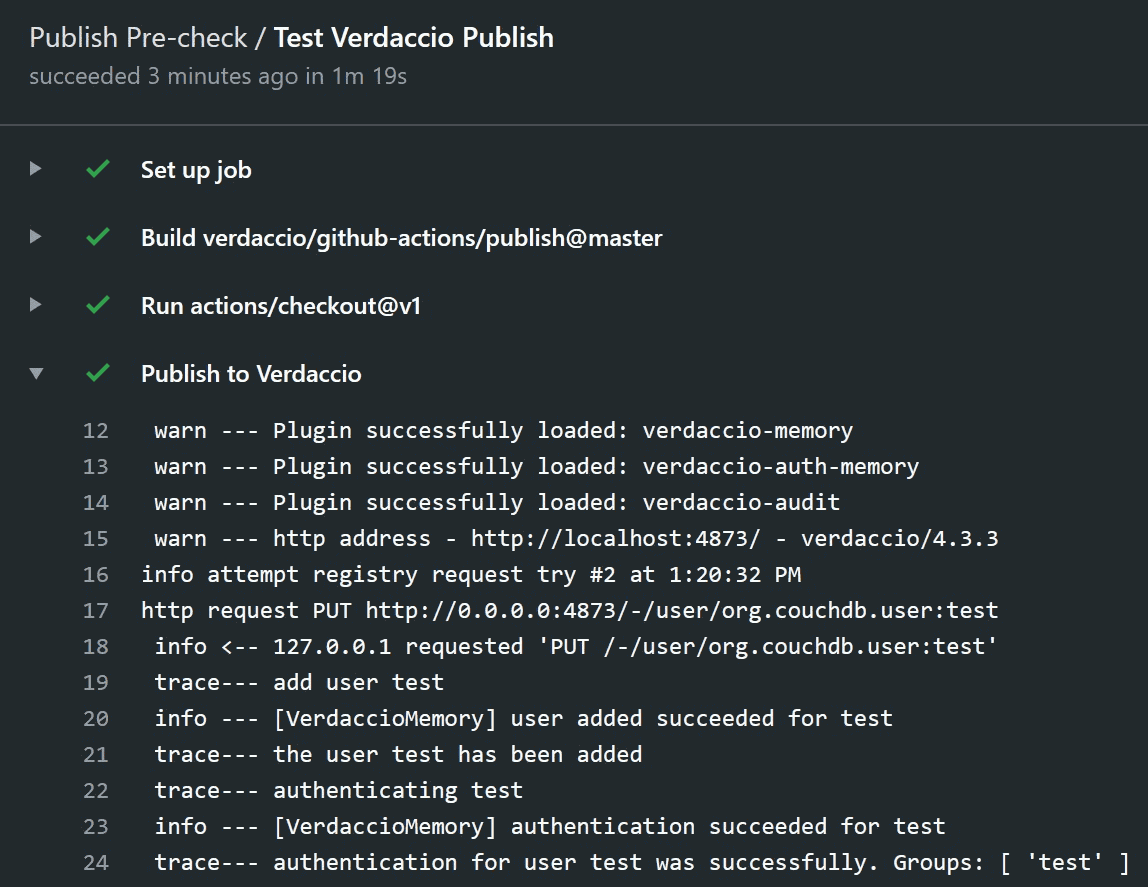
### Testing your packages {#testing-your-packages}
Verdaccio provides a custom action for easy integration in your flow by adding the following to your workflow file's `steps` key.
```yaml
- name: Publish with Verdaccio
uses: verdaccio/github-actions/publish@master
```
The action will perform a `npm publish` and if the publishing finishes successfully, the workflow will continue to the next step, otherwise the step will fail.
If there are any issues publishing a package you will notice using this action.
Inside the image it uses the `verdaccio-auth-memory` and `verdaccio-memory` plugins for authentication and storage, which keeps the run fast by never touching the disk.
If you want to know more about the action, [visit our repository](https://github.com/verdaccio/github-actions) dedicated for GitHub Actions.
---
## Installing on IIS server
:::caution Community-maintained, and written for a much older stack
These instructions were originally written for Windows Server 2016, IIS 10,
Node.js 10.15.0, [iisnode 0.2.26](https://github.com/Azure/iisnode) and Verdaccio 3.11.0.
They have **not** been revalidated against a supported Verdaccio (**6.x** needs Node.js
22 or newer), and `iisnode` itself is no longer actively maintained.
Treat the steps as a starting point rather than a tested recipe. If you only need
Verdaccio to run as a Windows service, [installing it as a service](windows.md) is the
better-supported route, and putting it behind a
[reverse proxy](reverse-proxy.md) covers the IIS-in-front case.
:::
- Install IIS Install [iisnode](https://github.com/Azure/iisnode).
Make sure you install prerequisites (Url Rewrite Module & node) as explained in the instructions for iisnode.
- Create a new folder in Explorer where you want to host verdaccio.
For example `C:\verdaccio`.
Save [package.json](#packagejson),
[start.js](#startjs)
and [web.config](#webconfig) in this folder.
- Create a new site in Internet Information Services Manager. You can name it whatever you want.
I'll call it verdaccio in these [instructions](http://www.iis.net/learn/manage/configuring-security/application-pool-identities). Specify the path to where you saved all files and a port number.
- Go back to Explorer and give the user that runs the application pool modify rights to the folder you just created. If you've named the new site verdaccio and did not change the app pool, it's running under an ApplicationPoolIdentity and you should give the user IIS AppPool\verdaccio modify rights see instructions if you need help. (You can restrict access later if you want so that it only has modify rights on the iisnode and verdaccio\storage)
- Start a command prompt and execute the commands below to download verdaccio:
```
cd c:\verdaccio
npm install
```
- Make sure you have an inbound rule accepting TCP traffic to the port in Windows Firewall
- Thats it! Now you can navigate to the host and port that you specified
I wanted the `verdaccio` site to be the default site in IIS so I did the following:
- I stopped the "Default Web Site" and only start the site "verdaccio" site in IIS
- I set the bindings to "http", ip address "All Unassigned" on port 80, ok any warning or prompts
These instructions are based on [this guide to hosting a registry in IIS
on Windows](https://gist.github.com/HCanber/4dd8409f79991a09ac75). I had to tweak my web config as per below but you may find the original from the
for mentioned link works better
A default configuration file will be created `c:\verdaccio\verdaccio\config.yaml`
#### package.json {#packagejson}
```json
{
"name": "iisnode-verdaccio",
"version": "1.0.0",
"description": "Hosts verdaccio in iisnode",
"main": "start.js",
"dependencies": {
"verdaccio": "^3.11.0"
}
}
```
#### start.js {#startjs}
```bash
process.argv.push('-l', 'unix:' + process.env.PORT, '-c', './config.yaml');
require('./node_modules/verdaccio/build/lib/cli.js');
```
#### Alternate start.js for Verdaccio versions < v3.0 {#alternate-startjs-for-verdaccio-versions--v30}
```bash
process.argv.push('-l', 'unix:' + process.env.PORT);
require('./node_modules/verdaccio/src/lib/cli.js');
```
#### web.config {#webconfig}
```xml
```
#### Troubleshooting {#troubleshooting}
- **The web interface does not load when hosted with https as it tries to download scripts over http.**
Make sure that you have enabled `X-Forwarded-Proto` in IISNode using `enableXFF`. See [the related issue](https://github.com/verdaccio/verdaccio/issues/2003).
```
```
---
## Kubernetes
The recommended way to run Verdaccio on [Kubernetes](https://kubernetes.io) is the official
[Helm](https://helm.sh) chart, maintained at
[verdaccio/charts](https://github.com/verdaccio/charts).
:::tip Start from the worked example
The repository ships a complete, runnable example — a
[`values.yaml`](https://github.com/verdaccio/verdaccio/blob/master/docker-examples/v7/kubernetes/helm/values.yaml)
with its own [README](https://github.com/verdaccio/verdaccio/tree/master/docker-examples/v7/kubernetes/helm),
covering persistence, resource limits, an Ingress block ready to uncomment, and an inline
`config.yaml`. Copying that and editing it is usually faster than assembling the flags on
this page one at a time.
It is part of the
[Docker and Kubernetes examples](https://github.com/verdaccio/verdaccio/tree/master/docker-examples),
grouped by the major version they target: `v6` for the current stable line, `v7` for the next
major, `v9` for the experimental one. The example above pins the `7.x-next` image; change
`image.tag` to `6` to run the stable line instead.
:::
### Helm {#helm}
Helm **3** is what these instructions assume. It needs no cluster-side component — the
`helm init` and Tiller setup of Helm 2 is gone, and so is Helm 2 itself.
#### Install {#install}
Deploy the Helm [verdaccio/verdaccio](https://github.com/verdaccio/charts)
chart.
#### Add repository {#add-repository}
```
helm repo add verdaccio https://charts.verdaccio.org
```
In this example we use `npm` as release name:
```bash
helm install npm verdaccio/verdaccio
```
#### Deploy a specific version {#deploy-a-specific-version}
`image.tag` selects the Verdaccio image, and pinning it is what you want in production:
```bash
helm install npm --set image.tag=6 verdaccio/verdaccio # latest 6.x
helm install npm --set image.tag=6.10.3 verdaccio/verdaccio # exactly this release
helm install npm --set image.tag=7.x-next verdaccio/verdaccio # nightly of the next major
```
See [Docker](docker.md#tagged-versions) for what each tag means.
#### Upgrading Verdaccio {#upgrading-verdaccio}
```bash
helm upgrade npm verdaccio/verdaccio
```
#### Uninstalling {#uninstalling}
```bash
helm uninstall npm
```
**Note:** this command delete all the resources, including packages that you may
have previously published to the registry.
#### Custom Verdaccio configuration {#custom-verdaccio-configuration}
You can customize the Verdaccio configuration using a Kubernetes _configMap_.
##### Prepare {#prepare}
Copy the [existing configuration](https://github.com/verdaccio/verdaccio/blob/master/packages/config/src/conf/docker.yaml)
and adapt it for your use case:
```bash
wget https://raw.githubusercontent.com/verdaccio/verdaccio/master/packages/config/src/conf/docker.yaml -O config.yaml
```
**Note:** Make sure you are using the right path for the storage that is used for
persistency:
```yaml
storage: /verdaccio/storage/data
auth:
htpasswd:
file: /verdaccio/storage/htpasswd
```
##### Deploy the configMap {#deploy-the-configmap}
Deploy the `configMap` to the cluster
```bash
kubectl create configmap verdaccio-config --from-file ./config.yaml
```
##### Deploy Verdaccio {#deploy-verdaccio}
Now you can deploy the Verdaccio Helm chart and specify which configuration to
use:
```bash
helm install npm --set existingConfigMap=verdaccio-config verdaccio/verdaccio
```
#### Authenticate with private upstreams using Helm
As of version `4.8.0` of the helm chart, a new `secretEnvVars` field has been added.
This allows you to inject sensitive values to the container via a [Kubernetes Secret](https://kubernetes.io/docs/concepts/configuration/secret/).
1. Update your Verdaccio config according to the [Uplinks](./uplinks.md#auth-property) documentation
2. Pass the secret environment variable to your values file or via `--set secretEnvVars.FOO_TOKEN=superSecretBarToken`
```yaml
# values.yaml
secretEnvVars:
FOO_TOKEN: superSecretBarToken
```
##### NGINX proxy body-size limit {#nginx-proxy-body-size-limit}
The standard k8s NGINX ingress proxy allows for 1MB for body-size which can be increased
by modifying the default deployment options according to the [documentation](https://kubernetes.github.io/ingress-nginx/user-guide/nginx-configuration/annotations/#custom-max-body-size):
```yaml
...
annotations:
...
kubernetes.io/proxy-body-size: 20m
....
...
```
### Rancher Support {#rancher-support}
[Rancher](http://rancher.com/) is a complete container management platform that makes managing and using containers in production really easy.
- [verdaccio-rancher](https://github.com/lgaticaq/verdaccio-rancher)
---
## Linking a Remote Registry
Verdaccio is a proxy and by default [links](uplinks.md) the public registry.
```yaml
uplinks:
npmjs:
url: https://registry.npmjs.org/
```
You can link multiple registries, the following document will drive you through some helpful configurations.
### Using Associating Scope {#using-associating-scope}
The unique way to access multiple registries using the `.npmrc` is the scope feature as follows:
```
// .npmrc
registry=https://registry.npmjs.org
@mycompany:registry=http://localhost:4873
```
This approach is valid, but comes with several disadvantages:
- It **only works with scopes**
- Scope must match, **no Regular Expressions are allowed**
- One scope **cannot fetch from multiple registries**
- Tokens/passwords **must be defined within** `.npmrc` and checked in into the repo.
A complete `.npmrc` for one private scope alongside the public registry looks like this:
```ini title=".npmrc"
registry=https://registry.npmjs.org/
@mycompany:registry=http://localhost:4873/
//localhost:4873/:_authToken=${VERDACCIO_TOKEN}
always-auth=true
```
Everything unscoped resolves from npmjs, and `@mycompany/*` resolves from Verdaccio.
Reading the token from the environment keeps it out of the repository — npm expands
`${VERDACCIO_TOKEN}` when it reads the file.
The alternative, and usually the better one, is to point the client at **only** Verdaccio
and let it proxy npmjs for you with an [uplink](uplinks.md): one registry to configure, one
place to apply [access rules](packages.md), and a cache of everything you install.
### Linking a Registry {#linking-a-registry}
Linking a registry is fairly simple. First, define a new section in the `uplinks` section. Note, the order here is irrelevant.
```yaml
uplinks:
private:
url: https://private.registry.net/npm
... [truncated] ...
'webpack':
access: $all
publish: $authenticated
proxy: private
```
Add a `proxy` section to define the selected registry you want to proxy.
### Linking Multiple Registries {#linking-multiple-registries}
```yaml
uplinks:
server1:
url: https://server1.registry.net/npm
server2:
url: https://server2.registry.net/npm
... [truncated] ...
'webpack':
access: $all
publish: $authenticated
proxy: server1 server2
```
Verdaccio supports multiple registries on the `proxy` field. The request will be resolved with the first in the list; if that
fails, it will try with the next in the list and so on.
### Offline Registry {#offline-registry}
Having a full Offline Registry is completely possible. If you don't want any connectivity with external remotes you
can do the following.
```yaml
auth:
htpasswd:
file: ./htpasswd
uplinks:
packages:
'@my-company/*':
access: $all
publish: none
'@*/*':
access: $all
publish: $authenticated
'**':
access: $all
publish: $authenticated
```
Remove all `proxy` fields within each section of `packages`. The registry will become full offline.
---
## Logger
:::caution Deprecated: `logs`
The property is `log`. The older `logs` spelling is still accepted but emits a
deprecation warning ([`VERWAR002`](https://github.com/verdaccio/verdaccio/blob/master/docs/warnings.md)) on startup and may be removed at any time.
:::
As with any web application, Verdaccio has a customizable built-in logger. You can define multiple types of outputs.
```yaml
# console output
log: { type: stdout, format: pretty, level: http }
```
or file output.
```yaml
# file output
log: { type: file, path: verdaccio.log, level: info }
```
:::note No built-in log rotation
Verdaccio does **not** rotate log files itself — it dropped that when the logger became
[pino](https://getpino.io/), and neither **6.x** nor **7.x** brings it back. Use `logrotate`, or your platform's
equivalent, and send `SIGUSR2` afterwards so Verdaccio reopens the file it was writing to.
:::
#### The default format depends on `NODE_ENV` {#default-format}
When `format` is not set, it is **`json` if `NODE_ENV=production`** and `pretty` otherwise.
This catches people out on first deploy: the same configuration that prints colourised
lines on a laptop prints one JSON object per line in production. Set `format` explicitly if
you want the same output in both places.
Sensitive data can be masked or removed using [log redaction](https://getpino.io/#/docs/redaction).
```yaml
log:
type: stdout
format: pretty
level: http
redact:
paths:
[
'req.header.authorization',
'req.header.cookie',
'req.remoteAddress',
'req.remotePort',
'ip',
'remoteIP',
'user',
'msg',
]
censor: ''
```
#### Configuration {#configuration}
| Property | Type | Required | Example | Support | Description |
| -------- | ------- | -------- | ---------------------------------------------- | ------- | ------------------------------------------------- |
| type | string | No | [stdout, file] | all | define the output |
| path | string | No | verdaccio.log | all | if type is file, define the location of that file |
| format | string | No | [pretty, pretty-timestamped] | all | output format |
| level | string | No | [fatal, error, warn, info, http, debug, trace] | all | verbose level |
| colors | boolean | No | false | all | disable or enable colors |
| redact | object | No | see above | | redact sensitive data |
| sync | boolean | No | true | | turn on synchronous logging |
---
## Logotype
Every file on this page is free to use under
[Creative Commons BY 4.0](https://creativecommons.org/licenses/by/4.0/) — you may use and
adapt them, including commercially, as long as you credit the project.
Download every logo (ZIP, ~110 KB)
The archive holds all 12 files below, in the same folder layout. Or pick one:
### Symbol {#symbols}
The mark on its own. **Prefer the SVG** — it stays sharp at any size, and the PNGs are only
100, 200 and 300 pixels wide.
#### Full colour {#symbol-no-text}
[SVG](/img/logo/symbol/svg/verdaccio-tiny.svg) ·
[PNG 100px](/img/logo/symbol/png/verdaccio-tiny.png) ·
[PNG 200px](/img/logo/symbol/png/verdaccio-tiny@2x.png) ·
[PNG 300px](/img/logo/symbol/png/verdaccio-tiny@3x.png)
#### Black and white {#blackwhite}
For single-colour printing, or anywhere the full-colour mark would not sit well.
[SVG](/img/logo/symbol/svg/verdaccio-blackwhite.svg) ·
[PNG 100px](/img/logo/symbol/png/verdaccio-blackwhite.png) ·
[PNG 200px](/img/logo/symbol/png/verdaccio-blackwhite@2x.png) ·
[PNG 300px](/img/logo/symbol/png/verdaccio-blackwhite@3x.png)
### Banner {#banner}
The mark with the wordmark alongside it, 3:1, for headers and README files.
[SVG](/img/logo/banner/svg/verdaccio-banner.svg) ·
[PNG 301×100](/img/logo/banner/png/verdaccio-banner.png) ·
[PNG 602×200](/img/logo/banner/png/verdaccio-banner@2x.png) ·
[PNG 903×300](/img/logo/banner/png/verdaccio-banner@3x.png)
### Credits {#credits}
The logotype was designed by **[Breno Rodrigues](https://github.com/rodriguesbreno)**, who
won the [contest](https://github.com/verdaccio/verdaccio/issues/237)
([last stage](https://github.com/verdaccio/verdaccio/issues/328)) and donated his work to the
project.
Thanks to **[@Lisapressmar](https://github.com/Lisapressmar)** for contributing the SVG and
PNG versions in multiple sizes, in
[#941](https://github.com/verdaccio/verdaccio/pull/941) (August 2018).
---
## Notifications
Notify was built primarily to use with Slack's Incoming
webhooks, but will also deliver a simple payload to
any endpoint. This is currently only active for the `npm publish`
command.
### Usage {#usage}
An example with a **HipChat**, **Stride** and **Google Hangouts Chat** hook:
> Verdaccio supports any API, feel free to add more examples.
##### Single notification {#single-notification}
```yaml
notify:
method: POST
headers: [{ 'Content-Type': 'application/json' }]
endpoint: https://usagge.hipchat.com/v2/room/3729485/notification?auth_token=mySecretToken
content: '{"color":"green","message":"New package published: * {{ name }}*","notify":true,"message_format":"text"}'
```
##### Multiple notification {#multiple-notification}
```yaml
notify:
'example-google-chat':
method: POST
headers: [{ 'Content-Type': 'application/json' }]
endpoint: https://chat.googleapis.com/v1/spaces/AAAAB_TcJYs/messages?key=myKey&token=myToken
content: '{"text":"New package published: `{{ name }}{{#each versions}} v{{version}}{{/each}}`"}'
'example-hipchat':
method: POST
headers: [{ 'Content-Type': 'application/json' }]
endpoint: https://usagge.hipchat.com/v2/room/3729485/notification?auth_token=mySecretToken
content: '{"color":"green","message":"New package published: * {{ name }}*","notify":true,"message_format":"text"}'
'example-stride':
method: POST
headers: [{ 'Content-Type': 'application/json' }, { 'authorization': 'Bearer secretToken' }]
endpoint: https://api.atlassian.com/site/{cloudId}/conversation/{conversationId}/message
content: '{"body": {"version": 1,"type": "doc","content": [{"type": "paragraph","content": [{"type": "text","text": "New package published: * {{ name }}* Publisher name: * {{ publisher.name }}"}]}]}}'
```
### Template {#template}
We use [Handlebars](https://handlebarsjs.com/) as main template engine.
#### Format Examples {#format-examples}
```
# iterate all versions
{{ name }}{{#each versions}} v{{version}}{{/each}}
# publisher and `dist-tag` package published
{{ publisher.name }} has published {{ publishedPackage }}
```
#### Properties {#properties}
List of properties accesible via template:
- Metadata
- Publisher (who is publishing)
- Package Published (package@1.0.0)
- Publish Type (what happened)
#### Metadata {#metadata}
Package metadata that the template has access
```
{
"_id": "@test/pkg1",
"name": "@test/pkg1",
"description": "",
"dist-tags": {
"beta": "1.0.54"
},
"versions": {
"1.0.54": {
"name": "@test/pkg1",
"version": "1.0.54",
"description": "some description",
"main": "index.js",
"scripts": {
"test": "echo \"Error: no test specified\" && exit 1"
},
"keywords": [],
"author": {
"name": "Author Name",
"email": "author@domain.com"
},
"license": "MIT",
"dependencies": {
"webpack": "4.12.0"
},
"readmeFilename": "README.md",
"_id": "@ test/pkg1@1.0.54",
"_npmVersion": "6.1.0",
"_nodeVersion": "9.9.0",
"_npmUser": {},
"dist": {
"integrity": "sha512-JlXWpLtMUBAqvVZBvH7UVLhXkGE1ctmXbDjbH/l0zMuG7wVzQ7GshTYvD/b5C+G2vOL2oiIS1RtayA/kKkTwKw==",
"shasum": "29c55c52c1e76e966e706165e5b9f22e32aa9f22",
"tarball": "http://localhost:4873/@test/pkg1/-/@test/pkg1-1.0.54.tgz"
}
}
},
"readme": "# test",
"_attachments": {
"@test/pkg1-1.0.54.tgz": {
"content_type": "application/octet-stream",
"data": "H4sIAAAAAAAAE+y9Z5PjyJIgOJ ...",
"length": 33112
}
},
"time": {}
}
```
#### Publisher {#publisher}
You can get access to the package publisher information in the `content` of a webhook using the `publisher` object.
See below the `publisher` object type:
```
{
name: string,
groups: string[],
real_groups: string[]
}
```
An example:
```
notify:
method: POST
headers: [{'Content-Type': 'application/json'}]
endpoint: https://usagge.hipchat.com/v2/room/3729485/notification?auth_token=mySecretToken
content: '{"color":"green","message":"New package published: * {{ name }}*. Publisher name: * {{ publisher.name }} *.","notify":true,"message_format":"text"}'
```
**Note:** it's not possible to get the publisher information if the `package.json` file already has the `publisher` property.
#### Package Published {#package-published}
You can access to the package is being published with the keyword `{{publishedPackage}}` as follows.
```
{{ publisher.name }} has published {{ publishedPackage }}
```
#### Publish Type {#publish-type}
`{{publishType}}` tells you which event fired the notification:
| Value | What happened |
| ----------- | -------------------------------------------------------- |
| `publish` | a version became installable |
| `unpublish` | a version or a whole package was removed |
| `stage` | a version was submitted for review (`npm stage publish`) |
| `unstage` | a staged version was discarded (`npm stage reject`) |
`stage` and `unstage` only ever fire when [staged publishing](staged-publishing.md)
is enabled, and neither changes what is installable. Approving a staged version
reports `publish`, because that is exactly what it does — a webhook listening for
publishes still sees it.
Include it in the payload so the receiving end can route on it:
```yaml
notify:
method: POST
endpoint: https://hooks.example.org/registry
content: '{"type":"{{ publishType }}","package":"{{ publishedPackage }}","by":"{{ publisher.name }}"}'
```
:::note
Templates are plain [Handlebars](https://handlebarsjs.com/) with no extra helpers
registered, so there is no way to compare `publishType` against a string inside
the template. Send every event and filter where you receive it.
:::
### Configuration {#configuration}
| Property | Type | Required | Support | Default | Description |
| ------------------- | ------------ | -------- | -------------- | ------- | -------------------------------------------------------------------------------------------- |
| method | string | No | POST, PUT, GET | | HTTP verb (POST, PUT, GET) |
| packagePattern | string | No | all | | Only run this notification if the package name matches the regular expression |
| packagePatternFlags | string | No | all | | Any flags to be used with the regular expression |
| headers | array/object | Yes | all | | If this endpoint requires specific headers, set them here as an array of key: value objects. |
| endpoint | string | Yes | all | | set the URL endpoint for this call |
| content | string | Yes | all | | any [Handlebar](https://handlebarsjs.com/) expressions |
---
## Protecting packages
Verdaccio lets you decide who can **read** and who can **publish** each package. You do that in the `packages` section of the configuration, see [package access](packages.md) for every option.
#### Key terms {#key-terms}
| Term | What it means |
| ------------------------------- | ---------------------------------------------------------------------------------- |
| `access` | Who can **read** (install) the package. |
| `publish` | Who can publish new versions. |
| `unpublish` | Who can remove versions. Falls back to `publish` when you leave it out. |
| `$all` | **Everyone**, including visitors who are not logged in. |
| `$authenticated` | **Any logged-in user**. |
| `$anonymous` | Only visitors who are **not** logged in. Logged-in users are excluded. |
| a group or user name | Members of that group, for example `admin`, or a single user, for example `alice`. |
| several values, space separated | The user needs to belong to **at least one** of them, for example `admin teamA`. |
The patterns (`'my-company-*'`, `'@scope/*'`, `'**'`) are matched from top to bottom and the **first match wins**, so put the most specific ones first and keep `'**'` last. How each group is assigned is explained in [groups](packages.md#groups).
#### Common recipes {#recipes}
**Anyone can install, only logged-in users publish** (the default):
```yaml
'**':
access: $all
publish: $authenticated
```
**Everything is private, you must log in even to install:**
```yaml
'**':
access: $authenticated
publish: $authenticated
```
**Only a team can read, only maintainers publish:**
```yaml
'my-company-*':
access: admin teamA teamB
publish: admin
```
**Read-only mirror, nobody publishes** (an empty `publish` matches nobody):
```yaml
'**':
access: $all
proxy: npmjs
```
#### Package configuration {#package-configuration}
Let's see for instance the following set up. You have a set of dependencies that are prefixed with `my-company-*` and you need to protect them from anonymous or other non-authorized logged-in users.
```yaml
'my-company-*':
access: admin teamA teamB teamC
publish: admin teamA
```
With this configuration, we allow the groups **admin** and **teamA** to _publish_ and **teamA**, **teamB** and **teamC** to _access_ the specified dependencies.
#### Use case: teamD tries to access the dependency {#use-case-teamd-tries-to-access-the-dependency}
So, if I am logged as **teamD**, I shouldn't be able to access any dependency that matches the `my-company-*` pattern. I won't have access to them and they also won't be visible in the web interface for user **teamD**. If I try to install one, with `npm` or with `yarn`, the registry answers with a `403 Forbidden`:
---
## Puppet
Install verdaccio for Debian, Ubuntu, Fedora, and RedHat.
## Usage
There are two variants to install verdaccio using this Puppet module:
- Apply-mode (with puppet-apply and no puppetmaster setup needed)
- Master-Agent-mode (with puppet-agent accessing your configuration through the puppetmaster).
In both variants you have to explicitly call "class nodejs {}" in your puppet script because
the puppet-verdaccio module only defines this as a requirement, so you have all the flexibility you want when installing nodejs.
Scroll down for details about Master-Agent-mode variant.
For further information:
[https://github.com/verdaccio/puppet-verdaccio](https://github.com/verdaccio/puppet-verdaccio)
> We are looking for active contributors for this integration, if you are interested
> [refers to this ticket](https://github.com/verdaccio/puppet-verdaccio/issues/11).
---
## Reverse Proxy Setup
Using a reverse proxy is a common practice. The following configurations are the
most recommended and used ones.
**Important**, the headers are considered to resolve the public are `X-Forwarded-Proto` for the protocol and `Host` for the domain, please include them in your configuration.
:::caution Set `trustProxy`
Forwarding the headers is only half of it. Verdaccio also has to be told which
upstream addresses to believe, otherwise every request looks like it comes from
the proxy:
```yaml
server:
trustProxy: '127.0.0.1'
```
Without it, rate limiting throttles all your users as if they were a single
client, and the CIDR whitelist on npm tokens has nothing real to check against.
See [`trustProxy`](config.md#trust-proxy).
:::
## Apache
A full `docker` example using the official `httpd:2.4` image can be found in our [Docker examples repository](https://github.com/verdaccio/verdaccio/tree/master/docker-examples/v7/reverse_proxy/apache).
Apache and `mod_proxy` should **not decode/encode slashes** and leave them as they are.
> **Publishing large packages:** Apache limits request bodies via `LimitRequestBody` (and front proxies may add their own limit). If `npm publish` of a big tarball fails with HTTP `413 Request Entity Too Large`, add `LimitRequestBody 0` (unlimited) inside the `VirtualHost`. The nginx equivalent is `client_max_body_size 0;`.
For installing at relative path, `/npm`, on the server
```
AllowEncodedSlashes NoDecode
ProxyPass /npm http://127.0.0.1:4873 nocanon
ProxyPassReverse /npm http://127.0.0.1:4873
```
For installing at root path, `/`, on the server
```
ServerName your.domain.com
ServerAdmin hello@your.domain.com
ProxyPreserveHost On
AllowEncodedSlashes NoDecode
ProxyPass / http://127.0.0.1:4873/ nocanon
ProxyPassReverse / http://127.0.0.1:4873/
```
#### Configuration with SSL {#configuration-with-ssl}
Apache virtual server configuration.
```apache
ServerName npm.your.domain.com
SSLEngine on
SSLCertificateFile /etc/letsencrypt/live/npm.your.domain.com/fullchain.pem
SSLCertificateKeyFile /etc/letsencrypt/live/npm.your.domain.com/privkey.pem
SSLProxyEngine On
ProxyRequests Off
ProxyPreserveHost On
AllowEncodedSlashes NoDecode
LimitRequestBody 0
ProxyPass / http://127.0.0.1:4873/ nocanon
ProxyPassReverse / http://127.0.0.1:4873/
RequestHeader set X-Forwarded-Proto "https"
```
### Invalid checksum
Sometimes the gzip compression can mess with the request when running `npm install` and result in error messages like this:
```
npm WARN tar TAR_ENTRY_INVALID checksum failure
npm WARN tar zlib: incorrect data check
```
A possible fix for this, can be by disabling gzip compression for the virtual host, by adding this to your config:
```
SetEnv no-gzip 1
```
Resulting in a config like so:
```
AllowEncodedSlashes NoDecode
SetEnv no-gzip 1
ProxyPass /npm http://127.0.0.1:4873 nocanon
ProxyPassReverse /npm http://127.0.0.1:4873
```
You should only add it to your virtual host config, if you are experiencing the issue.
## Nginx
The following snippet is a full `docker` example can be tested in our [Docker examples repository](https://github.com/verdaccio/verdaccio/tree/master/docker-examples/v7/reverse_proxy/nginx).
```nginx
upstream verdaccio_v4 {
server verdaccio_relative_path_v4:4873;
keepalive 8;
}
upstream verdaccio_v4_root {
server verdaccio_relative_path_v4_root:8000;
keepalive 8;
}
upstream verdaccio_v3 {
server verdaccio_relative_path_latest_v3:7771;
keepalive 8;
}
server {
listen 80 default_server;
access_log /var/log/nginx/verdaccio.log;
charset utf-8;
# nginx limits request bodies to 1 MB by default, which makes `npm publish`
# of larger package tarballs fail with HTTP 413. Set 0 to disable the limit.
client_max_body_size 0;
location / {
proxy_set_header X-Real-IP $remote_addr;
proxy_set_header X-Forwarded-For $proxy_add_x_forwarded_for;
proxy_set_header X-Forwarded-Proto $scheme;
proxy_set_header Host $host;
proxy_pass http://verdaccio_v4_root;
proxy_redirect off;
}
location ~ ^/verdaccio/(.*)$ {
proxy_set_header X-Real-IP $remote_addr;
proxy_set_header X-Forwarded-For $proxy_add_x_forwarded_for;
proxy_set_header Host $host;
proxy_set_header X-NginX-Proxy true;
proxy_pass http://verdaccio_v4/$1;
proxy_redirect off;
}
location ~ ^/verdacciov3/(.*)$ {
proxy_set_header X-Real-IP $remote_addr;
proxy_set_header X-Forwarded-For $proxy_add_x_forwarded_for;
proxy_set_header Host $host;
proxy_set_header X-NginX-Proxy true;
proxy_pass http://verdaccio_v3/$1;
proxy_redirect off;
}
}
```
### SSL example {#ssl-example}
```nginx
server {
listen 80;
return 302 https://$host$request_uri;
}
server {
# `listen ... ssl` enables TLS. The standalone `ssl on;` directive was
# removed in nginx 1.25.1, and the `http2` listen parameter is deprecated
# in favour of the `http2 on;` directive.
listen 443 ssl;
http2 on;
server_name localhost;
ssl_certificate /etc/nginx/cert.crt;
ssl_certificate_key /etc/nginx/cert.key;
ssl_session_cache builtin:1000 shared:SSL:10m;
ssl_protocols TLSv1.2 TLSv1.3;
ssl_ciphers HIGH:!aNULL:!eNULL:!EXPORT:!CAMELLIA:!DES:!MD5:!PSK:!RC4;
ssl_prefer_server_ciphers on;
location / {
proxy_set_header Host $host;
proxy_set_header X-Real-IP $remote_addr;
proxy_set_header X-Forwarded-For $proxy_add_x_forwarded_for;
proxy_set_header X-Forwarded-Proto $scheme;
proxy_pass http://verdaccio_v4_root;
proxy_read_timeout 600;
proxy_redirect off;
}
location ~ ^/verdaccio/(.*)$ {
proxy_set_header X-Real-IP $remote_addr;
proxy_set_header X-Forwarded-For $proxy_add_x_forwarded_for;
proxy_set_header Host $host;
proxy_set_header X-NginX-Proxy true;
proxy_pass http://verdaccio_v4_root/$1;
proxy_redirect off;
}
}
```
### Run behind reverse proxy with different domain and port {#run-behind-reverse-proxy-with-different-domain-and-port}
#### Sub-directory {#sub-directory}
If the whole URL is being used for Verdaccio, you don't need to define a `url_prefix`, otherwise
you would need something like this in your `config.yaml`.
```yaml
url_prefix: /sub_directory/
```
If you run Verdaccio behind reverse proxy, you may noticed all resource file served as relative path, like `http://127.0.0.1:4873/-/static`
To resolve this issue, **you should send real domain and port to Verdaccio with `Host` header**
Nginx configure should look like this:
```nginx
location / {
proxy_pass http://127.0.0.1:4873/;
proxy_set_header Host $host:$server_port;
proxy_set_header X-Forwarded-For $remote_addr;
proxy_set_header X-Forwarded-Proto $scheme;
}
```
For this case, `url_prefix` should **NOT** set in Verdaccio config
---
or a sub-directory installation:
```nginx
location ~ ^/verdaccio/(.*)$ {
proxy_pass http://127.0.0.1:4873/$1;
proxy_set_header Host $host:$server_port;
proxy_set_header X-Forwarded-For $remote_addr;
proxy_set_header X-Forwarded-Proto $scheme;
}
```
For this case, `url_prefix` should set to `/verdaccio/`
> Note: There is a slash after the install path (`https://your-domain:port/verdaccio/`)!
#### Overriding the public url
The new `VERDACCIO_PUBLIC_URL` is intended to be used behind proxies, this variable will be used for:
- Used as base path to serve UI resources as (js, favicon, etc)
- Used on return metadata `dist` base path
- Ignores `host` and `X-Forwarded-Proto` headers
- If `url_prefix` is defined would be appened to the env variable.
```
VERDACCIO_PUBLIC_URL='https://somedomain.org';
url_prefix: '/my_prefix'
// url -> https://somedomain.org/my_prefix/
VERDACCIO_PUBLIC_URL='https://somedomain.org';
url_prefix: '/'
// url -> https://somedomain.org/
VERDACCIO_PUBLIC_URL='https://somedomain.org/first_prefix';
url_prefix: '/second_prefix'
// url -> https://somedomain.org/second_prefix/'
```

---
## Server Configuration
This is mostly basic Linux server configuration stuff but I felt it important to document and share the steps I took to get Verdaccio running permanently on my server. You will need root (or sudo) permissions for the following steps.
### Running as a separate user {#running-as-a-separate-user}
First create a Verdaccio user:
```bash
$ sudo adduser --system --gecos 'Verdaccio NPM mirror' --group --home /var/lib/verdaccio verdaccio
```
Or, in case you do not have `adduser`:
```bash
$ sudo useradd --system --comment 'Verdaccio NPM mirror' --create-home --home-dir /var/lib/verdaccio --shell /sbin/nologin verdaccio
```
You create a shell as the Verdaccio user using the following command:
```bash
$ sudo su -s /bin/bash verdaccio
$ cd
```
The `cd` command sends you to the home directory of the Verdaccio user. Make sure you run Verdaccio at least once to generate the config file. Edit it according to your needs.
### Listening on all addresses {#listening-on-all-addresses}
If you want to listen to every external address set the listen directive in the config to:
```yaml
# you can specify listen address (or simply a port)
listen: 0.0.0.0:4873
```
If you are running Verdaccio in a Amazon EC2 Instance, [you will need set the listen in change your config file](https://github.com/verdaccio/verdaccio/issues/314#issuecomment-327852203) as is described above.
> Configure Apache or nginx? Please check out the [Reverse Proxy Setup](reverse-proxy.md)
### Keeping Verdaccio running forever {#keeping-verdaccio-running-forever}
You can use a Node package called ['forever'](https://github.com/nodejitsu/forever) to keep Verdaccio running all the time.
First install `forever` globally:
```bash
$ sudo npm install -g forever
```
Make sure you've run Verdaccio at least once to generate the config file and write down the created admin user. You can then use the following command to start Verdaccio:
```bash
$ forever start `which verdaccio`
```
You can check the documentation for more information on how to use forever.
### Surviving server restarts {#surviving-server-restarts}
You can use `crontab` and `forever` together to start Verdaccio after a server reboot.
When you're logged in as the Verdaccio user do the following:
```bash
$ crontab -e
```
This might ask you to choose an editor. Pick your favorite and proceed.
Add the following entry to the file:
```
@reboot /usr/bin/forever start /usr/lib/node_modules/verdaccio/bin/verdaccio
```
The locations may vary depending on your server setup. If you want to know where your files are you can use the 'which' command:
```bash
$ which forever
$ which verdaccio
```
### Using systemd {#using-systemd}
Instead of `forever` you can use `systemd` for starting Verdaccio and keeping it running. Verdaccio installation has systemd unit, you only need to copy it:
```bash
$ sudo cp /usr/lib/node_modules/verdaccio/systemd/verdaccio.service /lib/systemd/system/ && sudo systemctl daemon-reload
```
This unit assumes you have configuration in `/etc/verdaccio/config.yaml` and store data in `/var/lib/verdaccio`, so either move your files to those locations or edit the unit.
---
## Set up the SSL Certificates
Follow these instructions to configure an SSL certificate to serve an npm registry over HTTPS.
- Update the listen property in your `~/.config/verdaccio/config.yaml`:
```
listen: 'https://your.domain.com/'
```
Once you've updated the listen property and try to run verdaccio again, it will ask for certificates.
- Generate your certificates
```
$ openssl genrsa -out /Users/user/.config/verdaccio/verdaccio-key.pem 2048
$ openssl req -new -sha256 -key /Users/user/.config/verdaccio/verdaccio-key.pem -out /Users/user/.config/verdaccio/verdaccio-csr.pem
$ openssl x509 -req -in /Users/user/.config/verdaccio/verdaccio-csr.pem -signkey /Users/user/.config/verdaccio/verdaccio-key.pem -out /Users/user/.config/verdaccio/verdaccio-cert.pem
```
- Edit your config file `/Users/user/.config/verdaccio/config.yaml` and add the following section:
```
https:
key: /Users/user/.config/verdaccio/verdaccio-key.pem
cert: /Users/user/.config/verdaccio/verdaccio-cert.pem
ca: /Users/user/.config/verdaccio/verdaccio-csr.pem
```
Alternatively, if you have a certificate with the `server.pfx` format, you can add the following configuration section: (The passphrase is optional and only needed if your certificate is encrypted.)
```
https:
pfx: /Users/user/.config/verdaccio/server.pfx
passphrase: 'secret'
```
You can find more info on the `key`, `cert`, `ca`, `pfx`, and `passphrase` arguments in the [Node documentation](https://nodejs.org/api/tls.html#tls_tls_createsecurecontext_options)
- Run `verdaccio` in your command line.
- Open the browser and visit `https://your.domain.com:port/`
These instructions are mostly valid under OSX and Linux; on Windows the paths will vary, but the steps are the same.
### Docker
If you are using the Docker image, you have to set the `VERDACCIO_PROTOCOL` environment variable to `https`, as the `listen` argument is provided by the image's [`CMD`](https://github.com/verdaccio/verdaccio/blob/master/Dockerfile) and thus overrides the `listen` entry of your config file.
You can also set the `VERDACCIO_PORT` environment variable if you are using a port other than `4873`.
---
## Staged publishing
Staged publishing puts a review step in front of every publish. A version is
uploaded to the registry but stays invisible to installs until a maintainer
looks at it and approves it. If nobody approves it, it never becomes a real
version.
It is driven entirely by `npm stage`, so no extra tooling is needed on the
client side.
:::info Available from 7.x — test it on 9.x
This feature ships in Verdaccio **7.x** and later. It is **not** available in
**6.x**, which does not receive new features.
To try it today, use the **9.x experimental** line, which is where it lands
first:
```bash
npm install -g verdaccio@next-9
# or
docker pull verdaccio/verdaccio:nightly-master
```
Experimental releases are **not production-ready** and are meant for testing and
early feedback. Node.js `>= 24` is required.
:::
:::caution
This is an experimental feature behind the `stage` flag. It is off by default,
and the shape of the flag or its behaviour may change in a future release. See
[feature flags](config.md#experiments).
**Not recommended for production yet.** We would rather gather enough real usage
first — see below on how to help with that.
:::
:::info Feedback wanted
This feature is experimental and shaped by what people report while using it.
Tell us whether the workflow fits how your team releases, what it does not cover
for your setup, and any rough edge or confusing error — in
[GitHub Discussions](https://github.com/verdaccio/verdaccio/discussions), as an
issue at [verdaccio/verdaccio](https://github.com/verdaccio/verdaccio/issues),
or on [Discord](https://discord.gg/7qWJxBf).
Reports about what does **not** work are the most useful thing you can send
while a feature is still experimental: they decide whether it graduates, changes
shape, or gets dropped.
:::
### Requirements {#requirements}
- **npm 11.17 or newer** on the client. `npm stage` does not exist in older
versions, and there is no Yarn or pnpm equivalent yet.
- A storage plugin, which is anything that works with Verdaccio today. Staged
versions go through the same storage interface as everything else.
### Enabling it {#enabling}
```yaml
flags:
stage: true
```
Restart the registry afterwards: the configuration is read at startup.
With the flag off, the `npm stage` commands answer `404` and the registry behaves
exactly as it always has.
### The flow {#flow}
```
npm stage publish the version is uploaded but not installable
npm stage list maintainers see what is waiting
npm stage view inspect the metadata
npm stage download inspect the actual tarball
│
├── npm stage approve published for real, installable now
└── npm stage reject record and tarball deleted, never existed
```
#### Staging a version {#staging}
From the package directory, exactly where you would run `npm publish`:
```bash
npm stage publish
```
```
npm notice Staging to http://localhost:4873/ with tag latest and default access
+ my-package@1.0.0 (staged with id 9efe8b0c-50b3-4183-ba3f-c46dfc784adb)
```
`--tag` works as usual, so `npm stage publish --tag beta` stages the version to
be published under `beta` once approved.
At this point the version does **not** exist as far as installs are concerned:
```bash
npm view my-package
# npm error 404 'my-package' is not in this registry
```
#### Reviewing what is waiting {#reviewing}
```bash
npm stage list
```
```
id: 9efe8b0c-50b3-4183-ba3f-c46dfc784adb
package name: my-package
version: 1.0.0
tag: latest
date staged: 2026-08-29T14:21:45.777Z
staged by: alice (user)
shasum: 54ec43441cacc23ad02ecec43ab46037b0e98aeb
access: public
```
`npm stage list ` narrows the list to one package, and
`--json` gives you the raw records, which is what you want in a script:
```bash
npm stage list --json | jq -r '.[0].id'
```
The list only shows what you are allowed to see — see
[who can do what](#permissions).
#### Inspecting before approving {#inspecting}
`npm stage view ` repeats the metadata for a single item. The interesting
one is:
```bash
npm stage download
```
This downloads the staged tarball and prints its contents, so you can check what
is actually in the package before it becomes installable:
```
npm notice Tarball Contents
npm notice 24B index.js
npm notice 274B package.json
npm notice Tarball Details
npm notice name: my-package
npm notice shasum: 54ec43441cacc23ad02ecec43ab46037b0e98aeb
my-package-1.0.0-9efe8b0c-50b3-4183-ba3f-c46dfc784adb.tgz
```
The `shasum` matches the one npm computed when it packed the tarball, so you can
verify nothing changed in transit.
#### Approving {#approving}
```bash
npm stage approve 9efe8b0c-50b3-4183-ba3f-c46dfc784adb
```
```
Staged package 9efe8b0c-50b3-4183-ba3f-c46dfc784adb approved and published successfully.
```
Approval replays the ordinary publish path, so everything that normally happens
on a publish happens here too: the version is checked against upstreams,
dist-tags are merged, filter plugins run, and
[notifications](notifications.md) fire. The staged copy is removed once the version
is really published.
The version is installable immediately afterwards.
#### Rejecting {#rejecting}
```bash
npm stage reject 9efe8b0c-50b3-4183-ba3f-c46dfc784adb
```
The staged record and its tarball are deleted. The version never existed, so the
same `name@version` can be staged again later.
### Who can do what {#permissions}
Staging has its own entry in [package access](packages.md), alongside `access`,
`publish` and `unpublish`:
```yaml
packages:
'my-company-*':
access: $authenticated
stage: developers
publish: release-managers
```
| Action | Who |
| ----------------------------- | ---------------------------------------------------------- |
| `npm stage publish` | anyone allowed to `stage` that package |
| `npm stage list` | items you staged, plus items on packages you may `publish` |
| `npm stage view` / `download` | the person who staged it, or anyone who may `publish` it |
| `npm stage approve` | anyone allowed to `publish` that package |
| `npm stage reject` | the person who staged it, or anyone who may `publish` it |
Asking about a staged item you are not allowed to see answers `404`, not `403`.
A `403` would confirm the id exists to someone who has no business knowing that.
#### The fallback {#permission-fallback}
**`stage` is optional.** When a package entry does not mention it, whoever may
`publish` may also stage — exactly the behaviour before the permission existed —
so no existing configuration changes meaning. This mirrors how `unpublish`
already falls back to `publish`.
#### Making review a real gate {#four-eyes}
`stage` only becomes interesting when it is granted to a group that does **not**
have `publish`:
```yaml
packages:
'my-company-*':
access: $authenticated
stage: developers # may propose a release
publish: release-managers # may actually make one
```
With that configuration a developer can run `npm stage publish` but cannot
`npm publish`, and cannot approve their own submission either. A release manager
reviews the tarball and approves it. That is a genuine four-eyes workflow rather
than a convention people can bypass.
Without the split — that is, with `stage` unset — the same person can stage and
approve their own version. Staging is then a convenience, not a control.
Note that a developer can always **withdraw** their own submission with
`npm stage reject`, even without publish rights. Retracting your own proposal is
not the same as rejecting somebody else's.
### The web interface {#web-ui}
When the flag is on, logged-in users get a **Staged packages** entry in the
account menu, or you can go straight to `/-/web/stage`.
The list shows the same fields as the CLI, and each row has buttons to download
the tarball, approve or reject. Approving and rejecting both ask for
confirmation first, because neither can be undone from the UI. Clicking the
package name opens a detail view with the shasum and access level.
You must be logged in: the page needs your session to call the registry.
### Interaction with two-factor authentication {#with-2fa}
Staged publishing and [two-factor authentication](two-factor-authentication.md) are
independent — you can run either on its own. When both are on, they compose the
way npmjs intends:
- `npm stage publish` **never** asks for a one-time password. Being able to
publish without proving presence is the point of staging: a CI job can stage a
release and a human approves it later.
- `npm stage approve` and `npm stage reject` **do** ask for one, if the
maintainer has `auth-and-writes` mode.
That combination is the reason `npm stage` exists on npmjs, and it is what lets
an automated pipeline prepare a release without holding a second factor.
### Notifications {#notifications}
If you have [notifications](notifications.md) configured, staging fires one with
`publishType: stage`, and rejecting fires `publishType: unstage`. Approving fires
`publish`, like any other publish.
That is what makes the review step workable in practice — otherwise a staged
version waits until somebody happens to run `npm stage list`:
```yaml
notify:
method: POST
endpoint: https://hooks.example.org/reviews
content: '{"type":"{{ publishType }}","package":"{{ publishedPackage }}","by":"{{ publisher.name }}"}'
```
See [publish type](notifications.md#publish-type) for the full list of values.
### Where staged versions are stored {#storage}
Staged items live under a reserved namespace in whatever storage backend you
already use:
```
/.stage/package.json index of everything staged
/.stage//package.json the staged record and its metadata
/.stage//-.tgz the staged tarball
```
The namespace is deliberately never registered in the storage plugin's package
database, so staged versions never show up in search, in `/-/all`, or on the web
UI home page.
### Limitations {#limitations}
Worth knowing before you turn this on:
- **Nothing expires.** A staged version that nobody approves or rejects stays on
disk forever. There is no automatic cleanup yet, so keep an eye on
`/.stage` if staging is used heavily.
- **One Verdaccio process.** The index of staged items is kept consistent within
a process. Several Verdaccio instances sharing one storage backend are not
supported for this feature.
- **Approval holds the tarball in memory.** The tarball is read back in full to
be republished, so approving a very large package uses memory proportional to
its size.
- **Staging and approving are the same permission.** See
[who can do what](#permissions).
- **npm only.** Yarn and pnpm have no equivalent command.
### Troubleshooting {#troubleshooting}
**`404 Not Found - POST http://localhost:4873/-/stage/package/...`**
The flag is off, or the server was not restarted after enabling it. Check that
the running server is using the configuration file you edited.
**`npm error code E404` on `npm stage list`**
Same cause. With the flag off none of the routes are registered.
**A version was approved but `npm install` cannot find it**
Check whether you have `min-release-age` set in your `.npmrc`. npm refuses to
install packages published more recently than that, which looks like the
registry losing the version:
```bash
npm install my-package --min-release-age=0
```
**`409 Conflict` when staging**
Either that exact `name@version` is already published, or it is already staged.
`npm stage list ` shows the latter.
**`409 Conflict` when approving**
The version was published by some other route while it sat in the queue. The
staged item is kept on purpose so you can still inspect it and decide; reject it
if the published version is the one you wanted.
---
## Two-factor authentication
Two-factor authentication adds a time-based one-time password (TOTP) on top of a
user's password. Once enabled, the registry asks for a six-digit code from an
authenticator app before it accepts logins, new tokens and — depending on the
mode — publishes.
It works with the standard `npm profile` commands and with both npm and Yarn.
:::info Available from 7.x — test it on 9.x
This feature ships in Verdaccio **7.x** and later. It is **not** available in
**6.x**, which does not receive new features.
To try it today, use the **9.x experimental** line, which is where it lands
first:
```bash
npm install -g verdaccio@next-9
# or
docker pull verdaccio/verdaccio:nightly-master
```
Experimental releases are **not production-ready** and are meant for testing and
early feedback. Node.js `>= 24` is required.
:::
:::caution
This is an experimental feature behind the `tfa` flag. It is off by default, and
the shape of the flag or its behaviour may change in a future release. See
[feature flags](config.md#experiments).
**Not recommended for production yet.** We would rather gather enough real usage
first — see below on how to help with that.
:::
:::info Feedback wanted
This feature is experimental and shaped by what people report while using it.
Tell us whether the workflow fits how your team releases, what it does not cover
for your setup, and any rough edge or confusing error — in
[GitHub Discussions](https://github.com/verdaccio/verdaccio/discussions), as an
issue at [verdaccio/verdaccio](https://github.com/verdaccio/verdaccio/issues),
or on [Discord](https://discord.gg/7qWJxBf).
Reports about what does **not** work are the most useful thing you can send
while a feature is still experimental: they decide whether it graduates, changes
shape, or gets dropped.
:::
### Requirements {#requirements}
- **A storage plugin that supports tokens.** The bundled `local-storage` and
`memory` plugins both do. If yours does not, Verdaccio refuses to start with
the flag on rather than failing later on every write.
- **An authenticator app** — anything speaking TOTP works: 1Password, Bitwarden,
Google Authenticator, Aegis, and so on.
- **A reasonably accurate clock** on the server. Codes are accepted within one
30-second step either side, so roughly a minute of tolerance.
### Enabling it {#enabling}
```yaml
flags:
tfa: true
```
Restart the registry afterwards.
Turning the flag on does not enable two-factor for anybody. It only makes the
feature available; each user opts in for their own account.
### Enrolling {#enrolling}
```bash
npm profile enable-2fa auth-and-writes
```
npm asks for your account password, prints a QR code and a secret, then asks for
the first code from your app:
```
npm notice profile Enabling two factor authentication for auth-and-writes
npm password:
Scan into your authenticator app:
Or enter code: 47MCG4BVDPYJPBQ4WVWH6OP3E2ILAJWM
And an OTP code from your authenticator: 536729
2FA successfully enabled. Below are your recovery codes, please print these out.
You will need these to recover access to your account if you lose your authentication device.
d9723b8e995d164a
4fe949ab41d72d8d
...
```
:::warning
**Save the recovery codes now.** They are shown exactly once and cannot be shown
again. Each one works a single time, and they are the only way back into your
account if you lose your authenticator.
:::
Verify it took effect:
```bash
npm profile get
# two-factor auth: auth-and-writes
```
### How it works {#how-it-works}
There is no external service involved, no email and no SMS. Everything is
[RFC 6238](https://datatracker.ietf.org/doc/html/rfc6238) TOTP: the registry and
your authenticator app share one random secret, and both derive the same
six-digit code from it and the current time.
#### Enrolment, step by step {#enrolment-internals}
1. `npm profile enable-2fa` asks for your account password and posts it to the
registry.
2. The registry re-checks the password through your auth plugin, generates a
random 160-bit secret, and stores it as _pending_.
3. It answers with a plain `otpauth://` URI:
```
otpauth://totp/My%20Registry:alice?issuer=My%20Registry&secret=JBSWY3DPEHPK3PXP&algorithm=SHA1&digits=6&period=30
```
4. **npm turns that URI into the QR code**, using
[`qrcode-terminal`](https://www.npmjs.com/package/qrcode-terminal) to draw it
in your terminal. The registry never produces an image — it only returns the
string. That is why the QR appears even though Verdaccio has no web page for
it.
5. You scan it, or paste the `secret` value by hand if your app prefers that.
Both carry exactly the same information.
6. npm asks for the first code and sends it back. The registry checks it, marks
the secret as confirmed, and returns the recovery codes.
The pending state matters: until step 6 succeeds, the account is **not**
protected. That is what `pending: true` means in
[the profile response](#api).
#### Verifying a code {#verification-internals}
When a code is required, the registry recomputes what the code should be for the
current 30-second window and compares. One step either side is accepted, giving
about a minute of tolerance for clock drift — which is why an inaccurate server
clock rejects everything.
The comparison is constant-time, and repeated failures
[lock the account out](#lockout), because six digits are otherwise cheap to guess
at scale.
#### What is stored {#storage-internals}
The secret, the hashed recovery codes and the failure counters live in the
storage plugin's token store, encrypted at rest with the server secret. Nothing
is written to the user's htpasswd entry, which is why this works the same with
any [auth plugin](auth.md).
### Modes {#modes}
There are two, and the difference is only about writes.
| | `auth-only` | `auth-and-writes` |
| ------------------------------ | ------------- | ----------------- |
| `npm login` | code required | code required |
| `npm token create` | code required | code required |
| `npm publish` | not asked | **code required** |
| `npm unpublish` | not asked | **code required** |
| `npm dist-tag add` / `rm` | not asked | **code required** |
| `npm stage approve` / `reject` | not asked | **code required** |
| `npm stage publish` | never asked | **never asked** |
`auth-and-writes` is the default when you do not pass a mode, and it is the one
worth having: it is the mode that stops a leaked token from publishing.
Switch between them by running `npm profile enable-2fa ` again with the
other value.
### Publishing with two-factor on {#publishing}
npm prompts for the code when the terminal is interactive:
```bash
npm publish
# This operation requires a one-time password.
# Enter OTP:
```
In a non-interactive shell it fails with a clear error instead:
```
npm error code EOTP
npm error This operation requires a one-time password from your authenticator.
npm error You can provide a one-time password by passing --otp= to the command you ran.
```
So pass it directly when scripting:
```bash
npm publish --otp=123456
```
Yarn behaves the same way and prompts on its own:
```bash
yarn npm publish
# Provide a one-time password from your authenticator app.
# One-time password: ‹
```
### Recovery codes {#recovery-codes}
Anywhere a one-time password is accepted, a recovery code works instead:
```bash
npm publish --otp=d9723b8e995d164a
```
Each code is consumed on first use. When you run low, turn two-factor off and on
again to get a fresh set — there is no separate command to regenerate them.
### Turning it off {#disabling}
```bash
npm profile disable-2fa
```
It asks for your account password and a current one-time password. Both are
required: holding a valid token is not enough to remove someone's second factor.
### Failed attempts and lockout {#lockout}
Six digits are easy to guess at scale, so failures are counted. After **five**
wrong codes the account stops accepting one-time passwords for **five minutes**,
even correct ones. A successful verification resets the counter.
A lockout only affects operations that need a code. Reads, installs and anything
else keep working.
### For operators {#operators}
#### Users who never enable it are unaffected {#unaffected}
The check returns immediately for anyone without a two-factor record, and does
not run at all when the flag is off. Enabling the flag does not change behaviour
for users who do not opt in.
#### Rotating the server secret locks people out {#secret-rotation}
This is the one thing to be careful about.
Two-factor records are encrypted with the server secret (`config.secret`, or
`VERDACCIO_LEGACY_ENCRYPTION_KEY`). **If you rotate that secret, every existing
two-factor record becomes undecryptable and every user who enabled it is locked
out of publishing and logging in.**
Verdaccio fails loudly rather than quietly pretending those users have no second
factor, which would be worse — it would silently drop everybody's protection.
You will see:
```
error --- the two-factor record of alice could not be decrypted, has the server secret changed?
```
There is no self-service recovery from this yet. Plan a secret rotation by
asking users to disable two-factor first, and re-enable it afterwards.
#### Continuous integration {#ci}
With `auth-and-writes`, any pipeline that publishes needs a one-time password,
which a pipeline cannot produce. There are two ways around it today:
- Publish from CI with an account that uses `auth-only`, or no two-factor at
all, and protect it with [package access rules](packages.md) instead.
- Use [staged publishing](staged-publishing.md): CI runs `npm stage publish`, which
never asks for a code, and a human approves the release afterwards with theirs.
This is what the two features are designed to do together.
npmjs solves this with automation tokens that bypass two-factor; Verdaccio does
not implement `bypass_2fa` yet.
#### It is independent of your auth plugin {#auth-plugins}
Two-factor lives in the storage layer, not the authentication plugin, so it
works with htpasswd, LDAP, or anything else. The one place it touches the auth
plugin is re-checking the account password when enabling or disabling, which
goes through `auth.authenticate` like a normal login.
#### Where the configuration is stored {#storage}
Records live in the storage plugin's token store under a reserved key, encrypted
at rest. They are deliberately hidden from the token APIs: `npm token ls` does
not list them, and `npm token rm` refuses to delete them — otherwise anybody
holding a token could switch off their own second factor without a password.
### What the registry reports {#api}
`npm profile get` reads the state from `GET /-/npm/v1/user`, which reports one
of:
```json
{ "tfa": false }
{ "tfa": { "mode": "auth-and-writes", "pending": false } }
```
`pending: true` means enrolment was started but the first code was never
confirmed. **That state does not protect the account** — finish enrolling, or
disable and start again.
When a code is required but not supplied, the registry answers:
```
401 Unauthorized
WWW-Authenticate: otp
npm-notice: Provide a one-time password from your authenticator app.
{ "error": "You must provide a one-time pass. Upgrade your client to npm@latest in order to use 2FA." }
```
The `WWW-Authenticate: otp` header is what npm and Yarn look for to know they
should retry. Clients then repeat the request with the code in the `npm-otp`
header.
### Limitations {#limitations}
- **TOTP only.** Security keys and WebAuthn are not supported.
- **No web login flow.** The browser-based `authUrl`/`doneUrl` exchange npmjs
offers is not implemented, so the code always comes from the terminal.
- **No `bypass_2fa` tokens.** See [continuous integration](#ci).
- **No recovery from a rotated server secret.** See
[above](#secret-rotation).
- **Enrolment is CLI-only for now.** There is no web UI to scan the QR code yet.
### Troubleshooting {#troubleshooting}
**`npm error code EOTP` in a script**
Expected: npm cannot prompt without a TTY. Pass `--otp=`, or use
[staged publishing](staged-publishing.md) so the pipeline does not need a code at
all.
**"Unable to authenticate, need: Bearer"**
The registry answered a plain `401` where it should have answered a two-factor
challenge. That is not a client problem — check that the version you run
includes two-factor support.
**Codes are always rejected**
Almost always clock drift. Codes are valid for one 30-second step either side,
so a server clock more than a minute off rejects everything. Check NTP on the
server and the time on the phone.
**Locked out with no recovery codes left**
There is no self-service path. An operator has to remove the user's two-factor
record from the storage backend directly.
**`503 the two-factor authentication is not yet supported`**
The `tfa` flag is off, or the server was not restarted after enabling it.
---
## Usage & Adoption
Track Verdaccio adoption and usage across npm and Docker. This page focuses on how users move to
newer releases: overall download trends, how version share shifts over time, adoption of the latest
releases, and Docker Hub pulls. All data is updated periodically from the npm registry and Docker
Hub APIs.
---
## User registration
With the `createUser` flag on, the web UI grows a sign-up form so people can
create their own account from the browser instead of an administrator adding
them by hand.
:::info Off by default, but not experimental
This is a long-standing feature gated by the `createUser`
[feature flag](config.md#experiments), which is `false` unless you turn it
on. Self-registration is a deliberate choice, so it is never enabled for you.
:::
### Enabling it {#enabling}
```yaml
flags:
createUser: true
```
Restart the registry. This adds the sign-up screen to the web UI and registers
the endpoint behind it; with the flag off, neither exists.
### What it does and does not cover {#scope}
The flag governs **registration from the web UI only**.
Registering from the command line — `npm adduser` — goes through the registry's
own user endpoint and is **not** affected by this flag. Whether it succeeds is
decided by your [authentication plugin](auth.md). With the default
htpasswd plugin, `max_users` is the setting that controls it:
```yaml
auth:
htpasswd:
file: ./htpasswd
# -1 refuses every registration, including npm adduser
max_users: 100
```
So turning `createUser` off does not close the door on its own. If your intent
is that nobody registers themselves, set `max_users: -1` as well.
### Who can then do what {#permissions}
Creating an account and being allowed to read or publish are separate matters. A
freshly registered user is simply authenticated; what they can reach is decided
by your [package access rules](packages.md). Registration is only worth enabling
alongside rules that do not hand `$authenticated` more than you intend:
```yaml
packages:
'@my-company/*':
access: $authenticated
publish: $authenticated # every self-registered account could publish here
```
Review those rules before opening registration on a registry reachable beyond
your network.
---
## Browser-based login
With the `webLogin` flag on, `npm login` hands the browser the job of
authenticating you instead of asking for a username and password in the
terminal. npm opens the Verdaccio web UI, you sign in there, and the CLI picks up
the token once you are done.
:::info Off by default, but not experimental
This is a long-standing feature gated by the `webLogin`
[feature flag](config.md#experiments), which is `false` unless you turn it
on. The flag exists so operators opt into the browser flow deliberately, not
because the feature is unfinished.
:::
### Enabling it {#enabling}
```yaml
flags:
webLogin: true
```
Restart the registry. With the flag off the endpoints below are not registered
at all, and `npm login` falls back to the terminal prompt.
### How it works {#how-it-works}
Three endpoints take part, all registered only when the flag is on:
| Endpoint | Role |
| --------------------------------- | ------------------------------------------- |
| `POST /-/v1/login` | npm starts here and gets the two URLs below |
| `POST /-/v1/login_cli/:sessionId` | the browser hands its result to the session |
| `GET /-/v1/done/:sessionId` | npm polls here until the token is ready |
The exchange:
1. `npm login` posts to `/-/v1/login`. The registry opens a session and answers
with a `loginUrl` — the web UI login page — and a `doneUrl`.
2. npm opens `loginUrl` in your browser and starts polling `doneUrl`.
3. Until somebody signs in, `doneUrl` answers **`202`** with `Retry-After: 5`,
which tells npm to ask again in five seconds.
4. You sign in in the browser, and the web UI posts the result to the session.
5. The next poll returns the token, and npm writes it to your `.npmrc`.
Two limits are worth knowing:
- **The session expires after two minutes.** Take longer than that to sign in
and the poll answers `401` with a session-expired error. Run `npm login`
again.
- **The token is single use.** Once npm has collected it, the session is spent.
### Behind a reverse proxy {#reverse-proxy}
:::caution Known limitation
The `loginUrl` and `doneUrl` the registry returns are built from the request's
protocol and hostname **and from the port Verdaccio itself is listening on**,
not the port the client connected to.
Behind a proxy that terminates TLS on `443` and forwards to Verdaccio on `4873`,
the browser is therefore sent to `https://your-registry:4873/…`, an address it
usually cannot reach. Browser login effectively only works when clients reach
Verdaccio on the same port it listens on.
:::
If you run Verdaccio behind a proxy and want this flow, keep the public port and
the listening port the same. See [reverse proxy](reverse-proxy.md) for the rest of
the headers involved.
---
## Who is using Verdaccio?
#### As a Business {#as-a-business}
_If you are using Verdaccio in your business and want to share your experience, let us know. We will be happy to listen to you._
- [SheetJS](https://sheetjs.com/)
- [Satispay](https://www.satispay.com/)
#### Open Source Projects {#open-source-projects}
> **Feel free to suggest other OSS are using Verdaccio.**
- [pnpm](https://pnpm.js.org/)
- [Storybook](https://storybook.js.org/)
- [Mozilla Neutrino](https://github.com/neutrinojs/neutrino)
- [create-react-app](https://github.com/facebook/create-react-app/blob/master/CONTRIBUTING.md#contributing-to-e2e-end-to-end-tests)
- [Gatsby](https://github.com/gatsbyjs/gatsby)
- [Apollo GraphQL](https://github.com/apollographql)
- [Uppy](https://github.com/transloadit/uppy)
- [Aurelia Framework](https://github.com/aurelia/framework)
- [bit](https://github.com/teambit/bit)
- [Wix Yoshi](https://github.com/wix/yoshi)
- [The AWS Cloud Development Kit](https://github.com/awslabs/aws-cdk)
- [Hyperledger Caliper](https://github.com/hyperledger/caliper)
- [secco](https://secco.lekoarts.de)
- [Nx](https://nx.dev/)
- [OpenUPM](https://openupm.com/docs/)
##### Readme Recommendations {#readme-recommendations}
- [react-native-cli](https://github.com/react-native-community/react-native-cli/blob/master/CONTRIBUTING.md)
---
## Installing As a Windows Service
Loosely based upon the instructions found [here](http://asysadmin.tumblr.com/post/32941224574/running-nginx-on-windows-as-a-service). I crafted the following and it provided me with a fully working verdaccio service installation:
1. Create a directory for verdaccio
- mkdir `c:\verdaccio`
- cd `c:\verdaccio`
2. Install verdaccio locally (I ran into npm issues with global installs)
- npm install verdaccio
3. Create your `config.yaml` file in this location `(c:\verdaccio\config.yaml)`
4. Windows Service Setup
### Using NSSM {#using-nssm}
ALTERNATIVE METHOD: (WinSW package was missing when I tried to download it)
- Download [NSSM](https://www.nssm.cc/download/) and extract
- Add the path that contains nssm.exe to the PATH
- Open an administrative command
- Run nssm install verdaccio At a minimum you must fill in the Application tab Path,
Startup directory and Arguments fields. Assuming an install with node in the system path and a
location of c:\verdaccio the below values will work:
_ Path: `node`
_ Startup directory: `c:\verdaccio` \* Arguments: `c:\verdaccio\node_modules\verdaccio\build\lib\cli.js -c c:\verdaccio\config.yaml`
You can adjust other service settings under other tabs as desired. When you are done, click Install service button
- Start the service sc start verdaccio
### Using WinSW {#using-winsw}
- As of 2015-10-27, WinSW is no longer available at the below location. Please follow the Using NSSM instructions above.
- Download [WinSW](http://repo.jenkins-ci.org/releases/com/sun/winsw/winsw/)
- Place the executable (e.g. `winsw-1.9-bin.exe`) into this folder (`c:\verdaccio`) and rename it to `verdaccio-winsw.exe`
- Create a configuration file in `c:\verdaccio`, named `verdaccio-winsw.xml`
with the following configuration `xml verdaccio verdaccio verdaccio node c:\verdaccio\node_modules\verdaccio\src\lib\cli.js -c c:\verdaccio\config.yaml roll c:\verdaccio\ `.
- Install your service
- `cd c:\verdaccio`
- `verdaccio-winsw.exe install`
- Start your service
- `verdaccio-winsw.exe start`
Some of the above config is more verbose than I had expected, it appears as though 'workingdirectory'
is ignored, but other than that, this works for me and allows my verdaccio instance to
persist between restarts of the server, and also restart itself should there be any crashes of the verdaccio process.
### Repositories {#repositories}
- [verdaccio-deamon-windows](https://github.com/davidenke/verdaccio-deamon-windows)
---
## Developing Plugins
Verdaccio ships with sensible defaults: users in an `htpasswd` file, packages on local disk,
the bundled web UI. A plugin is how you replace one of those parts without forking anything —
the registry keeps doing everything else, and your code owns one well-defined job.
### Do you need one? {#do-you-need-one}
Quite often, no. Check the configuration first: uplinks, the `packages:` access rules,
notifications, rate limiting and the web UI options cover most of what people reach for a
plugin to do, and a config change is something you can revert in a minute.
Write a plugin when the answer has to come from **your** system:
- Your company already knows who its developers are, in LDAP, an OIDC provider or an
in-house service, and you do not want a second list of users to keep in sync.
- Your artifacts have to live somewhere you already operate — S3, GCS, a NAS — because of
durability, cost or a compliance rule.
- Several registry instances must share state, which local disk cannot do.
- You need an endpoint the registry does not have, or one of its responses adjusted before
clients see it.
- The UI has to look like the rest of your internal tooling.
### Where a plugin plugs in {#where}
Verdaccio is one Express application with five points where your code can take over. Nothing
else changes: the registry keeps serving, caching and proxying around you.
```mermaid
flowchart TB
client["npm · pnpm · yarn · browser"]
subgraph http ["HTTP layer"]
builtin["cors · rate limit · logging body parser · JWT"]
mw(["middleware plugin"])
end
subgraph registry ["Registry"]
api["package manager API"]
web["web UI"]
auth(["auth plugin"])
filter(["filter plugin"])
end
subgraph persist ["Persistence"]
storage(["storage plugin"])
uplink["uplinks"]
end
theme(["theme plugin"])
client --> builtin --> mw
mw --> api
mw --> web
api -.->|"may this user?"| auth
api --> storage
api -.->|"cache miss"| uplink
uplink --> storage
storage -.->|"manifest on the way out"| filter
web --> theme
classDef plugin fill:#e8f4ea,stroke:#2e7d32,stroke-width:2px
class mw,auth,storage,filter,theme plugin
```
Reading it as a request:
1. A request arrives and passes Verdaccio's own layers — CORS, rate limiting, the body parser,
the JWT that resolves `req.remote_user`.
2. **Middleware plugins** see it next, _before_ the registry API, so they can add endpoints or
intercept existing ones.
3. The API asks **auth plugins** whether this user may read, publish or unpublish.
4. It reads and writes through the **storage plugin** — the only one Verdaccio cannot do
without a default for — falling back to **uplinks** on a cache miss.
5. Manifests pass through **filter plugins** before they reach the client.
6. Anything aimed at the web UI is rendered by the **theme plugin**.
### The five kinds {#kinds}
| Plugin | Replaces or extends | Typical reason |
| ---------------------------------- | ------------------------------------ | --------------------------------------------- |
| [Authentication](plugin-auth.md) | who the user is and what they may do | reuse LDAP, SSO or an internal directory |
| [Storage](plugin-storage.md) | where manifests and tarballs live | object storage, shared state across instances |
| [Middleware](plugin-middleware.md) | the HTTP layer | extra endpoints, intercepting existing ones |
| [Theme](plugin-theme.md) | the web UI | your own branding or a different interface |
| [Filter](plugin-filter.md) | package metadata on its way out | hide versions by policy |
You can run several at once, and several of the same kind: auth plugins form a chain, filters
run in sequence. Storage and theme are the exceptions — only one of each is used.
### What you are signing up for {#expectations}
Two of the five are harder than they look, and it is fairer to say so up front.
**Storage** sits on the request path for every publish and install, which means streams,
abort handling and error paths that take the process down when you get them wrong. Read the
[lifecycle section](plugin-storage.md#lifecycle) before you start, and treat
[`verdaccio-aws-s3-storage`](https://github.com/verdaccio/verdaccio-aws-s3-storage) and
[`verdaccio-google-cloud`](https://github.com/verdaccio/verdaccio-google-cloud) as the
reference: both hit those failures in the field and carry a regression test for each.
**Authentication** is a chain with semantics that surprise people — a plugin answering "no"
does not veto, it defers to the next one. The
[chaining rules](plugin-auth.md#chaining) are worth reading before you rely on a plugin to
deny anything.
Middleware, theme and filter are comparatively small jobs.
### Getting started {#getting-started}
Run the [plugin generator](plugin-generator.md). It scaffolds a project that already compiles
against the current interfaces, which saves you the most common first problem — the types
moved names between major versions, and old tutorials still use the old ones.
Two checks are worth running from the start, and the scaffold wires both: `npm run build`
type-checks against the real interfaces, and `npm run verify` uses
[the plugin verifier](plugin-verifier.md) to confirm Verdaccio can actually load what you
built — a broken export is not something the compiler catches.
The contracts themselves live in `pluginUtils` in
[`@verdaccio/core`](https://github.com/verdaccio/verdaccio/blob/master/packages/core/core/src/plugin-utils.ts);
that file is the authority when a doc page and your compiler disagree.
#### Which version of `@verdaccio/core` to depend on {#core-version}
```bash
npm i -D @verdaccio/core@latest # building against 6.x
npm i -D @verdaccio/core@next-9 # building against 7.x
```
:::caution Do not use the tag named after the line
`6-next` and `next-7` look like the obvious choices and are both **wrong**. They are left
over from prereleases those lines stopped using years ago, and nothing updates them, so
installing one compiles you against interfaces that have since moved. They do not fail —
they just give you something old.
The tags that track what actually ships are:
| Building against | The `verdaccio` binary | `@verdaccio/*` packages and plugins |
| ---------------- | ---------------------- | ----------------------------------- |
| **6.x** | `latest` | **`latest`** |
| **7.x** | `next-7` | **`next-9`** |
Only the binary is tagged after its own line. The packages it is built from are versioned
independently, so `verdaccio@6.10.4` depends on `@verdaccio/core@8.3.0` (`latest`) and
`verdaccio@7.0.0-next-7.28` depends on `@verdaccio/core@9.0.0-next-9.31` (`next-9`). For
comparison, `@verdaccio/core@6-next` is still `6.0.0-6-next.1`.
:::
The [plugin search](/dev/plugins-search) lists what the community already published — worth a
look before writing, and a good source of working examples either way.
---
## Node API
```mdx-code-block
import CodeBlock from '@theme/CodeBlock';
import ConfigBuilderExample from '!!raw-loader!./examples/config-builder.ts';
```
Verdaccio can be started programmatically instead of from the command line, which is what
test harnesses and embedded registries usually want.
### `runServer` {#runserver}
```ts
runServer(config?: string | ConfigYaml): Promise
```
It resolves with a **native Node server that is not listening yet**, so you decide the port
and when to start it. Whether it is `http` or `https` follows the `https` block of the
configuration.
It accepts the configuration in three ways: nothing at all for the defaults, a path to a
config file, or the configuration inline.
```js
import { runServer } from 'verdaccio';
// const app = await runServer();
// const app = await runServer('./config/config.yaml');
const app = await runServer({
storage: './storage',
auth: { htpasswd: { file: './htpasswd' } },
uplinks: { npmjs: { url: 'https://registry.npmjs.org/' } },
packages: {
'@*/*': { access: '$all', publish: '$authenticated', proxy: 'npmjs' },
'**': { access: '$all', proxy: 'npmjs' },
},
log: { type: 'stdout', format: 'pretty', level: 'http' },
});
app.listen(4000, () => {
console.log('verdaccio running on http://localhost:4000');
});
```
On **6.x** `runServer` takes a second optional argument, `{ listenArg }`, which overrides
the `listen` entry of the configuration. **7.x** does not have it — pass the port to
`listen()` instead, as above.
Verdaccio **7.x** also exports `initServer(config, port, version, pkgName)`, which creates
the server **and** starts it listening. `runServer` is the one to prefer: it hands you the
server so you can shut it down, which is what a test harness needs. `initServer` is also
the path that emits the [`verdaccio_started` message](#verdaccio-started).
### Building the configuration {#config-builder}
Passing a big literal to `runServer` gets unwieldy, and a typo in a nested key is silent.
`ConfigBuilder` from `@verdaccio/config` builds the same object with a typed, chainable API,
and can also serialise it to a real `config.yaml`.
{ConfigBuilderExample}
`getDefaultConfig()` and `parseConfigFile()` live in the same package and are the other two
pieces: the first gives you Verdaccio's defaults as a starting point, the second reads an
existing YAML file.
### What the package exports {#exports}
The surface is not the same on both lines. `runServer` is the one name they agree on, so
importing it **by name** is what always works:
| Export | 6.x | 7.x |
| ---------------------------------------------------------------- | ---------------- | ----------- |
| `runServer` | yes | yes |
| `default` | `startVerdaccio` | `runServer` |
| `initServer` | no | yes |
| `startVerdaccio` | yes | no |
| `ConfigBuilder`, `parseConfigFile`, `getDefaultConfig`, `Config` | yes | yes |
| `fileUtils`, `errorUtils`, `cryptoUtils`, `pkgUtils` | yes | no |
Note that `default` is **not** the same function on both: on 6.x it is the deprecated
callback API described below, on 7.x it is `runServer`. Code that does
`require('verdaccio')(...)` and is moved from 6.x to 7.x will not fail — it will silently
do something else, because `runServer` ignores every argument after the first. Always
Whatever a given version does not re-export is still available from the package it comes
from: the configuration helpers from
[`@verdaccio/config`](https://www.npmjs.com/package/@verdaccio/config) and the utilities from
[`@verdaccio/core`](https://www.npmjs.com/package/@verdaccio/core). Importing from there
works on both lines, which makes it the safer habit for code that has to span versions.
### Running the binary in a child process {#fork}
Instead of importing the package, you can `fork` the binary and wait until it is up.
#### The `verdaccio_started` message {#verdaccio-started}
When Verdaccio is started as a **forked child process**, it sends this message to its
parent over the IPC channel the moment the HTTP server is listening:
```json
{ "verdaccio_started": true }
```
That is the signal to wait for. It is what makes forking worth using in a test harness:
you get a precise "ready" event instead of polling the port or sleeping.
Three things to know about it:
- **No configuration is needed.** The only condition is that `process.send` exists,
which Node.js provides whenever the process was created by `fork()` (or by `spawn()`
with `stdio` including `'ipc'`). It is **not** gated by `_debug` or by any config key.
- **It is sent once**, from the `listen` callback, so it arrives after the port is
actually accepting connections.
- **Only the binary sends it.** `runServer` hands you a server that is not listening
yet, so nothing is emitted; the message comes from the code path that listens —
`initServer`, which is what `bin/verdaccio` runs.
```ts
import { type ChildProcess, fork } from 'child_process';
export function runRegistry(args: string[] = [], childOptions = {}): Promise {
return new Promise((resolve, reject) => {
const childFork = fork(require.resolve('verdaccio/bin/verdaccio'), args, childOptions);
childFork.on('message', (msg: { verdaccio_started?: boolean }) => {
if (msg.verdaccio_started) {
resolve(childFork);
}
});
childFork.on('error', (err) => reject(err));
childFork.on('disconnect', () => reject(new Error('verdaccio disconnected before start')));
});
}
```
`require.resolve` is not available in ESM; use
`import.meta.resolve('verdaccio/bin/verdaccio')` there.
A full example lives in
[juanpicado/verdaccio-fork](https://github.com/juanpicado/verdaccio-fork).
### The `_debug` flag {#debug-flag}
`_debug` is a **top-level** key of `config.yaml`. The leading underscore marks it as
internal: it exists for Verdaccio's own test suites and for harnesses built on top of
it, it is not part of the supported configuration surface, and it should never be set on
a real registry.
```yaml title="config.yaml"
_debug: true
```
It is unrelated to the `verdaccio_started` message above — that one needs no
configuration at all.
Setting it changes two things on every line, plus one more on 6.x:
#### 1. It mounts `GET /-/_debug` {#debug-endpoint}
An endpoint that reports the state of the process:
```json
{
"pid": 51234,
"main": "/usr/local/lib/node_modules/verdaccio/bin/verdaccio",
"conf": "/Users/you/.config/verdaccio/config.yaml",
"mem": { "rss": 98500608, "heapTotal": 44072960, "heapUsed": 31240328 },
"gc": null
}
```
`mem` is `process.memoryUsage()`, and `conf` is the resolved path of the configuration
file in use — handy to confirm _which_ config a process actually picked up. If Node.js
was started with `--expose-gc`, the handler **runs a full garbage collection before
answering**, which is what makes the endpoint useful for leak hunting: request it, force
a collection, and compare `mem` across requests.
The endpoint has no authentication of its own, which is the main reason not to enable
this outside a test run.
#### 2. It freezes the packument revision {#debug-rev}
With `_debug` present, the storage layer stops bumping the `_rev` of a package's
manifest when it writes it. Tests that assert on stored metadata want a stable
revision; a live registry wants the opposite, since `_rev` is what makes concurrent
writes detectable.
:::caution `_debug: false` is not "off"
The check is for the key being **absent**, not for it being false. `_debug: false` still
freezes the revision. The only way to get normal behaviour back is to **remove the key**
(or comment it out).
:::
#### 3. On 6.x only: an extra publish route {#debug-add-version}
Verdaccio **6.x** additionally registers `PUT /:package/:version/-tag/:tag`, a
development-only route for adding a single version to a manifest. It was removed in
**7.x**, so do not build anything on it.
### The old callback API {#legacy-api}
Verdaccio **6.x** still exports an entry point taking six positional arguments and a
callback:
```js
// deprecated, 6.x only
const startServer = require('verdaccio').default;
startServer(config, 6000, undefined, '1.0.0', 'verdaccio', (webServer, addrs) => {
webServer.listen(addrs.port || addrs.path, addrs.host);
});
```
It is gone from **7.x** onwards. There the same call silently does something else, because
`default` is `runServer` and it ignores every argument after the first: you get a server
that is not listening, on the default configuration, and no error. Use `runServer`
instead.
---
## Authentication Plugin
```mdx-code-block
import CodeBlock from '@theme/CodeBlock';
import AuthExample from '!!raw-loader!./examples/auth-plugin.ts';
```
### What's an authentication plugin? {#whats-an-authentication-plugin}
A plugin that decides who can access or publish a given package. By default the `htpasswd` is built-in, but can
easily be replaced by your own.
### Getting Started
The authentication plugins are defined in the `auth:` section, as follows:
```yaml
auth:
htpasswd:
file: ./htpasswd
```
also multiple plugins can be chained:
```yaml
auth:
htpasswd:
file: ./htpasswd
anotherAuth:
foo: bar
bar: foo
lastPlugin:
foo: bar
bar: foo
```
#### How the chain works {#chaining}
Plugins are consulted **in the order they appear in `auth:`**, and Verdaccio appends its own
built-in plugin at the end — that last one is what terminates the chain, so it always ends.
What "resolve the request" means is not the same for authentication and for permissions, and
the difference is where chained setups usually go wrong.
##### The chain, at a glance {#chaining-diagram}
```mermaid
flowchart TD
req["a request with credentials"] --> p1["your plugin"]
p1 -->|"cb(null, ['group'])"| ok(["authenticated the rest are skipped"])
p1 -->|"cb(null, false)"| p2["next plugin in auth:"]
p1 -->|"cb(err)"| stop(["request fails the rest never run"])
p2 -->|"cb(null, ['group'])"| ok
p2 -->|"cb(null, false)"| last["built-in plugin always appended last"]
p2 -->|"cb(err)"| stop
last --> denied(["403 bad username/password"])
classDef good fill:#e8f4ea,stroke:#2e7d32,stroke-width:2px
classDef bad fill:#fdeaea,stroke:#c62828,stroke-width:2px
class ok good
class stop,denied bad
```
The red path is the one that surprises people: **an error is not "try the next one"**, it ends
the chain. `false` is how you say "not mine".
For `allow_access` and friends the shape is the same but the roles swap — `true` is what stops
the chain, and `false` hands the decision on:
```mermaid
flowchart TD
req["may this user read/publish?"] --> p1["your plugin"]
p1 -->|"cb(null, true)"| ok(["granted the rest are skipped"])
p1 -->|"cb(null, false)"| p2["next plugin which may still grant"]
p1 -->|"cb(err)"| stop(["denied chain stops"])
p2 -->|"cb(null, true)"| ok
p2 -->|"cb(null, false)"| last["built-in plugin applies packages: rules"]
p2 -->|"cb(err)"| stop
last --> outcome(["granted or denied by config"])
classDef good fill:#e8f4ea,stroke:#2e7d32,stroke-width:2px
classDef bad fill:#fdeaea,stroke:#c62828,stroke-width:2px
class ok good
class stop bad
```
##### `authenticate` — first success wins {#chaining-authenticate}
| Your plugin calls | What happens |
| ------------------------------------------------- | -------------------------------------------------------------- |
| `cb(null, ['group-a'])` | authenticated, the remaining plugins are skipped |
| `cb(null, false)` — or an empty/absent group list | **not a failure**: the next plugin is tried |
| `cb(err)` | **the chain stops here** and the request fails with that error |
| _(no `authenticate` method)_ | the plugin is skipped |
If nobody authenticates, the built-in plugin answers `403 bad username/password`.
:::caution
An error **aborts the chain**. If your LDAP is unreachable and you answer
`errorUtils.getInternalError(...)`, an `htpasswd` plugin listed after it is never consulted
and every login fails. Answer `false` when you simply cannot vouch for this user; keep errors
for "nobody else should decide either".
:::
Returning a string instead of an array of groups throws a `TypeError` at runtime.
##### `allow_access` and friends — first grant wins {#chaining-access}
`allow_access`, `allow_publish`, `allow_unpublish` and `allow_stage` all behave the same way:
| Your plugin calls | What happens |
| --------------------- | --------------------------------------------- |
| `cb(null, true)` | granted, the remaining plugins are skipped |
| `cb(null, false)` | **not a veto**: the next plugin is asked |
| `cb(err)` | denied with that error, the chain stops |
| `cb(null, undefined)` | `allow_stage` only: defers to `allow_publish` |
:::caution
**You cannot deny with `false`.** A plugin answering `false` only steps aside, and a later
plugin — including the built-in one, which applies the `packages:` block — can still grant
the request. A hard denial has to be an error.
:::
### How do the authentication plugin works? {#how-do-the-authentication-plugin-works}
Basically we have to return an object with a single method called `authenticate` that will receive 3 arguments (`user, password, callback`).
On each request, `authenticate` will be triggered and the plugin should return the credentials, if the `authenticate` fails, it will fallback to the `$anonymous` role by default.
#### API {#api}
The interface lives in `@verdaccio/core`, under the `pluginUtils` namespace. Unlike storage,
authentication is still callback-based:
```typescript
import { pluginUtils } from '@verdaccio/core';
interface Auth extends Plugin {
authenticate(user: string, password: string, cb: AuthCallback): void;
adduser?(user: string, password: string, cb: AuthUserCallback): void;
changePassword?(
user: string,
password: string,
newPassword: string,
cb: AuthChangePasswordCallback
): void;
allow_publish?(user: RemoteUser, pkg: AllowAccess & PackageAccess, cb: AuthAccessCallback): void;
allow_access?(user: RemoteUser, pkg: AllowAccess & PackageAccess, cb: AccessCallback): void;
allow_unpublish?(
user: RemoteUser,
pkg: AllowAccess & PackageAccess,
cb: AuthAccessCallback
): void;
allow_stage?(user: RemoteUser, pkg: AllowAccess & PackageAccess, cb: AuthAccessCallback): void;
apiJWTmiddleware?(helpers: any): RequestHandler;
}
```
> Only `adduser`, `allow_access`, `apiJWTmiddleware`, `allow_publish`, `allow_unpublish` and `allow_stage` are optional, verdaccio provide a fallback in all those cases.
`allow_stage` gates `npm stage publish`. Answering `undefined` defers to `allow_publish`,
which is what the built-in plugin does when the packages configuration has no `stage` entry.
#### A complete plugin {#example}
{AuthExample}
##### `apiJWTmiddleware` method {#apijwtmiddleware-method}
`apiJWTmiddleware` was introduced on [PR#1227](https://github.com/verdaccio/verdaccio/pull/1227) in order to have full control of the token handler, overriding this method will disable `login/adduser` support. We recommend don't implement this method unless is totally necessary. See a full example [here](https://github.com/verdaccio/verdaccio/pull/1227#issuecomment-463235068).
#### Error messages come from `API_ERROR` {#api-error}
`@verdaccio/core` exports `API_ERROR`, a list of the messages the registry already uses —
`BAD_USERNAME_PASSWORD`, `NO_CREDENTIALS_PROVIDED`, `MAX_USERS_REACHED`,
`REGISTRATION_DISABLED`, `UNAUTHORIZED_ACCESS` and around forty more.
Most `errorUtils` helpers **already default to the right one**, so the common case takes no
argument at all:
```ts
errorUtils.getUnauthorized(); // → API_ERROR.NO_CREDENTIALS_PROVIDED
errorUtils.getNotFound(); // → API_ERROR.NO_PACKAGE
errorUtils.getConflict(); // → API_ERROR.PACKAGE_EXIST
```
Passing a hand-written string usually means retyping a constant, and your plugin's errors then
read differently from the registry's for the same situation. Write your own message only when
nothing in the list fits.
### What should I return in each of the methods? {#what-should-i-return-in-each-of-the-methods}
Verdaccio relies on `callback` functions at time of this writing. Each method should call the method and what you return is important, let's review how to do it.
#### `authentication` callback {#authentication-callback}
Once the authentication has been executed there is 2 options to give a response to `verdaccio`.
###### If the authentication fails {#if-the-authentication-fails}
If the auth was unsuccessful, return `false` as the second argument.
```typescript
callback(null, false);
```
###### If the authentication success {#if-the-authentication-success}
The auth was successful.
`groups` is an array of strings where the user is part of.
```
callback(null, groups);
```
###### If the authentication produce an error {#if-the-authentication-produce-an-error}
The authentication service might fails, and you might want to reflect that in the user response, eg: service is unavailable.
```
import { API_ERROR, errorUtils } from '@verdaccio/core';
callback(errorUtils.getInternalError(API_ERROR.RESOURCE_UNAVAILABLE));
```
> A failure on login is not the same as service error, if you want to notify user the credentials are wrong, just return `false` instead string of groups. The behaviour mostly depends of you.
#### `adduser` callback {#adduser-callback}
###### If adduser success {#if-adduser-success}
If the service is able to create an user, return `true` as the second argument.
```typescript
callback(null, true);
```
###### If adduser fails {#if-adduser-fails}
Any other action different than success must return an error.
```typescript
import { API_ERROR, errorUtils } from '@verdaccio/core';
const err = errorUtils.getConflict(API_ERROR.MAX_USERS_REACHED);
callback(err);
```
#### `changePassword` callback {#changepassword-callback}
###### If the request is successful {#if-the-request-is-successful}
If the service is able to create an user, return `true` as the second argument.
```typescript
const user = serviceUpdatePassword(user, password, newPassword);
callback(null, user);
```
###### If the request fails {#if-the-request-fails}
Any other action different than success must return an error.
```typescript
import { errorUtils } from '@verdaccio/core';
// `API_ERROR` has no entry for an unknown user, and the default for getNotFound is
// NO_PACKAGE — 'no such package available' — which would be misleading here.
const err = errorUtils.getNotFound('user not found');
callback(err);
```
#### `allow_access`, `allow_publish`, or `allow_unpublish` callback {#allow_access-allow_publish-or-allow_unpublish-callback}
These methods aims to allow or deny trigger some actions.
###### If the request success {#if-the-request-success}
If the service is able to create an user, return a `true` as the second argument.
```typescript
allow_access(user: RemoteUser, pkg: PackageAccess, cb: Callback): void {
const isAllowed: boolean = checkAction(user, pkg);
callback(null, isAllowed)
}
```
###### If the request fails {#if-the-request-fails-1}
Any other action different than success must return an error.
```typescript
import { API_ERROR, errorUtils } from '@verdaccio/core';
const err = getForbidden('not allowed to access package');
callback(err);
```
### Generate an authentication plugin {#generate-an-authentication-plugin}
For detailed info check our [plugin generator page](plugin-generator.md). Run the `yo` command in your terminal and follow the steps.
```
➜ yo verdaccio-plugin
Just found a `.yo-rc.json` in a parent directory.
Setting the project root at: /Users/user/verdaccio_yo_generator
_-----_ ╭──────────────────────────╮
| | │ Welcome to │
|--(o)--| │ generator-verdaccio-plug │
`---------´ │ in plugin generator! │
( _´U`_ ) ╰──────────────────────────╯
/___A___\ /
| ~ |
__'.___.'__
´ ` |° ´ Y `
? What is the name of your plugin? service-name
? Select Language typescript
? What kind of plugin you want to create? auth
? Please, describe your plugin awesome auth plugin
? GitHub username or organization myusername
? Author's Name Juan Picado
? Author's Email jotadeveloper@gmail.com
? Key your keywords (comma to split) verdaccio,plugin,auth,awesome,verdaccio-plugin
create verdaccio-plugin-authservice-name/package.json
create verdaccio-plugin-authservice-name/.gitignore
create verdaccio-plugin-authservice-name/.npmignore
create verdaccio-plugin-authservice-name/jest.config.js
create verdaccio-plugin-authservice-name/.babelrc
create verdaccio-plugin-authservice-name/.travis.yml
create verdaccio-plugin-authservice-name/README.md
create verdaccio-plugin-authservice-name/.eslintrc
create verdaccio-plugin-authservice-name/.eslintignore
create verdaccio-plugin-authservice-name/src/index.ts
create verdaccio-plugin-authservice-name/index.ts
create verdaccio-plugin-authservice-name/tsconfig.json
create verdaccio-plugin-authservice-name/types/index.ts
create verdaccio-plugin-authservice-name/.editorconfig
I'm all done. Running npm install for you to install the required dependencies. If this fails, try running the command yourself.
⸨ ░░░░░░░░░░░░░░░░░⸩ ⠋ fetchMetadata: sill pacote range manifest for @babel/plugin-syntax-jsx@^7.7.4 fetc
```
After the install finish, access to your project scalfold.
```
➜ cd verdaccio-plugin-service-name
➜ cat package.json
{
"name": "verdaccio-plugin-service-name",
"version": "0.0.1",
"description": "awesome auth plugin",
...
```
### Full implementation ES5 example {#full-implementation-es5-example}
```javascript
function Auth(config, stuff) {
var self = Object.create(Auth.prototype);
self._users = {};
// config for this module
self._config = config;
// verdaccio logger
self._logger = stuff.logger;
// pass verdaccio logger to ldapauth
self._config.client_options.log = stuff.logger;
return self;
}
Auth.prototype.authenticate = function (user, password, callback) {
var LdapClient = new LdapAuth(self._config.client_options);
....
LdapClient.authenticate(user, password, function (err, ldapUser) {
...
var groups;
...
callback(null, groups);
});
};
module.exports = Auth;
```
And the configuration will looks like:
```yaml
auth:
htpasswd:
file: ./htpasswd
```
Where `htpasswd` is the sufix of the plugin name. eg: `verdaccio-htpasswd` and the rest of the body would be the plugin configuration params.
#### List Community Authentication Plugins {#list-community-authentication-plugins}
- [verdaccio-bitbucket](https://github.com/idangozlan/verdaccio-bitbucket): Bitbucket authentication plugin for verdaccio.
- [verdaccio-bitbucket-server](https://github.com/oeph/verdaccio-bitbucket-server): Bitbucket Server authentication plugin for verdaccio.
- [verdaccio-ldap](https://www.npmjs.com/package/verdaccio-ldap): LDAP auth plugin for verdaccio.
- [verdaccio-active-directory](https://github.com/nowhammies/verdaccio-activedirectory): Active Directory authentication plugin for verdaccio
- [verdaccio-gitlab](https://github.com/bufferoverflow/verdaccio-gitlab): use GitLab Personal Access Token to authenticate
- [verdaccio-gitlab-ci](https://github.com/lab360-ch/verdaccio-gitlab-ci): Enable GitLab CI to authenticate against verdaccio.
- [verdaccio-htpasswd](https://github.com/verdaccio/verdaccio-htpasswd): Auth based on htpasswd file plugin (built-in) for verdaccio
- [verdaccio-github-oauth](https://github.com/aroundus-inc/verdaccio-github-oauth): Github oauth authentication plugin for verdaccio.
- [verdaccio-github-oauth-ui](https://github.com/n4bb12/verdaccio-github-oauth-ui): GitHub OAuth plugin for the verdaccio login button.
- [verdaccio-groupnames](https://github.com/deinstapel/verdaccio-groupnames): Plugin to handle dynamic group associations utilizing `$group` syntax. Works best with the ldap plugin.
- [verdaccio-sqlite](https://github.com/bchanudet/verdaccio-sqlite): SQLite Authentication plugin for Verdaccio
- [verdaccio-static-token](https://github.com/Eomm/verdaccio-static-token): Static Token plugin for Verdaccio
- [verdaccio-okta-auth](https://github.com/hogarthww-labs/verdaccio-okta-auth) Verdaccio Okta Auth
- [verdaccio-azure-ad-login](https://github.com/IhToN/verdaccio-azure-ad-login) Let your users authenticate into Verdaccio via Azure AD OAuth 2.0 API
- [verdaccio-auth-gitlab](https://github.com/pfdgithub/verdaccio-auth-gitlab) Verdaccio authentication plugin by gitlab personal access tokens.
- [verdaccio-api-token](https://github.com/practical-at/verdaccio-api-token) Authentication plugin for dynamic AuthTokens validated by a custom Endpoint.
**Have you developed a new plugin? Add it here !**
---
## Filter Plugin
```mdx-code-block
import CodeBlock from '@theme/CodeBlock';
import FilterExample from '!!raw-loader!./examples/filter-plugin.ts';
```
### What's a filter plugin? {#whats-a-filter-plugin}
#### When to use a filter plugin? {#when-to-use}
Use one when the metadata a client receives has to differ from what is stored: hiding versions
by policy, rewriting a field, enforcing an internal rule on what may be installed.
**Every manifest request goes through it. Tarball, user, profile and token requests do not.**
#### What that looks like per command {#per-command}
```mermaid
flowchart LR
A["GET /lodash npm install — manifest"] --> F1(["filter_metadata ×1"])
F1 --> R1["client sees the versions you left"]
B["GET /lodash/-/lodash-4.17.21.tgz npm install — tarball"] --> R2["client gets the bytes filter never runs"]
C["GET /-/v1/search?text=lo npm search — 200 matches"] --> F2(["filter_metadata ×200, one per match"])
F2 --> R3["client sees the result page"]
classDef f fill:#e8f4ea,stroke:#2e7d32,stroke-width:2px
classDef warn fill:#fdeaea,stroke:#c62828,stroke-width:2px
class F1,F2 f
class R2 warn
```
Two consequences, and both bite people:
- **A hidden version is still downloadable.** Removing it from `versions` only changes what the
manifest advertises; the tarball route never consults a filter, so anyone who knows the URL
gets the file. A filter is a presentation rule, not an access control — that is what
[auth plugins](plugin-auth.md) are for.
- **Search multiplies the cost.** A single search that matches two hundred packages calls your
filter two hundred times before answering. This is why the [caveats](#caveats) below insist on
bailing out before doing any work.
A worked example to read is [verdaccio-plugin-secfilter](https://github.com/Ansile/verdaccio-plugin-secfilter).
#### Plugin structure {#build-structure}
The plugin only has one async method named `filter_metadata` that reference of the manifest and must return a copy (or modified object but not recommended) of the metadata.
{FilterExample}
### Caveats {#caveats}
Filters look like the cheapest plugin type and are the easiest to make expensive. Everything
here comes from problems that were actually hit and fixed in
[`@verdaccio/package-filter`](https://github.com/verdaccio/verdaccio/tree/master/packages/plugins/package-filter),
which is worth reading as the reference implementation.
#### It runs on the hot path, and `npm search` multiplies it {#hot-path}
`filter_metadata` is called for every manifest read. It is also called **once per matched
package** while serving `/-/v1/search` (`packages/store/src/storage.ts`), so a search that
matches two hundred packages runs your filter two hundred times before answering.
That is what turns an innocent-looking deep clone into a visible slowdown: the cost is
multiplied by the result set, not paid once.
#### Bail out before you clone {#fast-path}
The first thing to do is decide whether you have anything to change, and return the manifest
untouched if you do not. The official plugin does exactly this, with the search path named
in the comment:
```ts
// Fast path: when no filter is configured there is nothing this plugin can
// change. Avoid cloning and cleanup for the `npm search` hot path.
if (blockRules.size === 0 && !excludeDeprecated && !earliestDateThreshold) {
return manifest as Manifest;
}
```
#### Clone once, not per pass {#clone-once}
When you do have work, clone the manifest and its mutable containers **once**, then let
every pass operate on that copy. Chaining passes that each clone again is the double work
that is easy to introduce when a filter grows a second rule.
#### Hoist per-manifest work out of per-version loops {#hoist}
Anything that depends on the manifest rather than the version — matching the package name
against allow rules, parsing configuration, building a `Date` — belongs above the loop.
Recomputing it for each version is the other double loop, and it scales with packages that
have hundreds of versions.
#### The copy you get is shallow {#shallow-copy}
The pipeline hands you `{ ...manifest }`. `versions`, `dist-tags`, `time` and `_distfiles`
are still the **caller's** objects, so editing them in place mutates what Verdaccio later
persists. Clone the containers you touch.
#### Removing versions leaves debris {#cleanup}
Deleting entries from `versions` is not the whole job: `dist-tags` can end up pointing at a
version that no longer exists — including `latest`, which breaks `npm install` — and `time`
and `_distfiles` keep orphaned entries. Repair what you break, and only when you actually
filtered something.
#### Filters chain, and a failure is silent {#chaining}
Filters run in sequence, each receiving the previous one's output, so their costs add up. If
one throws, Verdaccio logs it and carries on with the last good manifest: a broken filter
**fails open** and quietly serves unfiltered metadata. Do not rely on a filter as a security
boundary.
#### No I/O {#no-io}
`filter_metadata` is `async`, which makes a network call look acceptable. On the search path
it is not. Load what you need at startup and keep the filter in memory.
### Configuration {#configuration}
Just add `filters` to the `config.yaml` file and your own plugin options.
```yaml
filters:
storage-filter-blackwhitelist:
filter_file: /path/to/file
```
More [info in the PR](https://github.com/verdaccio/verdaccio/pull/1161).
---
## Plugin Generator
### Installing the Yeoman Generator {#installing-the-yeoman-generator}
Verdaccio is a pluggable application whose objective is to help developers generate new plugins. To achieve this, we provide a custom generator based on **[Yeoman](https://yeoman.io/)** that can be used to generate all kinds of plugins.
To install the generator, the first step is to install the _Yeoman_ command-line tool, `yo`.
```bash
npm install -g yo
```
Next, install the custom generator by running the following command in your terminal:
```bash
npm install -g generator-verdaccio-plugin
```
For more information about usage, read the documentation here:
https://github.com/verdaccio/generator-verdaccio-plugin
---
## Middleware Plugin
```mdx-code-block
import CodeBlock from '@theme/CodeBlock';
import MiddlewareExample from '!!raw-loader!./examples/middleware-plugin.ts';
```
### What's a Middleware Plugin? {#whats-a-middleware-plugin}
Middleware plugins have the capability to modify the API (web and cli) layer, either adding new endpoints or intercepting requests.
#### API {#api}
The interface lives in `@verdaccio/core`, under the `pluginUtils` namespace:
```typescript
import { pluginUtils } from '@verdaccio/core';
interface ExpressMiddleware extends Plugin {
register_middlewares(app: Express, auth: Auth, storage: Storage): void;
}
```
:::note
The type parameters are declared in the order ``, but
`register_middlewares` receives **`auth` before `storage`**. The compiler will not catch
the two being swapped when both are `any`.
:::
`Storage` and `Auth` are the types of the instances Verdaccio injects. A plugin that only
needs `auth` can declare `{}` for `Storage`, as the generator template does.
#### `register_middlewares` {#register_middlewares}
`app` is the Express application, so the method can mount any router or middleware on it.
`auth` and `storage` are the live instances and can be extended, though we don't recommend
it unless well founded.
{MiddlewareExample}
This is the same shape the [plugin generator](plugin-generator.md) scaffolds, so running it
is the quickest way to get a compiling starting point.
> The built-in [`verdaccio-audit`](https://github.com/verdaccio/verdaccio/tree/master/packages/plugins/audit)
> is a real middleware plugin and the shortest one to read.
### Where your middleware runs {#ordering}
Verdaccio builds one Express application and registers everything in this order
(`packages/server/express/src/server.ts`). Since Express runs middleware in registration
order, this is also the order a request travels:
```mermaid
flowchart TD
req["request"] --> a["cors · rate limit · dotfiles"]
a --> b["logging · error reporting · X-Powered-By"]
b --> c["compression skipped for tarballs"]
c --> d["JSON body parser req.body is ready"]
d --> e["/favicon.ico"]
e --> f["JWT auth req.remote_user is ready skipped under /-/verdaccio/"]
f --> g(["your middleware plugins in middlewares: order"])
g -->|"you answer"| done(["response — the API never runs"])
g -->|"next()"| h["package manager API"]
g -->|"next()"| i["web UI"]
h --> j["404 catch-all · error handler"]
i --> j
classDef plugin fill:#e8f4ea,stroke:#2e7d32,stroke-width:2px
class g plugin
```
Four consequences are worth spelling out, because they are the ones people get wrong.
#### You run before the built-in API, so you can intercept it {#intercepting}
Your routes are registered at step 7 and the registry API at step 8. If your route matches,
you answer and the built-in handler never runs. Mounting `PUT /:package` in a plugin
overrides publishing.
That is easy to do by accident: a broad `app.use()` with no path prefix sees every request.
Mount on a prefix — `app.use('/-/npm/v2/my-endpoint', router)` — unless overriding is what
you want.
#### `req.body` is already parsed {#body-parser}
The parser at step 4 is `express.json({ strict: false, limit: config.max_body_size })`, so:
- `req.body` is a parsed object by the time your plugin runs, and reading the raw stream
yourself fails with `stream is not readable`.
- **`max_body_size` from `config.yaml` is your limit too** (default `10mb`). A plugin
accepting larger payloads needs that raised.
- Registering `express.json()` in your own plugin is harmless — it sees the body already
parsed and skips — but it cannot replace Verdaccio's, which always runs first.
**On 6.x this holds since 6.10.4** ([#6249](https://github.com/verdaccio/verdaccio/pull/6249)),
which moved the parser ahead of the plugins there too. On earlier 6.x releases `req.body` is
`undefined` and the plugin has to parse the stream itself.
#### `req.remote_user` is populated, except under `/-/verdaccio/` {#remote-user}
The JWT middleware at step 6 exists so plugins can read the authenticated user. On 7.x it is
deliberately skipped for the web UI namespace (`/-/verdaccio/`), which has its own token
handling — a plugin mounted under that prefix will not see `req.remote_user`. On 6.x the same
middleware is mounted globally, so it runs for that namespace as well.
#### Defining `middlewares:` replaces the default list {#audit}
`verdaccio-audit`, which backs `npm audit`, is an ordinary middleware plugin declared in the
default configuration. If you replace the `middlewares:` block with only your own plugin,
audit is gone. Keep it listed:
```yaml
middlewares:
audit:
enabled: true
my-plugin:
option: value
```
On 7.x, audit is loaded automatically **only** when no middleware plugin
is configured at all.
#### Errors {#errors}
Call `next(err)` and let the error handler at step 10 format the response; it understands
the errors from `errorUtils` in `@verdaccio/core`. Throwing asynchronously outside a request
handler takes the process down, as it would in any Express app.
### Express 5 route syntax {#express-5}
7.x runs **Express 5** (`path-to-regexp` 8); 6.x runs Express 4.
Route patterns that were valid in Express 4 now **throw**, and the throw happens while your
plugin is registering — which is during startup.
Nothing catches it. `register_middlewares` is called in a plain loop, so a plugin with an
old-style route **stops Verdaccio from booting**. Unlike a theme plugin, which falls back to
the default, a middleware plugin cannot fail quietly here.
Measured against Express 5.2.1:
| Pattern | Express 4 | Express 5 |
| --------------- | --------- | ----------------------------------------- |
| `/foo/*` | ok | ✗ `Missing parameter name at index 6` |
| `/foo/:id?` | ok | ✗ `Unexpected ? at index 8, expected end` |
| `/foo/:id(\d+)` | ok | ✗ `Unexpected ( at index 8, expected end` |
| `/foo/{*rest}` | — | ok, the replacement for `*` |
| `/foo/*rest` | — | ok, a named wildcard |
| `/foo{/:id}` | — | ok, the replacement for `:id?` |
So: **wildcards must be named**, **optional segments move into braces**, and **inline regular
expressions are gone** — a pattern like `/:id(\d+)` has to become a plain parameter plus a
check inside the handler.
Verdaccio's own routes are the shortest reference for the new spelling: `/-/static/{*all}`,
`/-/user/token/{*subject}`, `/{*any}`.
The [Express 5 migration guide](https://expressjs.com/en/guide/migrating-5.html) covers the
rest, including `res.sendFile`, which the 7.x release notes also flag for plugin
authors.
### Overwriting HTTP Security Headers {#overwrite-http-security-headers]
By default, Verdaccio sets the following HTTP headers. If you have other security requirements, you can overwrite these settings using a middleware plugin (6.2.5 or newer).
| Header | Verdaccio Setting |
| ----------------------- | ------------------ |
| Content-Security-Policy | connect-src 'self' |
| X-Content-Type-Options | nosniff |
| X-Frame-Options | deny |
| X-XSS-Protection | 1; mode=block |
### Generate a middleware plugin {#generate-a-middleware-plugin}
Run `yo verdaccio-plugin` and pick `middleware` when asked for the plugin type; the
[plugin generator page](plugin-generator.md) covers installation and the full prompt list.
The scaffold it produces is the example shown above, already compiling against the current
`@verdaccio/core`.
#### List Community Middleware Plugins {#list-community-middleware-plugins}
- [verdaccio-audit](https://github.com/verdaccio/verdaccio-audit): verdaccio plugin for _npm audit_ cli support (built-in) (compatible since 3.x)
- [verdaccio-profile-api](https://github.com/ahoracek/verdaccio-profile-api): verdaccio plugin for _npm profile_ cli support and _npm profile set password_ for _verdaccio-htpasswd_ based authentificaton
- [verdaccio-https](https://github.com/honzahommer/verdaccio-https) Verdaccio middleware plugin to redirect to https if x-forwarded-proto header is set
- [verdaccio-badges](https://github.com/tavvy/verdaccio-badges) A verdaccio plugin to provide a version badge generator endpoint
- [verdaccio-openmetrics](https://github.com/freight-hub/verdaccio-openmetrics) Verdaccio plugin exposing an OpenMetrics/Prometheus endpoint with health and traffic metrics
- [verdaccio-sentry](https://github.com/juanpicado/verdaccio-sentry) sentry loggin errors
- [verdaccio-pacman](https://github.com/PaddeK/verdaccio-pacman) Verdaccio Middleware Plugin to manage tags and versions of packages
---
## Storage Plugin
### What's a Storage Plugin? {#whats-a-storage-plugin}
Verdaccio by default uses a file system storage plugin [local-storage](https://github.com/verdaccio/verdaccio/tree/master/packages/plugins/local-storage). The default storage can be easily replaced, either using a community plugin or creating one by your own.
#### API {#api}
```mdx-code-block
import Tabs from '@theme/Tabs';
import TabItem from '@theme/TabItem';
```
Storage is the one plugin type whose contract changed: it moved from callbacks to
promises. Which one you implement depends on the Verdaccio you target.
| Verdaccio | Native contract | A callback plugin |
| --------- | --------------- | ------------------------------------------------------------------- |
| **6.x** | callbacks | works — it is the native one |
| **7.x** | promises | works, wrapped by a compatibility adapter (since `7.0.0-next-7.28`) |
New plugins should implement the **promise** contract: 7.x runs it natively instead of
going through the adapter, and the adapter is a compatibility shim that will not be kept
forever. A callback plugin written for 6.x keeps working on 7.x, but it is the slower path
and it will be the first thing to break.
**Promises (7.x)**
Two interfaces, both from `pluginUtils` in `@verdaccio/core`. `Storage` handles the local
database of private packages:
```typescript
import { pluginUtils } from '@verdaccio/core';
interface Storage extends Plugin {
add(packageName: string): Promise;
remove(packageName: string): Promise;
get(): Promise;
init(): Promise;
getSecret(): Promise;
setSecret(secret: string): Promise;
getPackageStorage(packageName: string): StorageHandler;
search(query: searchUtils.SearchQuery): Promise;
saveToken(token: Token): Promise;
deleteToken(user: string, tokenKey: string): Promise;
readTokens(filter: TokenFilter): Promise;
}
```
`StorageHandler` is returned by `getPackageStorage` and does the I/O for one package's
manifest and tarballs:
```typescript
interface StorageHandler {
logger: Logger;
createPackage(packageName: string, manifest: Manifest): Promise;
readPackage(packageName: string): Promise;
savePackage(packageName: string, manifest: Manifest): Promise;
deletePackage(fileName: string): Promise;
removePackage(packageName: string): Promise;
updatePackage(
packageName: string,
handleUpdate: (manifest: Manifest) => Promise
): Promise;
readTarball(fileName: string, { signal }: { signal: AbortSignal }): Promise;
writeTarball(fileName: string, { signal }: { signal: AbortSignal }): Promise;
hasTarball(fileName: string): Promise;
hasPackage(packageName: string): Promise;
}
```
Note that `readTarball` and `writeTarball` return real Node streams and receive an
`AbortSignal`: a plugin is expected to stop the transfer when the client disconnects.
**Callbacks (6.x)**
:::caution
This is the legacy contract: **6.x** only. On **7.x** it runs through a compatibility
adapter, not natively, and that adapter is not intended to stay forever. Do not start a
new plugin with it.
:::
```typescript
interface IPluginStorage extends IPlugin, ITokenActions {
logger: Logger;
config: T & Config;
add(name: string, callback: Callback): void;
remove(name: string, callback: Callback): void;
get(callback: Callback): void;
getSecret(): Promise;
setSecret(secret: string): Promise;
getPackageStorage(packageInfo: string): IPackageStorage;
search(
onPackage: onSearchPackage,
onEnd: onEndSearchPackage,
validateName: onValidatePackage
): void;
}
```
```typescript
interface IPackageStorage {
logger: Logger;
writeTarball(pkgName: string): IUploadTarball;
readTarball(pkgName: string): IReadTarball;
readPackage(fileName: string, callback: ReadPackageCallback): void;
createPackage(pkgName: string, value: Package, cb: CallbackAction): void;
deletePackage(fileName: string, callback: CallbackAction): void;
removePackage(callback: CallbackAction): void;
updatePackage(
pkgFileName: string,
updateHandler: StorageUpdateCallback,
onWrite: StorageWriteCallback,
transformPackage: PackageTransformer,
onEnd: CallbackAction
): void;
savePackage(fileName: string, json: Package, callback: CallbackAction): void;
}
```
#### How Verdaccio tells them apart {#contract-detection}
7.x decides by arity, not by configuration: a `get` that takes an argument and an `add`
that takes two are read as the callback contract, and the plugin is wrapped. There is
nothing to declare — but it also means a promise-based `get()` must take no parameters.
### How the store drives your plugin {#lifecycle}
The interfaces above do not say _when_ Verdaccio calls what, and the tarball path in
particular has a contract that is easy to get wrong. This is what
`packages/store/src/storage.ts` actually does.
#### Publishing a tarball {#publish-lifecycle}
```mermaid
sequenceDiagram
participant S as Verdaccio store
participant P as Your plugin
S->>P: hasTarball(filename)
Note over S: a conflict is the store's call, not yours
S->>P: writeTarball(filename, { signal })
P-->>S: Writable
P->>S: emit 'open'
S->>P: pipeline(upload → your stream)
P->>S: emit 'close'
Note over S: only now is the manifest updated
```
Three rules follow, and breaking any of them fails in a way that is hard to read:
- **You must emit `open`, and not before the store is listening.** The store attaches the
listener _after_ awaiting `writeTarball`, so an `open` emitted synchronously — or on
`process.nextTick`, which runs before promise continuations — is missed and **the publish
hangs forever with no error**. Emit it from a real async source, or with `setImmediate`.
- **You must emit `close` once the bytes are durable.** That is the store's signal to write
the manifest. No `close`, no published version, even though the upload succeeded.
- **Emit `error` at most once.** After a failure the store may have dropped its listener, and
a second `error` on a stream with no listener is an uncaught exception that **takes the
whole registry down**. Guard the emit with a flag.
The `signal` is an `AbortSignal` wired to the client connection. When a client disconnects
mid-upload the pipeline is destroyed, and any promise your backend still has in flight must
have its rejection consumed — an unhandled rejection is, again, a dead process.
#### Reading a tarball {#read-lifecycle}
`readTarball(filename, { signal })` returns a `Readable` that the store pipes to the response.
Simpler than writing — except for one way of dying, which is worth seeing:
```mermaid
sequenceDiagram
participant S as Verdaccio store
participant P as Your plugin
participant B as Your backend
S->>P: readTarball(filename, { signal })
P->>B: fetch the object
B--)P: 404 on the response channel
P->>S: emit 'error' → getNotFound()
Note over S: the store handles it and stops listening
B--)P: 404 again, on the stream
P--xS: emit 'error' a second time
Note over P,S: no listener left → uncaught exception → the registry dies
```
A missing object usually surfaces **twice** in object-store SDKs: once as a status code on the
response, once as an error on the stream. Emitting `getNotFound()` for both is the most common
way to crash a storage plugin. Guard the emit with a flag so only the first one gets through.
#### What is never called {#not-called}
`filterByQuery` and `getScore` appear in several published plugins because they were copied
from `@verdaccio/local-storage`. Nothing in the store, the API or the web calls them — the
query filtering happens inside your `search`. They are dead weight.
### Reference implementations {#reference-implementations}
Two maintained plugins are worth reading before writing your own; both back a remote object
store, which is the interesting case:
| Plugin | Backend | Good for learning |
| --------------------------------------------------------------------------------- | --------------- | -------------------------------------------------------------------------------------------------------------------------------------------------- |
| [verdaccio-aws-s3-storage](https://github.com/verdaccio/verdaccio-aws-s3-storage) | S3 | resumable uploads, abort handling, the `AbortSignal` path |
| [verdaccio-google-cloud](https://github.com/verdaccio/verdaccio-google-cloud) | GCS + Datastore | splitting bytes from registry state, and its [architecture notes](https://github.com/verdaccio/verdaccio-google-cloud/blob/master/ARCHITECTURE.md) |
Both learned the rules above the hard way, and their regression tests are the clearest
statement of each one.
Two things they expose that a filesystem plugin never has to think about:
- **Object stores have no directories.** `removePackage` cannot delete a folder: there is no
object at `my-package`, only objects under the `my-package/` prefix. Deleting the name
404s and leaves every tarball orphaned in the bucket.
- **Nothing serialises writes across processes.** Verdaccio serialises concurrent writes to
a package _within one process_. Two instances publishing different versions of the same
package at the same moment are not serialised by the plugin, and the last writer wins on
the manifest.
Finally, `max_body_size` (default `10mb`) rejects larger tarballs before your plugin is ever
called. Registries holding big artifacts need it raised.
### Generate a storage plugin {#generate-an-middleware-plugin}
Run `yo verdaccio-plugin` and pick `storage` when asked for the plugin type; the
[plugin generator page](plugin-generator.md) covers installation and the prompts. The
scaffold implements the promise contract against the current `@verdaccio/core`.
---
## Theme Plugin
### What's a theme plugin? {#whats-a-theme-plugin}
Verdaccio uses by default a [custom UI](https://www.npmjs.com/package/@verdaccio/ui-theme) that provides a good set of feature to visualize the packages, but might be case your team needs some custom extra features and here is where a custom theme is an option. The plugin store static assets that will be loaded in the client side when the page is being rendered.
#### How a theme plugin is loaded {#load-phase}
```mermaid
flowchart TD
start["Verdaccio starts"] --> hasTheme{"is `theme:` set in config.yaml?"}
hasTheme -->|no| default["load @verdaccio/ui-theme"]
hasTheme -->|yes| resolve{"can the module be resolved?"}
resolve -->|no| logged["log an error"]
resolve -->|yes| sanity{"does it return staticPath, manifest and manifestFiles?"}
sanity -->|no| logged
sanity -->|yes| custom["use your theme"]
logged --> default
```
**A theme that fails to load does not stop Verdaccio.** Whatever goes wrong — the package is
not installed, the name is misspelled, the export is missing a required property — the loader
writes one line to the log and moves on, and the web UI comes up with the **default theme**.
The startup then reports `plugin @verdaccio/ui-theme successfully loaded`, which is true and
also exactly what you would see if your plugin had never been configured.
So when a custom theme "does nothing", read the log rather than the screen. The two lines to
look for are:
```
error doesn't look like a valid plugin
error package not found, try to install with a package manager
```
Two more rules the loader applies:
- The package name must start with **`verdaccio-theme-`**, unless `server.pluginPrefix`
says otherwise. Anything else is not even looked up.
- Only **one** theme is used. Configuring several logs
`multiple ui themes are not supported; only the first plugin is used` and takes the first.
The validity check is exactly this — all three properties, or the plugin is discarded:
```js
plugin.staticPath && plugin.manifest && plugin.manifestFiles;
```
#### How the assets of the theme loads? {#loads}
:::caution
By default the application loads on `http://localhost:4873`, but in cases where a resverse proxy with custom domain are involved the assets are loaded based on the property `__VERDACCIO_BASENAME_UI_OPTIONS.base` and `__VERDACCIO_BASENAME_UI_OPTIONS.basename`, thus only one domain configuration can be used.
:::
The theme loads only in the client side, the application renders HTML with `